Close Menu
  • Gaming
    • Game Guides
    • Codes
    • Game News
    • Game Previews
    • Game Reviews
    • Game Features
    • Game Lists
    • Platforms
      • Nintendo
      • PC
      • PlayStation
      • Xbox
      • Mobile
  • Entertainment
    • Movies
    • Movie Features
    • Movie Reviews
    • TV
    • Reality TV
    • Royals
  • Celebrity
    • Hollywood
  • Human Interest
  • Astrology
  • Videos
  • More
    • Anime
    • Lists
    • Podcasts
    • Reviews
Facebook X (Twitter) Instagram LinkedIn YouTube
  • About Us
  • Join Our Team
  • Meet the Team
  • Privacy Policy
  • DMCA Policy
  • Contact Us
  • Terms of Use
  • Sitemap
  • Editorial Guidelines
  • Advertising Policy
The Nerd Stash
  • Gaming
  • Celebrity
    • Hollywood
  • Human Interest
  • Videos
The Nerd Stash
Home»Game Guides»How to Fix Unable to Authenticate Error in Pokemon Go

How to Fix Unable to Authenticate Error in Pokemon Go

Do you want to know how to fix the ‘Unable to Authenticate’ Error in Pokemon Go? Pokemon Go is one of the most popular mobile…

Asanga WijeratneBy Asanga WijeratneDecember 27, 20223 Mins Read
Pokemon Unable to Authenticate Error

Skip To...

  • What is the Unable to Authenticate Error in Pokemon Go?
  • How to Fix Unable to Authenticate Error in Pokemon Go?
This article is over 3 years old and may contain outdated information.

Do you want to know how to fix the ‘Unable to Authenticate’ Error in Pokemon Go? Pokemon Go is one of the most popular mobile games, and millions of players worldwide experience this Error every day. Unable to Authenticate Error is one of the Glitches many Pokemon players have encountered in the recent past. This guide will tell you how to fix the ‘Unable to Authenticate’ Error in Pokemon Go.

What is the Unable to Authenticate Error in Pokemon Go?

Whenever the Unable to Authenticate Error pops up, it can be a real bummer! It usually means that Pokemon Go’s servers cannot authenticate your game data. This could be due to several different things, like server outages, game glitches, or even a connection on your device. It’s essential to take the time to troubleshoot why you’re encountering this issue so you can get back into the world of catching Pokemons!

Also, For some players, this may be because they are using Foreign Sim cards. However, some of them resolved this Error with some easy steps.

How to Fix Unable to Authenticate Error in Pokemon Go?
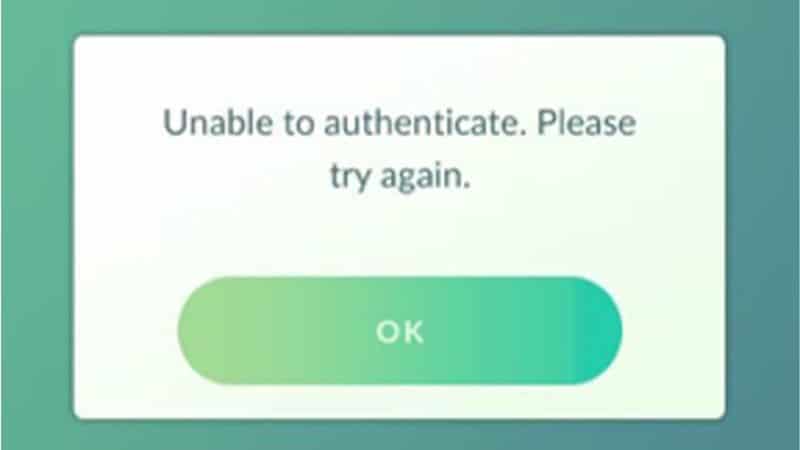
Unable to Authenticate Error in Pokemon
Image via Gametweak

You can fix the ‘Unable to Authenticate’ Error in Pokemon Go by using a VPN or clearing game data in the phone setting. However, we advise you to check the Pokemon Go server status before jumping into any fixes.

  1. Using a VPN: A VPN (Virtual Private Network) allows you to connect to a server in another country, making it appear as if you were there. This is often used to access unavailable content in your current location. Using a VPN to connect to a server can help bypass the Unable to authenticate error issue.
  2. Clearing Game Data: If you’re still having trouble with the ‘Unable to Authenticate’ Error, you can try clearing game data. To do this, go to your phone settings, scroll down, and select Apps. Here you should find Pokemon Go, select it and then tap Clear Data & Cache. This will reset the game’s default settings and hopefully fix the issue.

Suppose you are still unable to log in after doing the above steps. Try the below standard error-fixing methods.

– Restart your device

– Make sure you’re using the latest version of Pokemon Go

– Reinstall the game

– Check your internet connection

– Log out of the game and log back in

These are some of the most valuable methods to fix the Unable to Authenticate Error in Pokemon Go. If you’ve followed all the steps and are still having trouble logging into the game, the best way to solve this problem is to reach out to Pokemon Go’s customer support team. They will be able to provide you with more in-depth troubleshooting solutions.

Also, Pokémon Go is available on iOS and Android.

Related Topics
Guide Pokemon Go
Share. Facebook Twitter LinkedIn Reddit Email
Asanga Wijeratne
  • Website

SUGGESTED READS

Hytale Reaches 2.8 Million Active Players on Release Day, Says Developer: 'Eat Your Heart Out'
Game News

Hytale Reaches 2.8 Million Active Players on Release Day, Says Developer: ‘Eat Your Heart Out’

All Hytale Creative Mode and Server Console Commands
Game Guides

All Hytale Creative Mode and Server Console Commands

Hytale Email Not Sending error
Game Guides

How To Fix the ‘Email Not Sending’ Error in Hytale

Hytale How To Install Mods
Game Guides

How To Install Mods in Hytale

Is Hytale Free to Play? Editions and Available Platforms, Explained
Game Guides

Is Hytale Free to Play? Editions and Available Platforms, Explained

Crimson Desert Map Size
Game News

Crimson Desert Has Already Surpassed Skyrim and Red Dead Redemption 2 In One Thing

Trending
Hytale Reaches 2.8 Million Active Players on Release Day, Says Developer: 'Eat Your Heart Out'

Hytale Reaches 2.8 Million Active Players on Release Day, Says Developer: ‘Eat Your Heart Out’

All Hytale Creative Mode and Server Console Commands

All Hytale Creative Mode and Server Console Commands

Hytale Email Not Sending error

How To Fix the ‘Email Not Sending’ Error in Hytale

Hytale How To Install Mods

How To Install Mods in Hytale

The Nerd Stash
Facebook X (Twitter) Instagram YouTube LinkedIn
  • About Us
  • Join Our Team
  • Meet the Team
  • Privacy Policy
  • DMCA Policy
  • Contact Us
  • Terms of Use
  • Sitemap
  • Editorial Guidelines
  • Advertising Policy
© 2026 The Nerd Stash. All Rights Reserved.

Type above and press Enter to search. Press Esc to cancel.