
Close Menu
  • Gaming
    • Platforms
      • Nintendo
      • PC
      • PlayStation
      • Xbox
  • Entertainment
    • Movies
    • TV
    • Royals
  • Celebrity
    • Hollywood
  • Human Interest
  • Astrology
  • More
    • Reviews
Facebook X (Twitter) Instagram LinkedIn YouTube
  • About Us
  • Join Our Team
  • Meet the Team
  • Privacy Policy
  • DMCA Policy
  • Contact Us
  • Terms of Use
  • Sitemap
  • Editorial Guidelines
  • Advertising Policy
The Nerd Stash
  • Gaming
  • Celebrity
  • Hollywood
  • Human Interest
The Nerd Stash
Home»Gaming»Hogwarts Legacy Settings for Best FPS and Performance

Hogwarts Legacy Settings for Best FPS and Performance

Hogwarts Legacy is a role-playing action game. Set in the world of Harry Potter, the game promises to be an immersive experience, allowing players to…

Omer DursunBy Omer DursunFebruary 19, 20233 Mins Read
How to Defeat Inferius in Hogwarts Legacy Feature
via Avalanche Software
This article is over 3 years old and may contain outdated information.

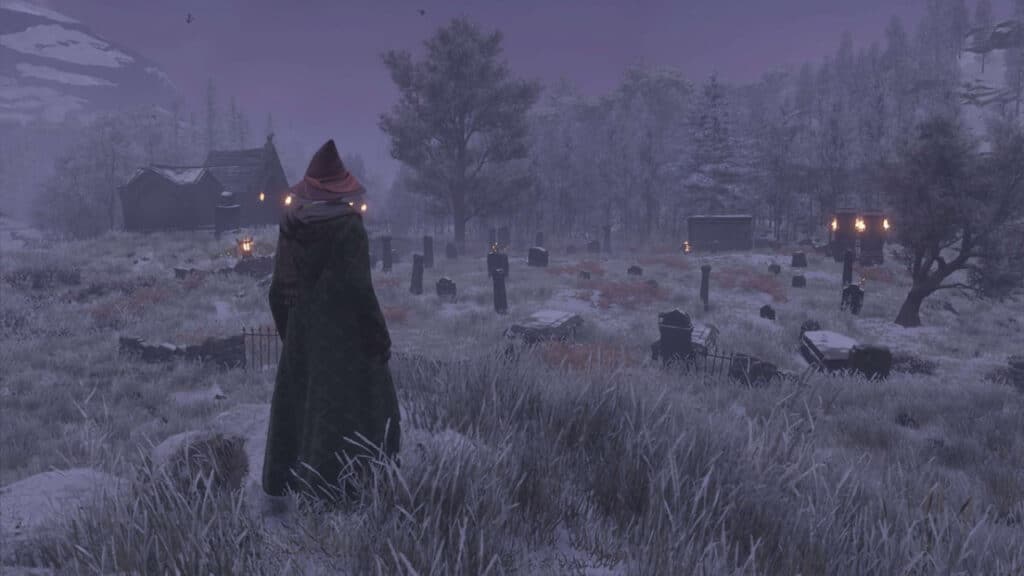
Hogwarts Legacy is a role-playing action game. Set in the world of Harry Potter, the game promises to be an immersive experience, allowing players to explore every nook and cranny of Hogwarts School of Witchcraft and Wizardry, venture out on broomsticks, and battle all sorts of magical creatures. This guide will look closely at the best settings for Hogwarts Legacy on PC to increase FPS.

What are the Best Settings for Hogwarts Legacy

The game’s stunning graphics and the immersive world can be demanding on your system, and only some have a high-end PC that can handle it. To ensure a smooth and enjoyable experience, having the right settings in place is essential. It’s worth noting that the performance of Hogwarts Legacy on your system depends on the specs you’re working with, so you’ll first want to make sure your PC meets the recommended and minimum requirements to run the game proficiently.

Display Options

The display options are the first settings to consider. Here are our recommended settings for the best performance:

  • Window Mode: Windowed Fullscreen
  • Upscale Type: NVIDIA DLSS
  • Upscale Mode: NVIDIA DLSS Quality
  • Upscale Sharpness: 0
  • NVIDIA Reflex Low Latency: On
  • VSync: On
  • Frame Rate: Uncapped
  • Field of View: 0.0
  • Motion Blur: Off
  • Depth of Field: Off
  • Chromatic Aberration: Off
  • Film Grain: Off

Using these display options, you’ll get the highest FPS possible on Hogwarts Legacy. The game will run at your monitor’s refresh rate, and you’ll be able to play the game smoothly without any lag or stutter. If you experience frame drops, you can cap your frames at a nice number that your PC can output consistently.

Graphic Options

The graphic options are the most demanding settings in the game, and tweaking them can have a significant impact on the performance. Here are our recommended settings for the best performance:

  • Global Quality Preset: Low
  • Effects Quality: Low / Medium
  • Material Quality: Low / Medium
  • Fog Quality: Low
  • Sky Quality: Low
  • Foliage Quality: Medium
  • Post Process Quality: Medium
  • Shadow Quality: Low
  • Texture Quality: Medium
  • View Distance Quality: Medium
  • Population Quality: Low / Medium
  • Ray Tracing Reflections: Off
  • Ray Tracing Shadows: Off
  • Ray Tracing Ambient Occlusion: Off

Using these graphic options, you can play around with the settings and flick between the medium and low options until you feel the game is running smoothly. You can push some of these settings higher if you want to retain quality, but if you experience frame drops, you may want to cap your frame rate.

Related Topics
Guide Hogwarts Legacy
Share. Facebook Twitter LinkedIn Reddit Email
Omer Dursun
  • Website

I am a freelance editor who loves to write technology and game content. I suggest you listen to my guide about games.

SUGGESTED READS

gamescom dev 2026 Adds Subnautica 2 Creative Director as Keynote Speaker, Reveals New Awards
Gaming

gamescom dev 2026 Adds Subnautica 2 Creative Director as Keynote Speaker, Reveals New Awards

Fortnite Summer Skins Censored Rumors
Gaming

Fortnite Fans Disappointed as Upcoming Summer Skins Have Been Allegedly Censored One Day After Their Reveal: ‘They Folded Without Any Pressure’

Where to Mine Soralite and Paloxite in Palworld
Gaming

Where to Mine Soralite and Paloxite in Palworld

Beast of Reincarnation Game Previews
Gaming

Beast of Reincarnation Previews Just Made It One of the Most Anticipated Games of 2026

Palworld 1.0 Patched the Tower Boss Glitch, but You Can Recruit Them Instead
Gaming

Palworld 1.0 Patched the Tower Boss Glitch, but You Can Recruit Them Instead

Sony’s President Sees No Issues With PS5 Pro’s $700 Price Tag: ‘Hardcore Users Are the Target'
Gaming

PlayStation Store’s Massive Summer Sale Starts Tomorrow: Here’s The Full List of Games Getting Massive Discounts

The Nerd Stash
Facebook X (Twitter) Instagram YouTube LinkedIn
  • About Us
  • Join Our Team
  • Meet the Team
  • Privacy Policy
  • DMCA Policy
  • Contact Us
  • Terms of Use
  • Sitemap
  • Editorial Guidelines
  • Advertising Policy
© 2026 The Nerd Stash. All Rights Reserved.

Type above and press Enter to search. Press Esc to cancel.