Close Menu
  • Gaming
    • Game Guides
    • Codes
    • Game News
    • Game Previews
    • Game Reviews
    • Game Features
    • Game Lists
    • Platforms
      • Nintendo
      • PC
      • PlayStation
      • Xbox
      • Mobile
  • Entertainment
    • Movies
    • Movie Features
    • Movie Reviews
    • TV
    • Reality TV
    • Royals
  • Celebrity
    • Hollywood
  • Human Interest
  • Astrology
  • More
    • Anime
    • Lists
    • Podcasts
    • Reviews
Facebook X (Twitter) Instagram LinkedIn YouTube
  • About Us
  • Join Our Team
  • Meet the Team
  • Privacy Policy
  • DMCA Policy
  • Contact Us
  • Terms of Use
  • Sitemap
  • Editorial Guidelines
  • Advertising Policy
The Nerd Stash
  • Gaming
  • Celebrity
  • Hollywood
  • Human Interest
The Nerd Stash
Home»Game Guides»How to Play Against Friends in MLB The Show 23

How to Play Against Friends in MLB The Show 23

MLB The Show 23 is the latest release that was done a week ago. Most people are wondering how to play against friends in MLB…

Monica NjeriBy Monica NjeriApril 3, 20233 Mins Read
How to Play Against Friends in MLB The Show 23
This article is over 3 years old and may contain outdated information.

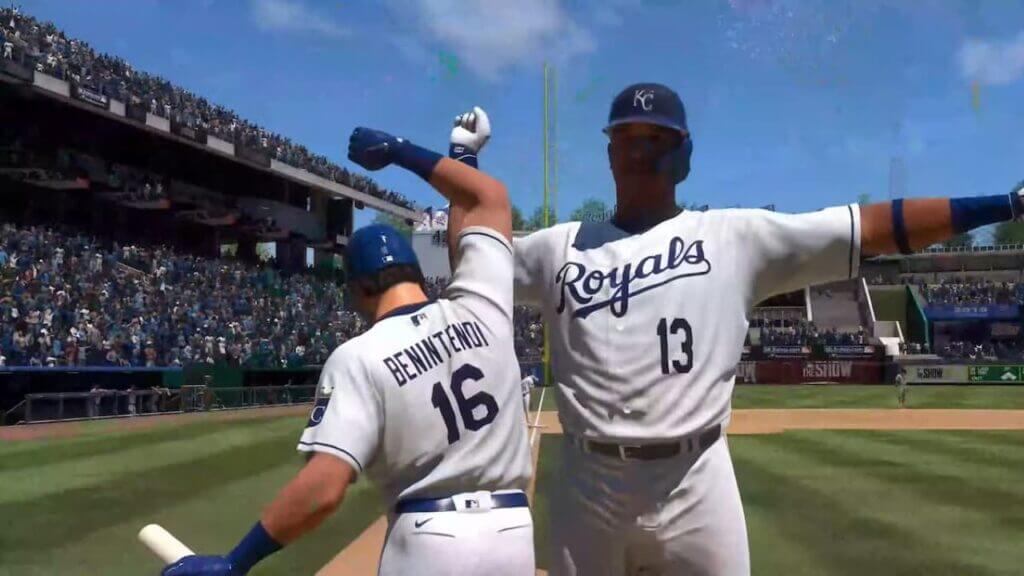
MLB The Show 23 is the latest release that was done a week ago. Most people are wondering how to play against friends in MLB The Show 23. The game supports multiple platforms and multiplayer. Thanks to the new update since friends can play together on a Nintendo Switch, Xbox, or PlayStation.

The majority of games improve in fun when you can play them online with friends. Fortunately, this game belongs to that category and provides players with a variety of entertaining multiplayer options. Clearly, you’ll need to get to know your friends first, but once you do, you’ll be able to have a blast with or against them in no time.

How to Play Against Friends in MLB The Show 23

How to Play Against Friends in MLB The Show 23

This new game has a lot of fun, especially when playing against or with friends. In this guide, we will highlight how to play against friends in the MLB The Show 23. In MLB The Show 23, there are many different ways to play with friends. But before you can accomplish that, you need to meet the following conditions.

  • You should have a good internet connection
  • You should have an active subscription to your online services platform either PlayStation Network, Xbox Live, or Nintendo Online
  • Lastly, you should have a list of friends

After making sure you match the aforementioned conditions, you must choose a game option that allows you to play with friends. You can play the following modes of MLB The Show 23 with your friends. This includes Online Co-Op, 2 vs. 2, 3 vs. 3, Diamond Dynasty, Ranked Co-Op, Play v. Friends, Casual Co-Op, Custom Leagues, and Hone Run Derby.

After accomplishing everything you can follow the following easy steps to play against friends in MLB The Show 2023.

  • Go to the Main Menu page.
  • Choose the game mode you and your friend want to play.
  • Select Invite Friend
  • A link to your Friends List will be provided.
  • Choose your friend.

Related:

How to Hit Home Runs in MLB The Show 23

Note that, if none of your friends have MLB The Show 23 installed, you can also play online with other sluggers. You can use the Locate Teammates option to be partnered with other online players in place of the Invite Friend option.  Additionally, you can also adjust the pitching and hitting difficulties as well as the game play.

Remember, before starting a game in Play Now Co-Op mode, you can change the rotating patterns. Teams now have the option to select multiple rotation patterns instead of being limited to rotating roles every inning on defense and rotating per at-bat on offense.

If both teams agree to change the length of the game, they can do so. Additionally, they can change any other necessary parameters. After making these changes, you can send an invitation to your friend to play against them in MLB The Show 23. If your friend accepts the invitation, the game can begin.


Related Topics
Guide MLB The Show 23
Share. Facebook Twitter LinkedIn Reddit Email
Monica Njeri
  • Website
  • Facebook
  • X (Twitter)

Hello there,  My name is Monica Njeri; I am 29 years old, and I reside in Kenya. I am a writer and am passionate about exploring new topics and trends. In addition, I try to make a positive impact in my writing. I am excited to connect with like-minded individuals and learn from their experiences.

SUGGESTED READS

Honkai: Star Rail 4.2 Update
Game News

Honkai: Star Rail Is Gearing Up For Its Third Anniversary Coming With Version 4.2

'SteamGPT' Datamine May Bring AI Chatbot, Anti-cheat Support to Steam
Game News

‘SteamGPT’ Datamine May Bring AI Chatbot, Anti-cheat Support to Steam

GTA 6 Online May Not Launch Day One, and That Might Be a Smart Move From Rockstar
Game News

GTA 6 Online May Not Launch Day One, and That Might Be a Smart Move From Rockstar

Invincible VS Open Beta Features
Game News

The Invincible VS Open Beta Will Feature 10 Characters and Three Game Modes

Samson PC Review
7
Game Reviews

Samson Review – An Uninspiring Tyndalston Story

Best mods for Project Zomboid Build 42
Game Guides

Top 10 Best Project Zomboid Mods (Updated for Build 42.16)

The Nerd Stash
Facebook X (Twitter) Instagram YouTube LinkedIn
  • About Us
  • Join Our Team
  • Meet the Team
  • Privacy Policy
  • DMCA Policy
  • Contact Us
  • Terms of Use
  • Sitemap
  • Editorial Guidelines
  • Advertising Policy
© 2026 The Nerd Stash. All Rights Reserved.

Type above and press Enter to search. Press Esc to cancel.