Close Menu
  • Gaming
    • Platforms
      • Nintendo
      • PC
      • PlayStation
      • Xbox
  • Entertainment
    • Movies
    • TV
    • Royals
  • Celebrity
    • Hollywood
  • Human Interest
  • Astrology
  • More
    • Reviews
Facebook X (Twitter) Instagram LinkedIn YouTube
  • About Us
  • Join Our Team
  • Meet the Team
  • Privacy Policy
  • DMCA Policy
  • Contact Us
  • Terms of Use
  • Sitemap
  • Editorial Guidelines
  • Advertising Policy
The Nerd Stash
  • Gaming
  • Celebrity
  • Hollywood
  • Human Interest
The Nerd Stash
Home»Gaming»What Do Kudos Do in Street Fighter 6?

What Do Kudos Do in Street Fighter 6?

The vast majority of players who play Street Fighter 6 are playing to play online with friends or to fight other players. As such, things…

Akın BilginBy Akın BilginJune 11, 20232 Mins Read
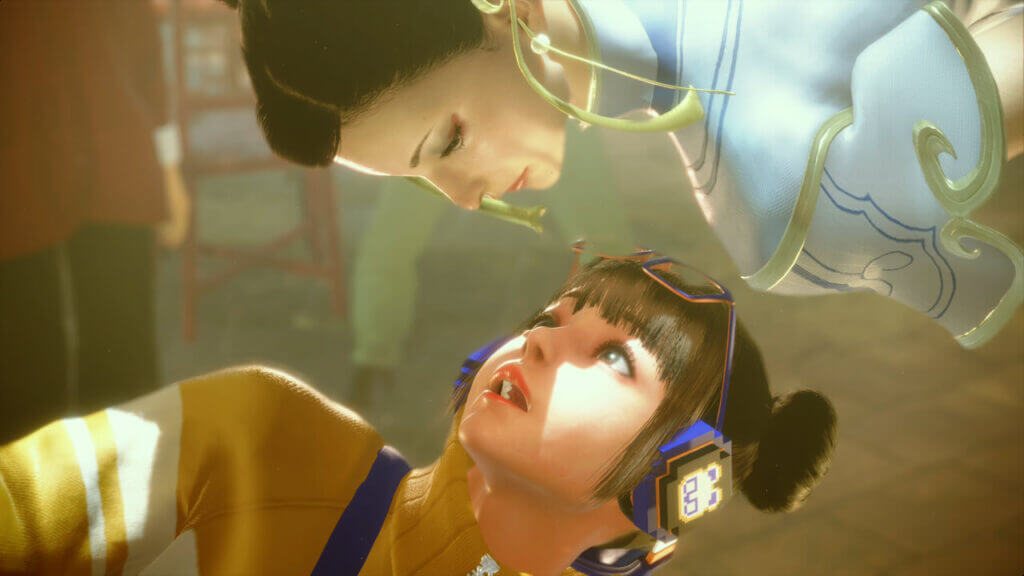
Street Fighter 6 Kudos
Image source: Capcom via The Nerd Stash Screenshot
This article is over 3 years old and may contain outdated information.

The vast majority of players who play Street Fighter 6 are playing to play online with friends or to fight other players. As such, things like character skins and titles become more valuable. In Street Fighter 6, Kudos are earned by doing any activity in the game, but you will learn what they do in the game in this article. Let’s move on to our article without keeping you waiting any longer.

What Are Kudos in Street Fighter 6

Street Fighter 6 What are Kudos
Image source: Capcom via The Nerd Stash Screenshot

In SF 6, you can earn Kudos in any game mode, including Arcade, Versus, Training, Extreme Battle, and even Ranked. You do not need to win the game to earn Kudos. You just need to play and participate. With Kudos, you can buy Titles for your in-game card in SF 6.

In a way, Kudos is a system that shows which character you have mastered and spent the most time on. The more you play a character, the more Kudos you earn and the more special Titles you can get for that character. This signals to other players how well you have mastered that character. You can show these Titles to other players by putting them in your player tag.

How To Get Kudos in Street Fighter 6

As we’ve already mentioned, to get Kudos in SF 6, simply play any game mode with a character you like. At the moment, it has no other function other than getting Titles for your characters, but we don’t know if this will change in the future.

Here are all the game modes where you can get Kudos in Street Fighter 6:

  • Versus
  • Casual Match
  • World Tour
  • Custom Room
  • Training
  • Combo Trials
  • Ranked Match
  • Arcade
  • Extreme Battle
  • Character Guides

Related:

How To Redeem Chipotle Rewards in SF 6

Street Fighter 6 is now available on PS4, PS5, Xbox One, Xbox Series X|S, and PC.

Related Topics
Guide Street Fighter 6
Share. Facebook Twitter LinkedIn Reddit Email
Akın Bilgin
  • Website
  • X (Twitter)

Akın Bilgin loves colony simulators, survival, and souls-like games. He has been a freelance guide writer for two years and is studying English Language and Literature in Turkey.

SUGGESTED READS

The Blood of Dawnwalker PS5 Review
9
Gaming

The Blood of Dawnwalker Review – Dark Fantasy Done Right

Onimusha Way of the Sword PS5 Review
9.5
Gaming

Onimusha: Way of the Sword Review – A Flawless Samurai Tale

GTA 6's Lucia Shows How Far Latina Representation in Games Has Come
Gaming

GTA 6’s Lucia Shows How Far Latina Representation in Games Has Come

Rogue Fortune Reveal
Gaming

Rogue Fortune Approaches Roguelikes With In-Depth Build-Crafting and Puzzle-Solving Systems

GTA 6 Extended Look Netflix
Gaming

How & Where to Watch the GTA 6 Extended Look

Resonance A Plague Tale Legacy PC Review
8
Gaming

Resonance: A Plague Tale Legacy Review – Bold Ideas, Predictable Story

The Nerd Stash
Facebook X (Twitter) Instagram YouTube LinkedIn
  • About Us
  • Join Our Team
  • Meet the Team
  • Privacy Policy
  • DMCA Policy
  • Contact Us
  • Terms of Use
  • Sitemap
  • Editorial Guidelines
  • Advertising Policy
© 2026 The Nerd Stash. All Rights Reserved.

Type above and press Enter to search. Press Esc to cancel.