Close Menu
  • Gaming
    • Game Guides
    • Codes
    • Game News
    • Game Previews
    • Game Reviews
    • Game Features
    • Game Lists
    • Platforms
      • Nintendo
      • PC
      • PlayStation
      • Xbox
      • Mobile
  • Entertainment
    • Movies
    • Movie Features
    • Movie Reviews
    • TV
    • Reality TV
    • Royals
  • Celebrity
    • Hollywood
  • Human Interest
  • Astrology
  • Videos
  • More
    • Anime
    • Lists
    • Podcasts
    • Reviews
Facebook X (Twitter) Instagram LinkedIn YouTube
  • About Us
  • Join Our Team
  • Meet the Team
  • Privacy Policy
  • DMCA Policy
  • Contact Us
  • Terms of Use
  • Sitemap
  • Editorial Guidelines
  • Advertising Policy
The Nerd Stash
  • Gaming
  • Celebrity
    • Hollywood
  • Human Interest
  • Videos
The Nerd Stash
Home»Game Guides»How To Fix Warzone Not Finding Matches Error

How To Fix Warzone Not Finding Matches Error

Do you want to know how to fix the “not finding matches” error in Warzone? The game has many errors, such as Puget Lakes and Packet Burst errors. These errors…

Asanga WijeratneBy Asanga WijeratneJuly 18, 20233 Mins Read
How To Fix Warzone Not Finding Matches Error
Image Source: Activision
This article is over 2 years old and may contain outdated information.

Do you want to know how to fix the “not finding matches” error in Warzone? The game has many errors, such as Puget Lakes and Packet Burst errors. These errors can be very frustrating. Warzone “not finding matches” is also one such error. Fortunately, specific fixes and solutions can help you resolve the issue. So, let’s look at how to fix the Warzone “not finding matches” error.

Fixing Warzone Not Finding Matches Error
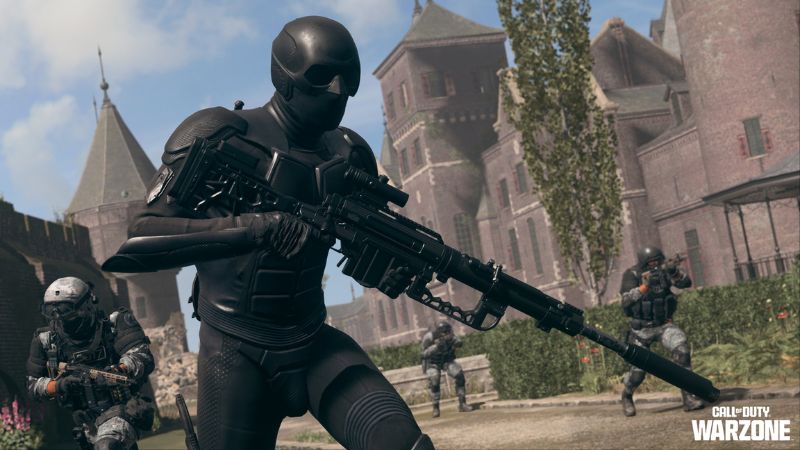
Warzone Not Finding Matches
Image Source: Activision

You can fix the Warzone “not finding matches” error by turning on crossplay on PS5 or PS4. Most of the time, PC players encounter this error, and if you were playing on PS5 and turned off crossplay, it might impact when you play on PC. Therefore, turning on crossplay can help you find matches. So far, this is the best solution given by other players in various forums such as Reddit. Also, you can try below methods provided by players.

  1. Check whether you have a shadow banned: This can cause the Warzone “not finding matches” error. If you have been shadow banned, your account might not appear in matches. You should check whether you have been shadow banned or not.
  2. Turn off the VPN: If you are using. a VPN, you should try disabling it as it might stop you from getting matched with other players.

Related:
Superpowers in Warzone Prove Activision Is Out of Touch

Apart from the above two methods also, you can try the below-standard error-fixing methods to fix the Warzone “not finding matches” error:

  • Check connection: You can check your internet to see any issues. If your connection is slow, it might cause this problem.
  • Reset the game: Resetting Warzone can help you fix the issue. Go to your game settings and reset the game from there.
  • Install the latest version of the game:  You should ensure you have the latest version of Warzone installed. If not, download it from the official website and install it on your device.
  • Update the network driver: You should also ensure your network driver is up-to-date.
  • Restart the modem and the router:  If you have a router, try restarting it. This can help you fix the issue.
  • Restart your computer: If all else fails, restarting your computer can help you fix the Warzone “not finding matches” error.

These are some of the methods to fix the failed-to-find-a-match issue in Warzone. If none work for you, you should contact Activision support for further assistance. They can help you solve the problem and get back in the game! If you still need visual guidance, the video below from fix IT  will help.

Related Topics
Guide Warzone
Share. Facebook Twitter LinkedIn Reddit Email
Asanga Wijeratne
  • Website

SUGGESTED READS

PC Gamers Can't Catch a Break as Nvidia Plans 40% GeForce GPU Production Cuts, Report: 'Who Needs a PC Anyways'
Game News

PC Gamers Can’t Catch a Break as Nvidia Reportedly Plans 40% GeForce GPU Production Cuts: ‘Who Needs a PC Anyways’

Destiny 2 How to Get the Praxic Blade
Game Guides

How to Get the Praxic Blade in Destiny 2: Renegades

Marathon Arrives March 2026 at $40 Without 'FOMO Passes': 'Concord 3 Release Date Confirmed'
Features

Marathon Arrives March 2026 at $40 Without ‘FOMO Passes’: ‘Concord 3 Release Date Confirmed’

Destiny 2 Renegades Equilibrium Dungeon Loot Table
Game Guides

Destiny 2: Renegades – Equilibrium Dungeon Loot Table Full Armor, Weapons, and Perks

Battlefield 6 Winter Offensive Challenges Guide
Game Guides

Battlefield 6 Season 1 – Winter Offensive Challenges Guide

Druid Starter Guide Path of Exile 2
Game Guides

Ultimate Druid Starter Guide for Path of Exile 2

Trending
PC Gamers Can't Catch a Break as Nvidia Plans 40% GeForce GPU Production Cuts, Report: 'Who Needs a PC Anyways'

PC Gamers Can’t Catch a Break as Nvidia Reportedly Plans 40% GeForce GPU Production Cuts: ‘Who Needs a PC Anyways’

Destiny 2 How to Get the Praxic Blade

How to Get the Praxic Blade in Destiny 2: Renegades

Marathon Arrives March 2026 at $40 Without 'FOMO Passes': 'Concord 3 Release Date Confirmed'

Marathon Arrives March 2026 at $40 Without ‘FOMO Passes’: ‘Concord 3 Release Date Confirmed’

Destiny 2 Renegades Equilibrium Dungeon Loot Table

Destiny 2: Renegades – Equilibrium Dungeon Loot Table Full Armor, Weapons, and Perks

The Nerd Stash
Facebook X (Twitter) Instagram YouTube LinkedIn
  • About Us
  • Join Our Team
  • Meet the Team
  • Privacy Policy
  • DMCA Policy
  • Contact Us
  • Terms of Use
  • Sitemap
  • Editorial Guidelines
  • Advertising Policy
© 2025 The Nerd Stash. All Rights Reserved.

Type above and press Enter to search. Press Esc to cancel.