
Close Menu
  • Gaming
    • Platforms
      • Nintendo
      • PC
      • PlayStation
      • Xbox
  • Entertainment
    • Movies
    • TV
    • Royals
  • Celebrity
    • Hollywood
  • Human Interest
  • Astrology
  • More
    • Anime
    • Reviews
Facebook X (Twitter) Instagram LinkedIn YouTube
  • About Us
  • Join Our Team
  • Meet the Team
  • Privacy Policy
  • DMCA Policy
  • Contact Us
  • Terms of Use
  • Sitemap
  • Editorial Guidelines
  • Advertising Policy
The Nerd Stash
  • Gaming
  • Celebrity
  • Hollywood
  • Human Interest
The Nerd Stash
Home»Gaming»How To Unlock Gear in Pikmin 4

How To Unlock Gear in Pikmin 4

Want to know how to unlock Gear in Pikmin 4? Nintendo recently released Pikmin 4, which has a lot of new features. All of them will help you…

Alina NovichenkoBy Alina NovichenkoJuly 22, 20233 Mins Read
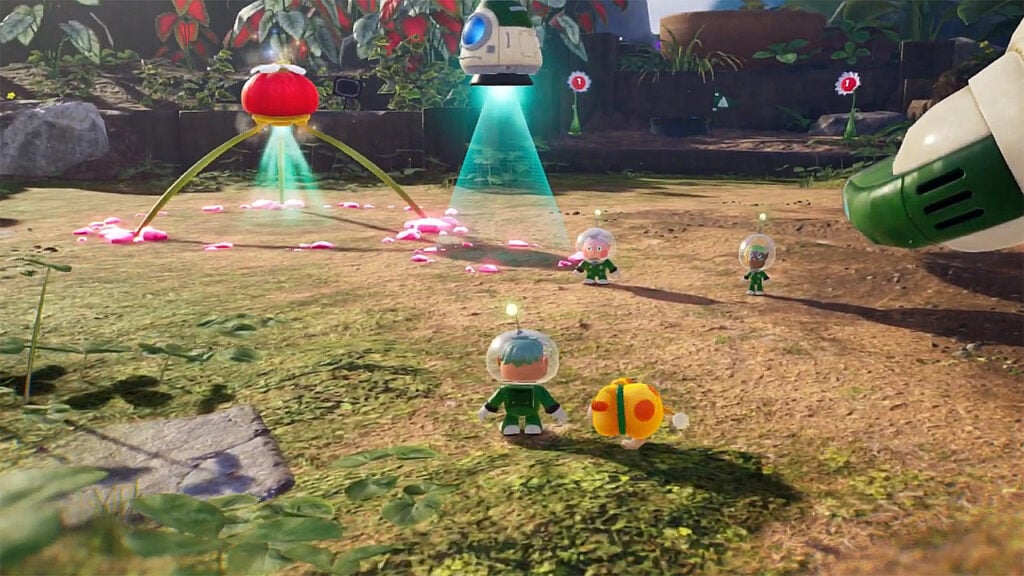
How To Unlock Gear in Pikmin 4
Image Source: Nintendo via Trophygamers Screenshot
This article is over 2 years old and may contain outdated information.

Want to know how to unlock Gear in Pikmin 4? Nintendo recently released Pikmin 4, which has a lot of new features. All of them will help you explore areas, find treasures, new Pikmin, and much more. However, at the beginning of the game, all abilities will not be available to you. Therefore, you will have to progress until you find Gear. These Items are sold by Russ, one of the NPCs. So, read on to find out where to find Russ in Pikmin 4.

Where To Find Russ in Pikmin 4
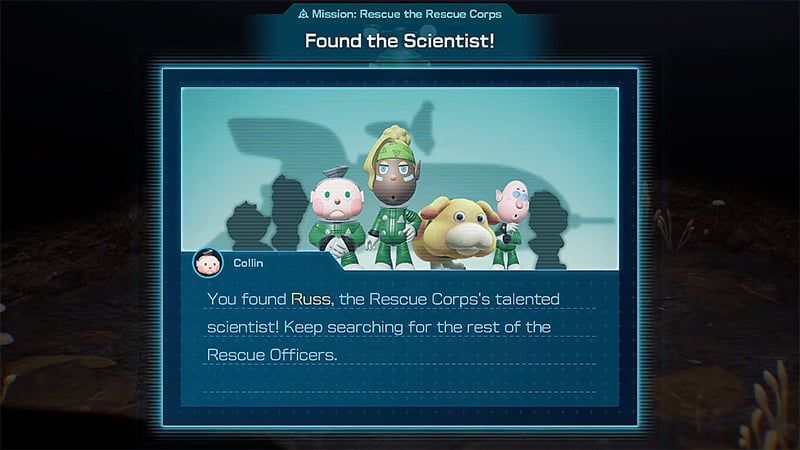
Where To Find Russ in Pikmin 4
Image Source: Nintendo via Trophygamers Screenshot

Luckily, you can find Russ in Pikmin 4 quite easily. To do this, you need to fix S.S. Shepherd and wait for the next day. Then follow the story to get to the Last-Frost Cavern. Inside this cave, you will find a new Pikmin, but more importantly, you will discover Russ and unlock Gear in Pikmin 4.

After that, you can come to Russ’s Lab at almost any time to create Gear Pikmin 4. However, it is worth noting that he will need resources to create various pieces of Gear. You have to look for Raw Materials which look like blue crystals. Fortunately, they can be found almost everywhere:

  • You can find piles of Raw Materials just on the ground.
  • Raw materials can be dropped from enemies.
  • You can also get Raw Materials by destroying various obstacles.
  • You can get Raw Materials as a reward by completing Side Quests.

Then, all you have to do is return to Russ and choose the Gear you need the most. However, sometimes Russ will be unavailable as he runs out of materials. Just wait a day, after which he will be ready again.

What is Gear in Pikmin 4?

Gear in Pikmin 4 is a variety of upgrades that can give your character different abilities. They can be both effective for combat and for exploring the world. Therefore, you need to choose wisely which Gear to craft and equip now. For example, Headlamp will come in handy while exploring dark caves.

That’s all you need to know about how to unlock Gear in Pikmin 4. These upgrades will make your adventure much more fun, so follow our tips to get them as quickly as possible. In the meantime, take a look at our guide on how to switch Characters in Pikmin 4.

Related:

Can You Change Difficulty in Pikmin 4?

Pikmin 4 is available on Nintendo Switch. 

Related Topics
Guide Pikmin 4
Share. Facebook Twitter LinkedIn Reddit Email
Alina Novichenko
  • Website

Alina is a professional freelance game guides writer, with 2 years experience in this industry. She joined TheNerdStash in 2022 and is glad to be part of a friendly team of writers.

SUGGESTED READS

Honkai Star Rail Version 4.3 Announcements
Gaming

Honkai: Star Rail Version 4.3 Unveils Blade’s New Form and More Fate Collab Characters

Take-Two CEO Reveals Fans Will Be Forced To Wait a Bit Longer for GTA 6 News 'This Summer,' But Insiders Disagree
Gaming

Take-Two CEO Reveals Fans Will Be Forced To Wait a Bit Longer for GTA 6 News ‘This Summer,’ But Insiders Disagree

007 First Light Launch Trailer
Gaming

007 First Light Celebrates the Long-Awaited Return of James Bond With Its Launch Trailer

Destiny 2 Final Update
Features

Destiny 2 Is Dead: Bungie’s Divisive Franchise Going on Maintenance Mode With Its Last Update Launching on June 9

GTA Studio's Secrets Stay Buried Forever as Rockstar Reportedly Enforces 'Lifetime NDAs' on Ex-Developers
Gaming

GTA Studio’s Secrets Stay Buried Forever as Rockstar Reportedly Enforces ‘Lifetime NDAs’ on Ex-Developers

Warhammer 40,000 Boltgun 2 Hands-On Preview
Features

Warhammer 40,000: Boltgun 2 Hands-On Preview – Retro-Shooting for the Emperor

The Nerd Stash
Facebook X (Twitter) Instagram YouTube LinkedIn
  • About Us
  • Join Our Team
  • Meet the Team
  • Privacy Policy
  • DMCA Policy
  • Contact Us
  • Terms of Use
  • Sitemap
  • Editorial Guidelines
  • Advertising Policy
© 2026 The Nerd Stash. All Rights Reserved.

Type above and press Enter to search. Press Esc to cancel.





