Close Menu
  • Gaming
    • Platforms
      • Nintendo
      • PC
      • PlayStation
      • Xbox
  • Entertainment
    • Movies
    • TV
    • Royals
  • Celebrity
    • Hollywood
  • Human Interest
  • Astrology
  • More
    • Anime
    • Reviews
Facebook X (Twitter) Instagram LinkedIn YouTube
  • About Us
  • Join Our Team
  • Meet the Team
  • Privacy Policy
  • DMCA Policy
  • Contact Us
  • Terms of Use
  • Sitemap
  • Editorial Guidelines
  • Advertising Policy
The Nerd Stash
  • Gaming
  • Celebrity
  • Hollywood
  • Human Interest
The Nerd Stash
Home»Gaming»How To Fix Movement in Fortnite Chapter 5

How To Fix Movement in Fortnite Chapter 5

Fortnite PC players can improve movement settings by turning off the Forced Walk Key binds. There are two keybinds newly added to the settings: Forced…

Asanga WijeratneBy Asanga WijeratneDecember 5, 20232 Mins Read
How To Fix Movement in Fortnite Chapter 5
Image Source: Epic Games
This article is over 2 years old and may contain outdated information.

Fortnite PC players can improve movement settings by turning off the Forced Walk Key binds. There are two keybinds newly added to the settings: Forced Walk (Toggle) and Forced Walk (Hold). Generally, Forced walking seems to control most of your movements, and therefore, by turning it off, you can fix your movements in Fortnite Chapter 5. Below are the steps you need to follow:

  1. Log in to Fortnite and go to Settings in the main menu.
  2. Go to Key Board Controls.
  3. Select Forced Walk (Toggle) and turn off the key bind.
  4. Do the same for the Forced Walk (Hold).
  5. Go to the Keyboard option in settings, select Strafe Angle under Keyboard Movement, and reduce the value to 71.
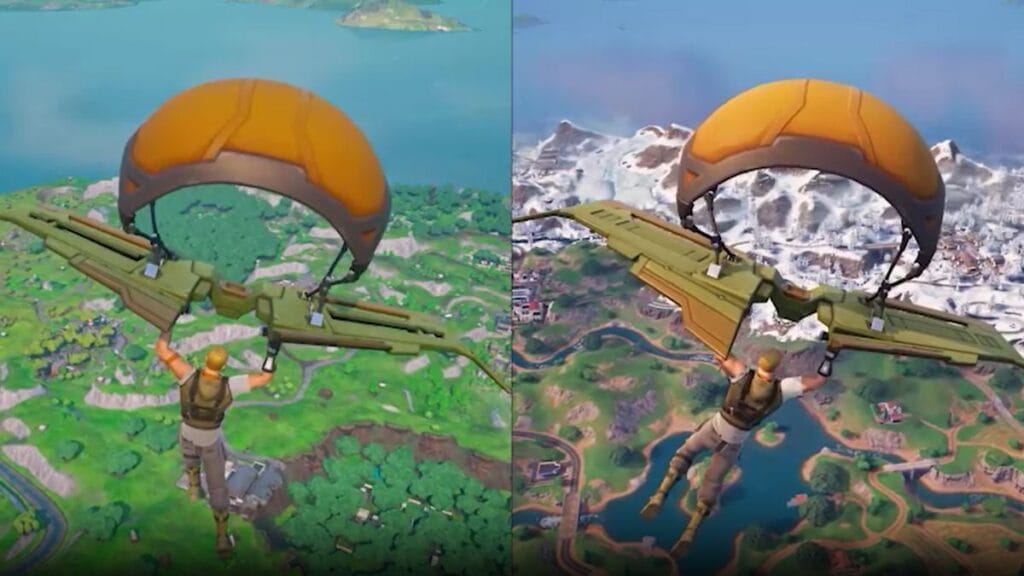
Fortnite Best Movement Settings
Image Source: Epic Games via The Nerd Stash

Also, you can adjust the Forward Diagonal Angle to 64 and set the Backward Diagonal Angle to 135. However, it might only help a little bit. Unfortunately, at the time of writing, there is no way to fix the movement in Fortnite Chapter 5 for console players.

On the official Fortnite page on X (formerly Twitter), Epic Games has acknowledged the issues with movement. Also, in another post, the company said that according to feedback from players, they have adjusted storm cycles, and Storm Circles 1 & 2 now take 20 seconds longer to close. Therefore, they might also change the movement in future updates.

Let’s talk movement. TBH, it took us a few days to get used to it during our playtests too.

We want to introduce visual improvements & encourage more strategic decision-making in each moment. Here’s what changed:

-New animations!
-Run and sprint speed slightly slower (but…

— Fortnite (@Fortnite) December 4, 2023

In my personal gameplay experience, I have seen only a few players try to use building mechanisms. Instead, most of them jump and shoot directly, which was not the case in the previous chapter. This might be due to the new movement mechanics that players are still adapting to. However, until Epic Games makes any changes, players can try to fix their movements by following the steps mentioned in Fortnite Chapter 5 above.

Related Topics
Fortnite
Share. Facebook Twitter LinkedIn Reddit Email
Asanga Wijeratne
  • Website

SUGGESTED READS

MindsEye Layoffs 2026
Gaming

Studio Behind GTA-like Game, MindsEye, Hit With More Layoffs, and Nobody is Surprised: ‘Shocked There’s Even a Janitor Working There’

Princess Peach Spin-Off Movie May Already Be in Development, Job Listing Suggests
Gaming

Princess Peach Spin-Off Movie May Already Be in Development, Job Listing Suggests

Xbox's New CEO Wants to Reconnect With the 'Community,' Yet Brings In More CoreAI Leaders
Gaming

Xbox’s New CEO Wants to Reconnect With the ‘Community,’ Yet Brings In More CoreAI Leaders

Diablo 4 Season 13 Tier List
Gaming

Class Tier List for Diablo 4 Season 13 (Best Classes for Endgame & Leveling)

Take-Two Boss Finally Explains Why GTA 6 Is Skipping PC at Launch: 'We'll See How It Works Out'
Gaming

Take-Two Boss Finally Explains Why GTA 6 Is Skipping PC at Launch: ‘We’ll See How It Works Out’

Rockstar Employee Review Claims 'Unrealistic' Crunch as GTA 6 Development Intensifies: 'Had to Work Till 3AM'
Gaming

Rockstar Employee Review Claims ‘Unrealistic’ Crunch as GTA 6 Development Intensifies: ‘Had to Work Till 3AM’

The Nerd Stash
Facebook X (Twitter) Instagram YouTube LinkedIn
  • About Us
  • Join Our Team
  • Meet the Team
  • Privacy Policy
  • DMCA Policy
  • Contact Us
  • Terms of Use
  • Sitemap
  • Editorial Guidelines
  • Advertising Policy
© 2026 The Nerd Stash. All Rights Reserved.

Type above and press Enter to search. Press Esc to cancel.