Close Menu
  • Gaming
    • Platforms
      • Nintendo
      • PC
      • PlayStation
      • Xbox
  • Entertainment
    • Movies
    • TV
    • Royals
  • Celebrity
    • Hollywood
  • Human Interest
  • Astrology
  • More
    • Reviews
Facebook X (Twitter) Instagram LinkedIn YouTube
  • About Us
  • Join Our Team
  • Meet the Team
  • Privacy Policy
  • DMCA Policy
  • Contact Us
  • Terms of Use
  • Sitemap
  • Editorial Guidelines
  • Advertising Policy
The Nerd Stash
  • Gaming
  • Celebrity
  • Hollywood
  • Human Interest
The Nerd Stash
Home»Gaming»Roblox: Cali Shootout Codes (September 2024)

Roblox: Cali Shootout Codes (September 2024)

Grand Theft Roblox

Dylan ChaundyBy Dylan ChaundySeptember 11, 20242 Mins Read
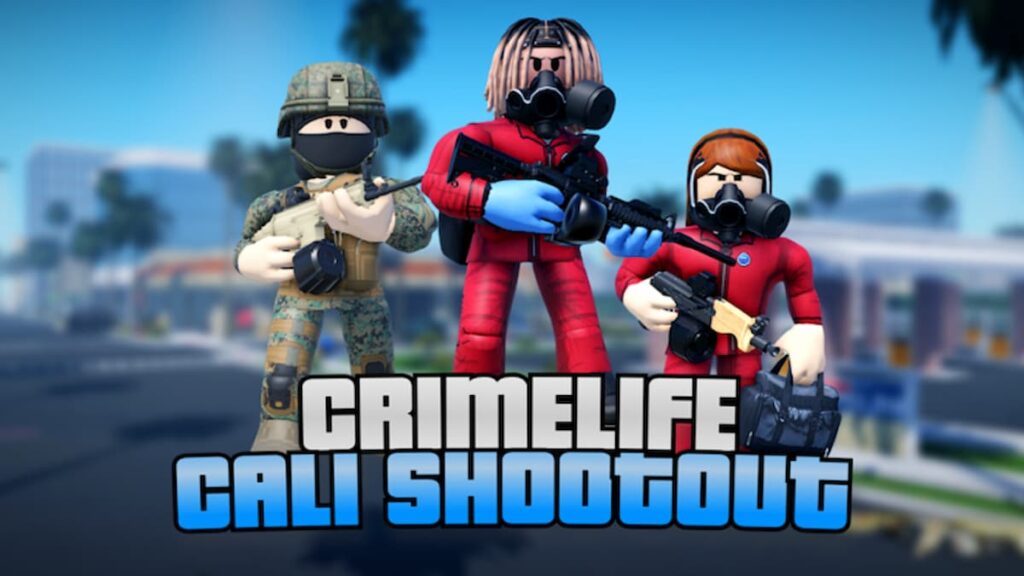
Cali Shootout
Image Source: Roblox
This article is over 2 years old and may contain outdated information.

While there’s plenty of shoot ’em up experiences on Roblox, Cali Shootout is definitely one of the more realistic and gritty ones. Developed by Crimelife, this third-person multiplayer shooter is inspired by open-world games like Grand Theft Auto. Heck, you can even drive cars, buy a house, and carry out diamond heists. So, for those who are looking for a leg-up over the competition, here are all the Cali Shootout codes. Let’s do it!

All Working Codes in Cali Shootout

[Looked for new codes on 11 September, and tested existing ones]

Right now, there are six active codes that you can redeem for free boosts in-game:

  • NIGHTCLUB – $1,500 in-game cash
  • AIM – $10,000 in-game cash
  • ELECTRIC – $16,000 in-game cash
  • WINTER – $15,000 in-game cash
  • JEWELRY – $12,000 in-game cash
  • SPOOKY – $10,000 in-game cash
  • SPIN – $16,000 in-game cash

How to Redeem Codes

Cali Shootout codes, Roblox
Image Source: Roblox via The Nerd Stash

Much like many other titles on the Roblox platform, it’s an absolute cinch redeeming codes in Cali Shootout. Nevertheless, if you’re still having problems redeeming them, simply follow these steps:

  • First of all, launch Cali Shootout on Roblox.
  • Next, once the game has loaded, tap on the ‘Codes’ button at the top of the screen.
  • Then, in the text box provided, simply type in one of the codes above.
  • Hit the green ‘Done’ button and the freebies will be added to your account. You’re welcome!
codes, how to redeem them
Image Source: Roblox via The Nerd Stash

Related:

How to Use Flash Counter in Blade Ball

And just like that, we conclude our guide on all the Cali Shootout codes in Roblox at the moment. For more tips, tricks, and guides, keep it locked at The Nerd Stash.


Related Topics
Guide Roblox
Share. Facebook Twitter LinkedIn Reddit Email
Dylan Chaundy
  • Website
  • X (Twitter)

Dylan is an Editor at The Nerd Stash and has been writing about video games, TV, and movies for over a decade now. He typically covers horror, RPGs, shooters, Roblox, indie titles, and movies. He loves reading, pizza and skateboarding -- ideally, at the same time. He has a degree in English Literature from Aberystwyth University, Wales. He thinks FTL may be the most perfect game ever created.

SUGGESTED READS

GTA 6 PC Listing Mysteriously Appears on SteamDB Amid Major Leak
Gaming

GTA 6 PC Listing Mysteriously Appears on SteamDB Amid Major Leak

GTA 6 Fans Accuse Rockstar of Plagiarizing Artwork for SMG Decal: 'I Hope Rockstar Paid for This'
Gaming

GTA 6 Fans Accuse Rockstar of Plagiarizing Artwork for SMG Decal: ‘I Hope Rockstar Paid for This’

GTA 6: Will Moving to Chapter 2 Lock You Out of Chapter 1 Content?
Gaming

GTA 6: Will Moving to Chapter 2 Lock You Out of Chapter 1 Content?

GTA 6 Criminal Profile
Gaming

How Do Criminal Profiles Work in GTA 6

GTA 6 Register & Sell Vehicles
Gaming

How to Register and Sell Vehicles in GTA 6

GTA 6 Reportedly Made $2.36 Billion by Launch Day, With PS5 Outselling Xbox Three to One
Gaming

GTA 6 Reportedly Made $2.36 Billion by Launch Day, With PS5 Outselling Xbox Three to One

The Nerd Stash
Facebook X (Twitter) Instagram YouTube LinkedIn
  • About Us
  • Join Our Team
  • Meet the Team
  • Privacy Policy
  • DMCA Policy
  • Contact Us
  • Terms of Use
  • Sitemap
  • Editorial Guidelines
  • Advertising Policy
© 2026 The Nerd Stash. All Rights Reserved.

Type above and press Enter to search. Press Esc to cancel.