Close Menu
  • Gaming
    • Game Guides
    • Codes
    • Game News
    • Game Previews
    • Game Reviews
    • Game Features
    • Game Lists
    • Platforms
      • Nintendo
      • PC
      • PlayStation
      • Xbox
      • Mobile
  • Entertainment
    • Movies
    • Movie Features
    • Movie Reviews
    • TV
    • Reality TV
    • Royals
  • Celebrity
    • Hollywood
  • Human Interest
  • Astrology
  • Videos
  • More
    • Anime
    • Lists
    • Podcasts
    • Reviews
Facebook X (Twitter) Instagram LinkedIn YouTube
  • About Us
  • Join Our Team
  • Meet the Team
  • Privacy Policy
  • DMCA Policy
  • Contact Us
  • Terms of Use
  • Sitemap
  • Editorial Guidelines
  • Advertising Policy
The Nerd Stash
  • Gaming
  • Celebrity
    • Hollywood
  • Human Interest
  • Videos
The Nerd Stash
Home»Game Guides»How To Get Songs On Fortnite Festival

How To Get Songs On Fortnite Festival

Time to Rock’n Roll baby!

Akın BilginBy Akın BilginJanuary 6, 20242 Mins Read
how to get songs on fortnite festival
Image Source: Epic Games via The Nerd Stash
This article is over 1 years old and may contain outdated information.

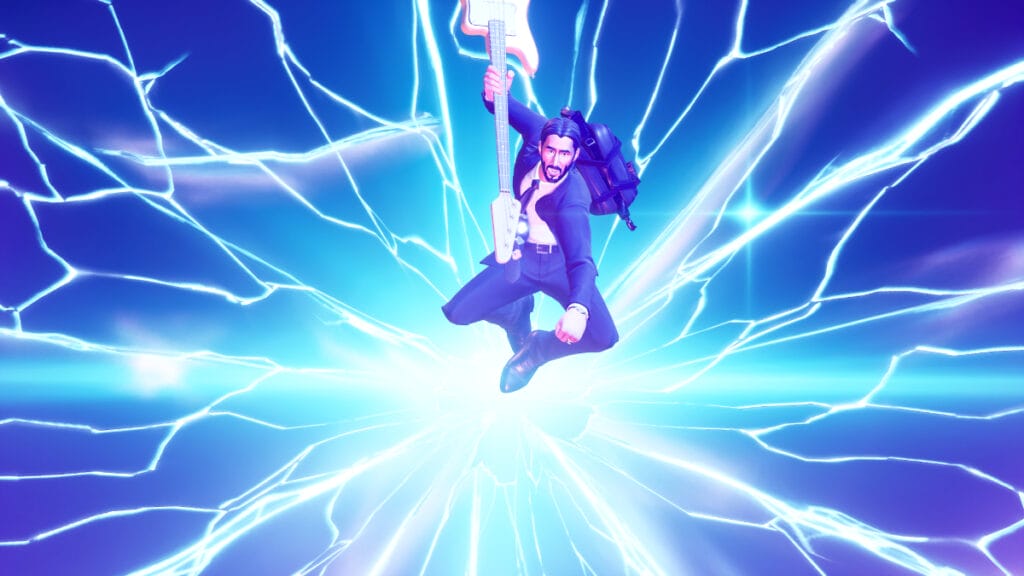
Fortnite Festival is a great rhythm game that is so accessible that you can play with all your friends with no problem. The only downside, however, is the way you go about getting new songs, which can be a bit cryptic. Without further ado, let’s take a look at how to get songs in Fortnite Festival.

How To Play Songs in Fortnite Festival

how to get more songs on fortnite festival
Image Source: Epic Games via The Nerd Stash

To play a song in the Fortnite Festival, you need to own the song. But of course, not everyone wants to invest money in the game, especially just for a single track. Thankfully, you can play well-known and famous songs at Fortnite Festival without buying them. There are daily songs that can be played for free in Fortnite Festival, and Epic Games changes these Daily Jam Tracks every day. You can play famous and fun tracks like Believer, Seven Nation Army, and Save Your Tears.

Follow the steps below to get songs on in Fortnite Festival:

  1. First, select Fortnite Festival from the game menu and log into the game.
  2. Then select the instrument you want to play using the “1-2-3-4” keys.
  3. Adjust the difficulty with the “F” key.
  4. Then interact with the org that says “Choose A Song” on the screen.
  5. Add the song to the playlist you want to play by pressing the “Enter” key.
  6. When you are ready, press “ESC” to return and hold “R” to start the game.
  7. After the game starts, the songs you added to your playlist will play in order.

Related:

When Does the Fortnite Chapter 5 Season 1 End

How To Get New Songs in Fortnite Festival

fortnite festival songs
Image Source: Epic Games via The Nerd Stash

If you want songs you can play whenever you want, in addition to the daily free songs that Epic Games provides players, you need to follow a slightly different path. For this, you need to visit the Item Shop every day and check the available songs there.

If you see a Fortnite Festival song you like, you can purchase it for 500 V-Bucks. Doing so will add that song to your inventory and you can play it whenever you want.


Related:

How to Rank Up Fast in Fortnite Chapter 5
Related Topics
Fortnite Guide
Share. Facebook Twitter LinkedIn Reddit Email
Akın Bilgin
  • Website
  • X (Twitter)

Akın Bilgin loves colony simulators, survival, and souls-like games. He has been a freelance guide writer for two years and is studying English Language and Literature in Turkey.

SUGGESTED READS

Minecraft Accused of Mocking Lonely Kids, Sparking Mental Health Backlash: 'One of the Ickiest Things I've Seen'
Features

Minecraft Accused of Mocking Lonely Kids, Sparking Mental Health Backlash: ‘One of the Ickiest Things I’ve Seen’

Destiny 2 Renegades PS5 Review
8.5
Features

Destiny 2: Renegades Review – The Shooter Strikes Back

Clair Obscur: Expedition 33 Loses GOTY, Other Award from Indie Game Awards Over Generative AI: 'Some Weird Performative BS'
Game News

GOTY Stripped Over AI?: Clair Obscur: Expedition 33 Loses Awards at Indie Game Awards, ‘Some Weird Performative BS’

Sony Patents Real-time AI Game Censorship Tech That Could Even Make GTA 6 Kid-Friendly
Game News

Sony Patents Real-Time AI Game Censorship Tech That Could Even Make GTA 6 Kid-Friendly

Zenless Zone Zero Version 2.5 Announcement
Game News

Zenless Zone Zero Version 2.5 Is Ready To Wrap Up the Year With Two New Agents and a Free Outfit

PC Gamers Can't Catch a Break as Nvidia Plans 40% GeForce GPU Production Cuts, Report: 'Who Needs a PC Anyways'
Game News

PC Gamers Can’t Catch a Break as Nvidia Reportedly Plans 40% GeForce GPU Production Cuts: ‘Who Needs a PC Anyways’

Trending
Minecraft Accused of Mocking Lonely Kids, Sparking Mental Health Backlash: 'One of the Ickiest Things I've Seen'

Minecraft Accused of Mocking Lonely Kids, Sparking Mental Health Backlash: ‘One of the Ickiest Things I’ve Seen’

Destiny 2 Renegades PS5 Review
8.5

Destiny 2: Renegades Review – The Shooter Strikes Back

Clair Obscur: Expedition 33 Loses GOTY, Other Award from Indie Game Awards Over Generative AI: 'Some Weird Performative BS'

GOTY Stripped Over AI?: Clair Obscur: Expedition 33 Loses Awards at Indie Game Awards, ‘Some Weird Performative BS’

Sony Patents Real-time AI Game Censorship Tech That Could Even Make GTA 6 Kid-Friendly

Sony Patents Real-Time AI Game Censorship Tech That Could Even Make GTA 6 Kid-Friendly

The Nerd Stash
Facebook X (Twitter) Instagram YouTube LinkedIn
  • About Us
  • Join Our Team
  • Meet the Team
  • Privacy Policy
  • DMCA Policy
  • Contact Us
  • Terms of Use
  • Sitemap
  • Editorial Guidelines
  • Advertising Policy
© 2025 The Nerd Stash. All Rights Reserved.

Type above and press Enter to search. Press Esc to cancel.