Close Menu
  • Gaming
    • Game Guides
    • Codes
    • Game News
    • Game Previews
    • Game Reviews
    • Game Features
    • Game Lists
    • Platforms
      • Nintendo
      • PC
      • PlayStation
      • Xbox
      • Mobile
  • Entertainment
    • Movies
    • Movie Features
    • Movie Reviews
    • TV
    • Reality TV
    • Royals
  • Celebrity
    • Hollywood
  • Human Interest
  • Astrology
  • Videos
  • More
    • Anime
    • Lists
    • Podcasts
    • Reviews
Facebook X (Twitter) Instagram LinkedIn YouTube
  • About Us
  • Join Our Team
  • Meet the Team
  • Privacy Policy
  • DMCA Policy
  • Contact Us
  • Terms of Use
  • Sitemap
  • Editorial Guidelines
  • Advertising Policy
The Nerd Stash
  • Gaming
  • Celebrity
    • Hollywood
  • Human Interest
  • Videos
The Nerd Stash
Home»Game Guides»How To Unlock New Routes in Pacific Drive

How To Unlock New Routes in Pacific Drive

We need road where we’re going.

Julio La PineBy Julio La PineFebruary 20, 20243 Mins Read
Pacific Drive Unlock New Routes
Image Source: Kepler Interactive via The Nerd Stash
This article is over 1 years old and may contain outdated information.

Exploring the Exclusion Zone is a key aspect of Pacific Drive, and to see every strange nook and cranny of this place, you’ll need to unlock new routes. Initially, it might seem easy to pick a new destination and hit the gas, but you’ll notice that each trip takes a toll on your car, so planning is paramount. So, before you pack your survival tools, fill up your gas tank, and get some spare wheels, you should think carefully about where you’ll go next.

Unlocking New Routes in Pacific Drive, Explained

Pacific Drive Map
Image Source: Kepler Interactive via The Nerd Stash

As soon as you reach Oppy’s garage after the quick tutorial, you’ll get the option to start unlocking routes in Pacific Drive. You might think this is something straightforward that only requires you to pick whatever destination seems fine, but we advise against that. Ideally, you want to do the following:

  1. Head to the Route Planner (map) and pick a destination.
  2. When choosing a destination, you’ll see a few arrows branching out.
    • This shows which routes will open once you clear your chosen destination.
  3. Keep picking routes until you unlock more roads.

We know it sounds like obvious steps, but one can get cocky when exploring the exclusion zone, and it is always better to pick safe routes, finish them, and unlock new runs.

Can You Skip Certain Routes?

Yes, and that’s the reason why unlocking as many routes as possible in Pacific Drive is important. When you unlock certain roads, there’s a chance you’ll unlock a highway as well. This is one of the most useful features in the game because it serves as a type of fast travel. Yes, you’ll need to drive through the highway manually, but these short routes have almost no anomalies and are a straight shot to your next destination. So, before heading to the next main objective, try to chart new roads to make the journey faster.

Related:

Pacific Drive Hands-On Preview: A Driver’s Life for Me

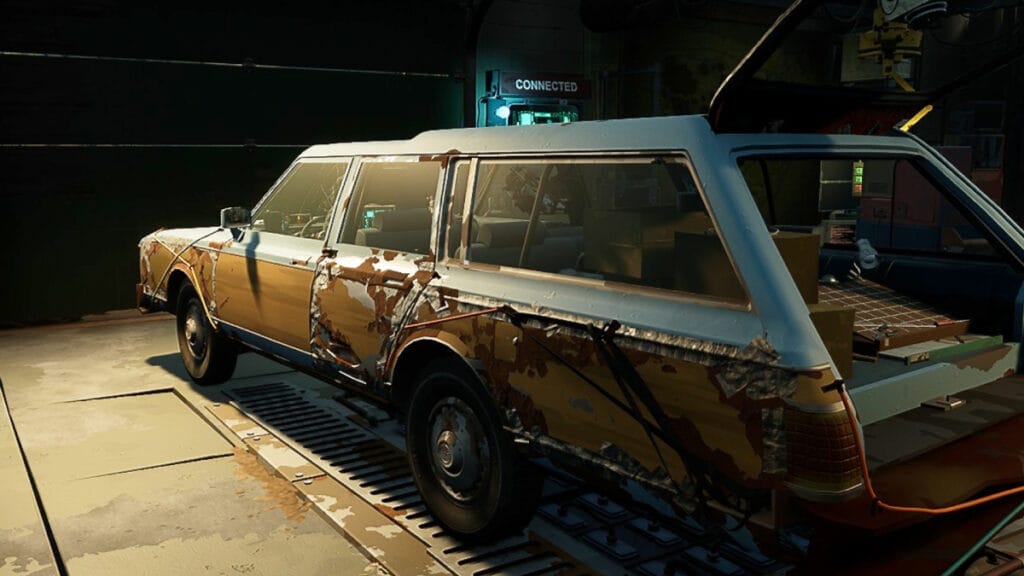
Ultimately, there’s nothing wrong with trying a dangerous road, but it isn’t the best plan. You’ll quickly notice that an unstable area has a lot of hazards and will take a toll on your car. What’s worse is that you won’t get the time to farm materials peacefully, so you’ll only return to the garage with a damaged car and nothing to fix it. So, try to plan your road trip before putting yourself and your station wagon in danger.


Related Topics
Guide Pacific Drive
Share. Facebook Twitter LinkedIn Reddit Email
Julio La Pine
  • Website

Been gaming since '99! I am a huge JRPG fan and my favorite franchise is Final Fantasy. I love writing about games and I hope I can do it for the rest of my days!

SUGGESTED READS

Blender Bee Swarm Simulator
Game Guides

Where Is the Blender in Bee Swarm Simulator on Roblox? Answered

How to Get Blue Extract in Bee Swarm Simulator on Roblox
Game Guides

How to Get Blue Extract in Bee Swarm Simulator on Roblox

Norse Oath of Blood PC Review
7
Game Reviews

NORSE: Oath of Blood Review – Not Ready for Valhalla

Secret Lucky Block Steal a Brainrot
Game Guides

How To Easily Get Secret Lucky Blocks in Steal a Brainrot in Roblox

Roblox Adopt Me! Players Scramble as Dire Wolf Arrives and Giant Panda Leaves: 'NOOO I Dont Have One'
Game News

Roblox Adopt Me! Players Scramble as Dire Wolf Arrives and Giant Panda Leaves: ‘NOOO I Dont Have One’

Battlefield 6 Season 2 Contaminated Map Preview
Game Previews

Battlefield 6 Season 2 Contaminated Map Preview – Masks Up

The Nerd Stash
Facebook X (Twitter) Instagram YouTube LinkedIn
  • About Us
  • Join Our Team
  • Meet the Team
  • Privacy Policy
  • DMCA Policy
  • Contact Us
  • Terms of Use
  • Sitemap
  • Editorial Guidelines
  • Advertising Policy
© 2026 The Nerd Stash. All Rights Reserved.

Type above and press Enter to search. Press Esc to cancel.