

Close Menu
  • Gaming
    • Platforms
      • Nintendo
      • PC
      • PlayStation
      • Xbox
  • Entertainment
    • Movies
    • TV
    • Royals
  • Celebrity
    • Hollywood
  • Human Interest
  • Astrology
  • More
    • Anime
    • Reviews
Facebook X (Twitter) Instagram LinkedIn YouTube
  • About Us
  • Join Our Team
  • Meet the Team
  • Privacy Policy
  • DMCA Policy
  • Contact Us
  • Terms of Use
  • Sitemap
  • Editorial Guidelines
  • Advertising Policy
The Nerd Stash
  • Gaming
  • Celebrity
  • Hollywood
  • Human Interest
The Nerd Stash
Home»Gaming»How To Get a Jetpack in The Planet Crafter

How To Get a Jetpack in The Planet Crafter

Say hello to Mr. Blue Sky.

Sid NatividadBy Sid NatividadApril 11, 20243 Mins Read
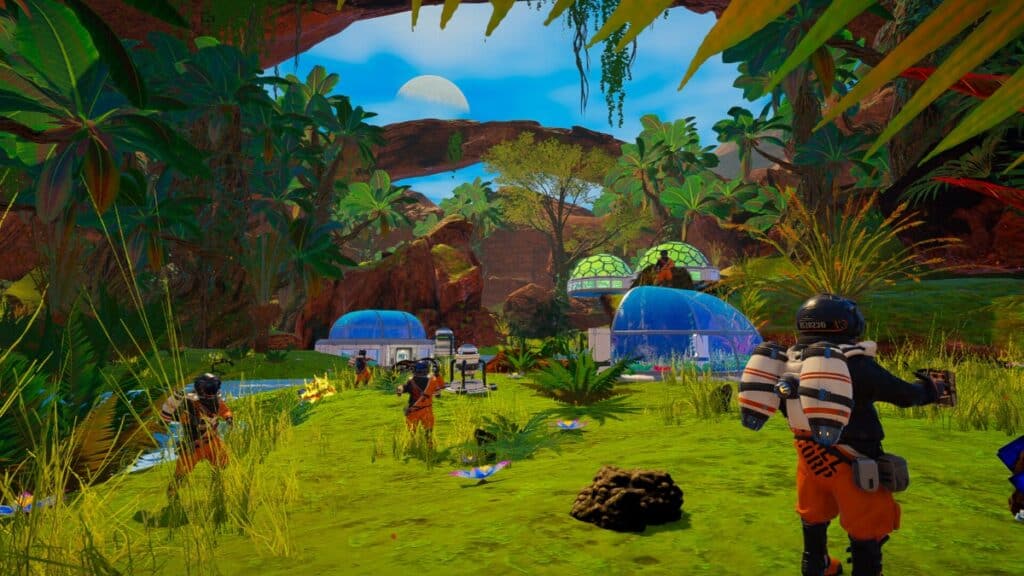
The Planet Crafter Jetpack gameplay
Image Source: Miju Games via The Nerd Stash
This article is over 2 years old and may contain outdated information.

Where the heck was this tool when I was running away from an asteroid storm? The Jetpack in The Planet Crafter is no doubt a valuable piece of traversal equipment and you’ll want it as soon as possible. It’s a huge quality-of-life upgrade, and something this game won’t present itself as generously. I’ll help you get a Jetpack in The Planet Crafter so you can be on your merry way with terraforming.

How to Obtain a Jetpack

The Planet Crafter Jetpack requirements
Image Source: Miju Games via The Nerd Stash

First off, there’s no quick non-custom way to get the Jetpack in The Planet Crafter. You’ll have to go through a lot of hoops unless you enable some of the easy mode modifiers, which will drastically alter your experience.

Related:

How to Use the DNA Manipulator in Planet Crafter

And even when you unlock it, it won’t accessibly present itself. Here’s a step-by-step process to unlock the Jetpack from start to finish. I included the crafting components to help you collect in advance.

  1. Unlock the Microchip – Construction upgrade.
  2. Build a Living Compartment and a Living Compartment Door.
    • Living Compartment requirements:
      • 1x Iron
      • 2x Titanium
    • Living Compartment Door requirements:
      • 1x Iron
      • 1x Silicon
      • 1x Titanium
  3. Build a Desktop inside the Living Compartment. The Desktop has these requirements:
    • 2x Iron
  4. Build a Screen – Blueprints on the Desktop and check it. The Screen – Blueprints needs:
    • 1x Iron
    • 1x Silicon
  5. On the Terraformation rewards section, check the requirement for the Advanced Craft Station, you need this one for the Jetpack. It’s 175,000 Ti.
  6. To reach 175,000 Ti, build multiple of the following:
    • Wind Turbine/Solar Panel
      • 1x Iron / 1x Iron, 2x Cobalt, 1x Silicon
    • Drill
      • 1x Iron
      • 1x Titanium
    • Heater
      • 1x Iridium (you can find these on blue crates)
      • 1x Iron
      • 1x Silicon
    • Vegetube (with a Seed that you can find in blue storage crates or your starting crate)
      • 1x Ice
      • 1x Iron
      • 1x Magnesium
  7. You’ll get to 175,000 Ti eventually. Once you do, build the Advanced Craft Station, and then craft the Jetpack.
    • Advanced Craft Station requirements:
      • 3x  Aluminium
      • 2x  Magnesium
      • 2x  Silicon
      • 2x  Titanium
    • Jetpack requirements:
      • 2 x  Rocket Engine
      • 1 x  Titanium

How to Use the Jetpack

You’ll need to equip the Jetpack in your Gear section. Once you have it equipped, you can treat the Jetpack like an unlimited double-jump except you can keep ascending if you hold the jump button after the second press.

Related:

How To Play Co-op in The Planet Crafter (Multiplayer Guide)

This can help you climb and scale mountains faster and jump over deadly obstacles. And you also don’t have to worry about fuel economy. It’s one of the best rewards for reaching Blue Sky.

Unlocking the Jetpack is a Long Game But You Can Skip the Grind

The Planet Crafter Jetpack cheat
Image Source: Miju Games via The Nerd Stash

You can only obtain or craft a Jetpack once through an Advanced Craft Station. Sadly, to get to the Advanced Craft Station blueprint in the Blueprint screen, you need to reach Blue Sky or 175,000 Ti (Terraformation Index).

You can, however, skip all the grind and craft the Advanced Craft Station and the Jetpack right away by selecting “All Unlocked” when starting a new game. To do this, click the gear wheel before you click ”Create” when starting a New Game.


Related Topics
Guide The Planet Crafter
Share. Facebook Twitter LinkedIn Reddit Email
Sid Natividad
  • Website

Sid was born, did some stuff, then decided to become a writer. He found respite in the sweet embrace of video games and pop culture after serving as a journalist, covering warzones and depressed areas. It seems he prefers the much lower chance of getting hit by a stray bullet during work hours.

SUGGESTED READS

MindsEye Layoffs 2026
Gaming

Studio Behind GTA-like Game, MindsEye, Hit With More Layoffs, and Nobody is Surprised: ‘Shocked There’s Even a Janitor Working There’

Princess Peach Spin-Off Movie May Already Be in Development, Job Listing Suggests
Gaming

Princess Peach Spin-Off Movie May Already Be in Development, Job Listing Suggests

Xbox's New CEO Wants to Reconnect With the 'Community,' Yet Brings In More CoreAI Leaders
Gaming

Xbox’s New CEO Wants to Reconnect With the ‘Community,’ Yet Brings In More CoreAI Leaders

Diablo 4 Season 13 Tier List
Gaming

Class Tier List for Diablo 4 Season 13 (Best Classes for Endgame & Leveling)

Take-Two Boss Finally Explains Why GTA 6 Is Skipping PC at Launch: 'We'll See How It Works Out'
Gaming

Take-Two Boss Finally Explains Why GTA 6 Is Skipping PC at Launch: ‘We’ll See How It Works Out’

Rockstar Employee Review Claims 'Unrealistic' Crunch as GTA 6 Development Intensifies: 'Had to Work Till 3AM'
Gaming

Rockstar Employee Review Claims ‘Unrealistic’ Crunch as GTA 6 Development Intensifies: ‘Had to Work Till 3AM’

The Nerd Stash
Facebook X (Twitter) Instagram YouTube LinkedIn
  • About Us
  • Join Our Team
  • Meet the Team
  • Privacy Policy
  • DMCA Policy
  • Contact Us
  • Terms of Use
  • Sitemap
  • Editorial Guidelines
  • Advertising Policy
© 2026 The Nerd Stash. All Rights Reserved.

Type above and press Enter to search. Press Esc to cancel.



