Close Menu
  • Gaming
    • Platforms
      • Nintendo
      • PC
      • PlayStation
      • Xbox
  • Entertainment
    • Movies
    • TV
    • Royals
  • Celebrity
    • Hollywood
  • Human Interest
  • Astrology
  • More
    • Reviews
Facebook X (Twitter) Instagram LinkedIn YouTube
  • About Us
  • Join Our Team
  • Meet the Team
  • Privacy Policy
  • DMCA Policy
  • Contact Us
  • Terms of Use
  • Sitemap
  • Editorial Guidelines
  • Advertising Policy
The Nerd Stash
  • Gaming
  • Celebrity
  • Hollywood
  • Human Interest
The Nerd Stash
Home»Gaming»Roblox Star Codes & How To Use Them (December 2024)

Roblox Star Codes & How To Use Them (December 2024)

5% stardom

Patrick ArmstrongBy Patrick ArmstrongDecember 5, 20242 Mins Read
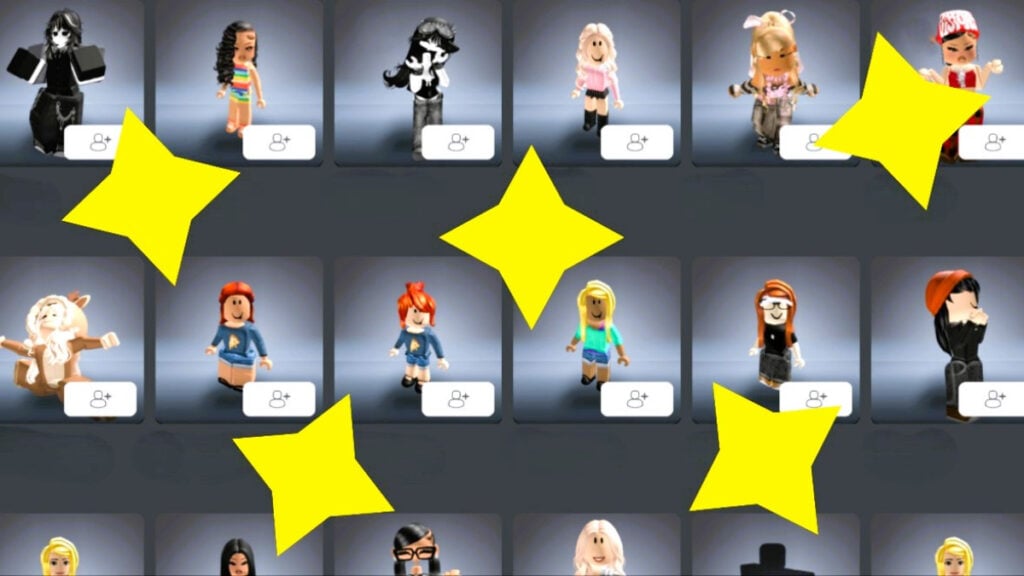
The portraits of various characters in Roblox
Image Source: Roblox via The Nerd Stash
This article is over 1 years old and may contain outdated information.

Star Codes aren’t your typical Roblox gift. You can’t redeem them for extra lives, crafting materials, or spins the way you can redeem other codes. Instead, they let you support your favorite Roblox creator. When you use a Star Code while buying Robux, your chosen creator gets a 5% cut. You still get all your Robux, and you get to help out one of your favorite gamers while you’re at it. Unfortunately, the program has some notable limits. Here’s what you need to know about the active Star Codes in December 2024 and how they work.

How To Get and Use Star Codes
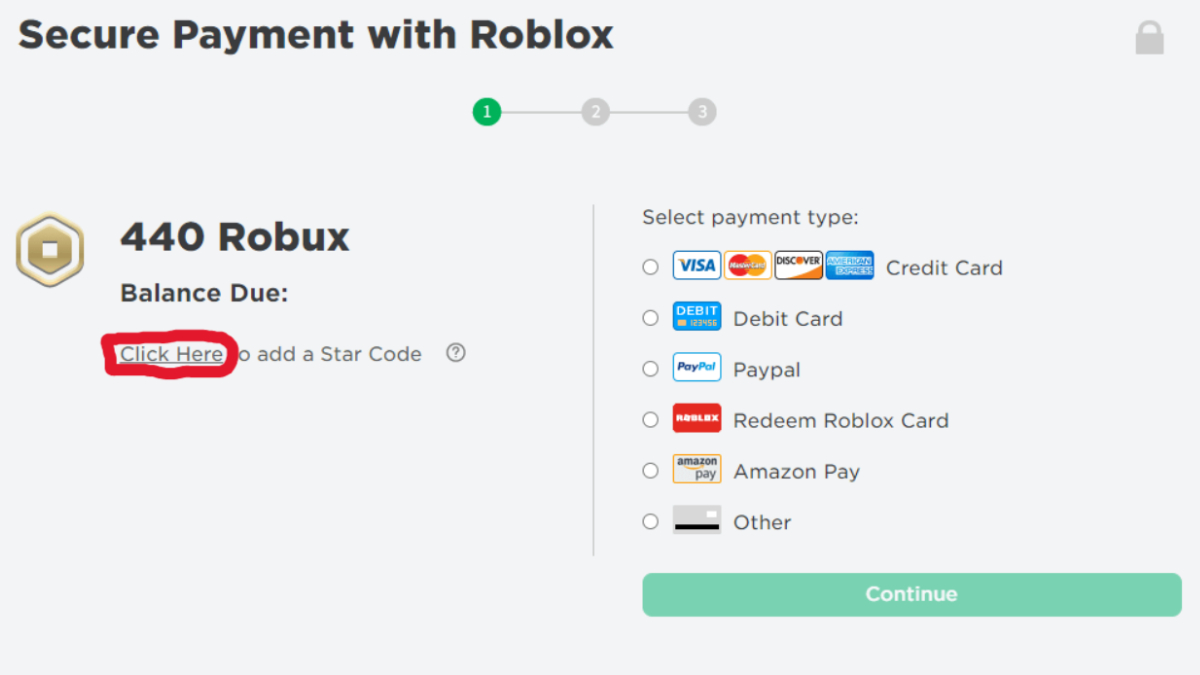
The Roblox Star Code entry screen with the redemption link circled
Image Source: Roblox via The Nerd Stash

The program’s main limitation is that only YouTubers and streamers involved with the Roblox Video Stars Program can be supported this way. On the plus side, that’s quite a few creators. With an ever-changing list of hundreds of members and codes, it can be hard to understand what your options are. Roblox doesn’t appear to offer a public list of codes, either. Unfortunately, the most reliable method to get codes is to search for a creator’s name and “Star Code” to see if anything pops up. Here’s what you need to do next:

  1. Copy your chosen creator’s Star Code
  2. Visit the official Roblox site
  3. Navigate to Robux on the top menu
  4. Select your desired Robux purchase
  5. Proceed to check-out
  6. Click “Click Here to add a Star Code” (pictured above)
  7. Paste the Star Code into the “Support a Star” box
  8. Click “Add” and enjoy your purchase
Roblox: Chained Together Codes (December 2024)
Related: Roblox: Chained Together Codes (December 2024)

After entering a valid Star Code, you’ll receive a message confirming your support and the creator’s name. You can then complete your Robux purchase as normal, and the Star will get a cut. Unfortunately, you can’t enter Star Codes from the launcher on mobile. You’ll either need to visit the official Roblox site on a browser or use the app. That’s a small price to pay for helping your favorite star to shine.


Related Topics
Codes Roblox
Share. Facebook Twitter LinkedIn Reddit Email
Patrick Armstrong
  • Website

Artist and writer with a lifelong love of video games. Their favorite games include Dead by Daylight, Meet Your Maker, and Project Zomboid.

SUGGESTED READS

Dragon's Dogma 2 Dark Arisen Start
Gaming

How To Start the Dark Arisen Expansion in Dragon’s Dogma 2

Gaming

How To Solve All Sage Riddles in Dragon’s Dogma 2: Dark Arisen

Dragon's Dogma 2 Dark Arisen Expansion Review
9
Gaming

Dragon’s Dogma 2: Dark Arisen Review – ‘Twas Time for a Renewal

Overwatch Season 5 Launch
Gaming

Overwatch Kicks Off Its Season 5 With the Debut of Doctrine and a Spooky Battle Pass

Marvel Tokon Phoenix Cyclops
Gaming

MARVEL Tokon: Fighting Souls Is Ready to Welcome Phoenix Cyclops To the Roster

Order of the Sinking Star review
9
Gaming

Order of the Sinking Star Review – Mind-bending Fun

The Nerd Stash
Facebook X (Twitter) Instagram YouTube LinkedIn
  • About Us
  • Join Our Team
  • Meet the Team
  • Privacy Policy
  • DMCA Policy
  • Contact Us
  • Terms of Use
  • Sitemap
  • Editorial Guidelines
  • Advertising Policy
© 2026 The Nerd Stash. All Rights Reserved.

Type above and press Enter to search. Press Esc to cancel.