
Close Menu
  • Gaming
    • Platforms
      • Nintendo
      • PC
      • PlayStation
      • Xbox
  • Entertainment
    • Movies
    • TV
    • Royals
  • Celebrity
    • Hollywood
  • Human Interest
  • Astrology
  • More
    • Anime
    • Reviews
Facebook X (Twitter) Instagram LinkedIn YouTube
  • About Us
  • Join Our Team
  • Meet the Team
  • Privacy Policy
  • DMCA Policy
  • Contact Us
  • Terms of Use
  • Sitemap
  • Editorial Guidelines
  • Advertising Policy
The Nerd Stash
  • Gaming
  • Celebrity
  • Hollywood
  • Human Interest
The Nerd Stash
Home»Gaming»Where Is the Blender in Bee Swarm Simulator on Roblox? Answered

Where Is the Blender in Bee Swarm Simulator on Roblox? Answered

Happy bees mean more honey

Giovanna De ItaBy Giovanna De ItaFebruary 17, 20262 Mins Read
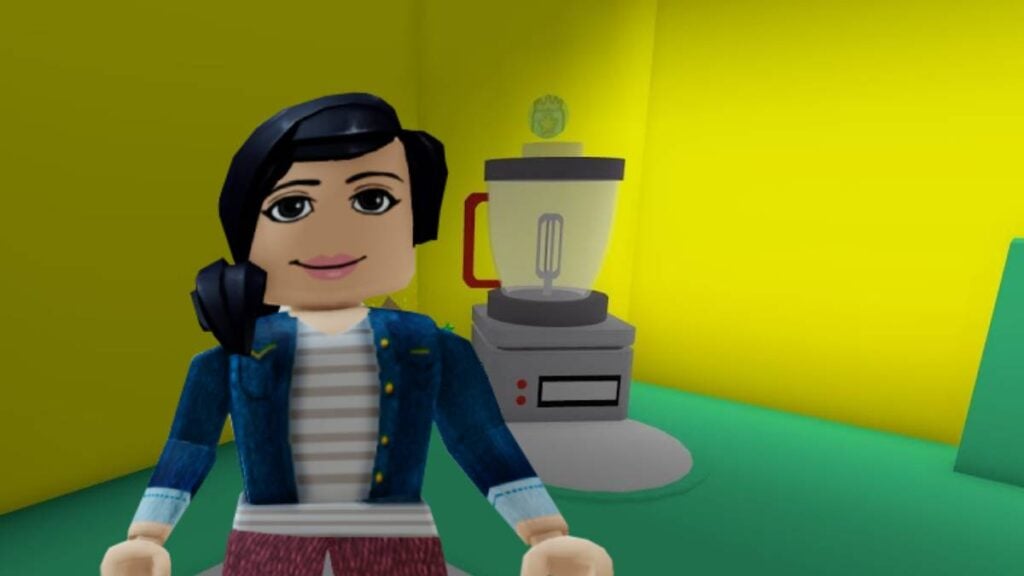
Blender Bee Swarm Simulator
Image source: Roblox, Onnet via The Nerd Stash

Bees are not only hardworking creatures that bring us honey, but they are also essential. But in this game, bees form strong bonds with players, and vice versa. That’s why it’s normal for people to want to reciprocate the great work that bees do by giving them gifts, which also grant upgrades that make pollen collection easier. To get more items, it will help if you know where the Blender is hiding in Bee Swarm Simulator in Roblox.

Where is the Badge Bearer’s Guild in Bee Swarm Simulator on Roblox?
Where Is the Blender in Bee Swarm Simulator Roblox
Where Is the Blender in Bee Swarm Simulator

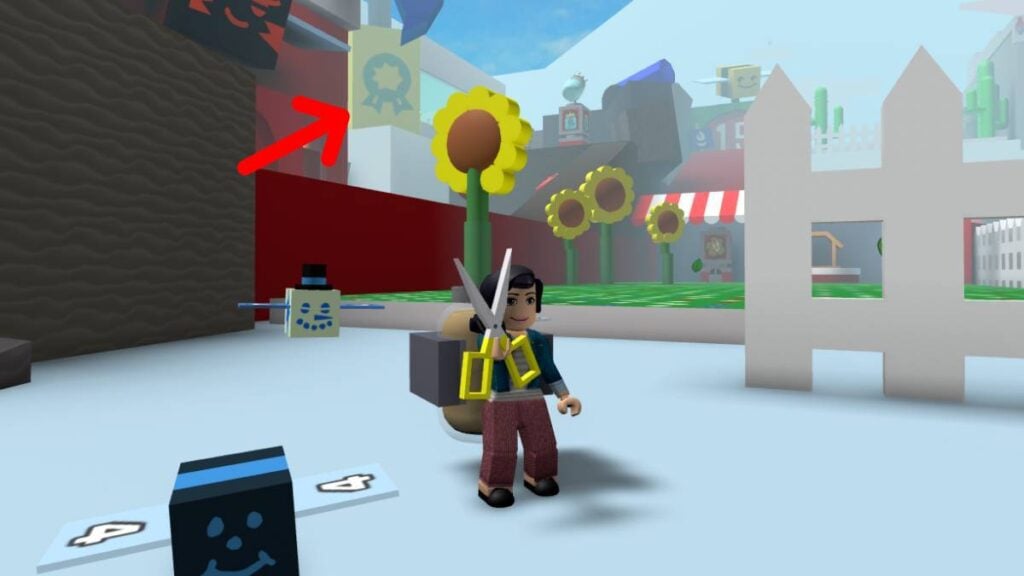
Before you can use the Blender, you’ll need to unlock the Badge Bearer’s Guild in Bee Swarm Simulator. Finding the building isn’t that complicated, as it is a big yellow building with a green badge logo. It’s visible from the early levels near the Sunflower field, but it’s close to the Pine Tree Forest. Of course, you must first obtain 15 Badges. Fortunately, there are approximately 150 to complete through achievements or quests.

Once you gain access to the Badge Bearer’s Guild, you will find the Blender inside.

How Does the Blender work?

The Blender creates items and consumables from ingredients you can find around the map when looking for pollen. However, it can only create one item at a time, and each one takes approximately five minutes in-game. Players can use Tickets to speed up the time it takes for the Blender to craft an item. You can also stop the blending process if it is processing something by mistake.

Please note that if you exit Bee Swarm Simulator, time will stop, and you will not get any items when you return, unless you use an Offline Voucher.
How to Get Trade Tokens in Escape Tsunami for Brainrots! on Roblox
Related: How to Get Trade Tokens in Escape Tsunami for Brainrots! on Roblox

Now you can create items from a long list of consumables to help or reward your various hardworking bees to get pollen and make more honey.


Related Topics
Guide Roblox
Share. Facebook Twitter LinkedIn Reddit Email
Giovanna De Ita
  • Website

Giovanna is a fan of every single game HoYoverse has launched. When she's not covering videogames, she writes her daily horoscopes and tarot readings for the astrology vertical in The Nerd Stash.

SUGGESTED READS

Diablo 4 Season 13 Tier List
Gaming

Class Tier List for Diablo 4 Season 13 (Best Classes for Endgame & Leveling)

Take-Two Boss Finally Explains Why GTA 6 Is Skipping PC at Launch: 'We'll See How It Works Out'
Gaming

Take-Two Boss Finally Explains Why GTA 6 Is Skipping PC at Launch: ‘We’ll See How It Works Out’

Rockstar Employee Review Claims 'Unrealistic' Crunch as GTA 6 Development Intensifies: 'Had to Work Till 3AM'
Gaming

Rockstar Employee Review Claims ‘Unrealistic’ Crunch as GTA 6 Development Intensifies: ‘Had to Work Till 3AM’

All Rewards from Admin Abuse Eggs & Box in Roblox Adopt Me
Gaming

All Rewards from Admin Abuse Eggs & Box in Roblox Adopt Me

Gaming

World Heroes Perfect Reminds Me of the Golden Age of Fighting Games

Fatal Fury City of the Wolves Mr Karate Reveal
Gaming

Fatal Fury: City of the Wolves Unveils Its Next Season 2 Fighter, and It’s a Classic

The Nerd Stash
Facebook X (Twitter) Instagram YouTube LinkedIn
  • About Us
  • Join Our Team
  • Meet the Team
  • Privacy Policy
  • DMCA Policy
  • Contact Us
  • Terms of Use
  • Sitemap
  • Editorial Guidelines
  • Advertising Policy
© 2026 The Nerd Stash. All Rights Reserved.

Type above and press Enter to search. Press Esc to cancel.




