Close Menu
  • Gaming
    • Game Guides
    • Codes
    • Game News
    • Game Previews
    • Game Reviews
    • Game Features
    • Game Lists
    • Platforms
      • Nintendo
      • PC
      • PlayStation
      • Xbox
      • Mobile
  • Entertainment
    • Movies
    • Movie Features
    • Movie Reviews
    • TV
    • Reality TV
    • Royals
  • Celebrity
    • Hollywood
  • Human Interest
  • Astrology
  • Videos
  • More
    • Anime
    • Lists
    • Podcasts
    • Reviews
Facebook X (Twitter) Instagram LinkedIn YouTube
  • About Us
  • Join Our Team
  • Meet the Team
  • Privacy Policy
  • DMCA Policy
  • Contact Us
  • Terms of Use
  • Sitemap
  • Editorial Guidelines
  • Advertising Policy
The Nerd Stash
  • Gaming
  • Celebrity
    • Hollywood
  • Human Interest
  • Videos
The Nerd Stash
Home»Game Guides»Delta Force Hawk Ops: 15103 Banned Platform Error, Explained

Delta Force Hawk Ops: 15103 Banned Platform Error, Explained

Keep calm and stay frosty

Sidharta F. RasidiBy Sidharta F. RasidiDecember 5, 20242 Mins Read
Image source: Jade Team, TiMi Studio via The Nerd Stash

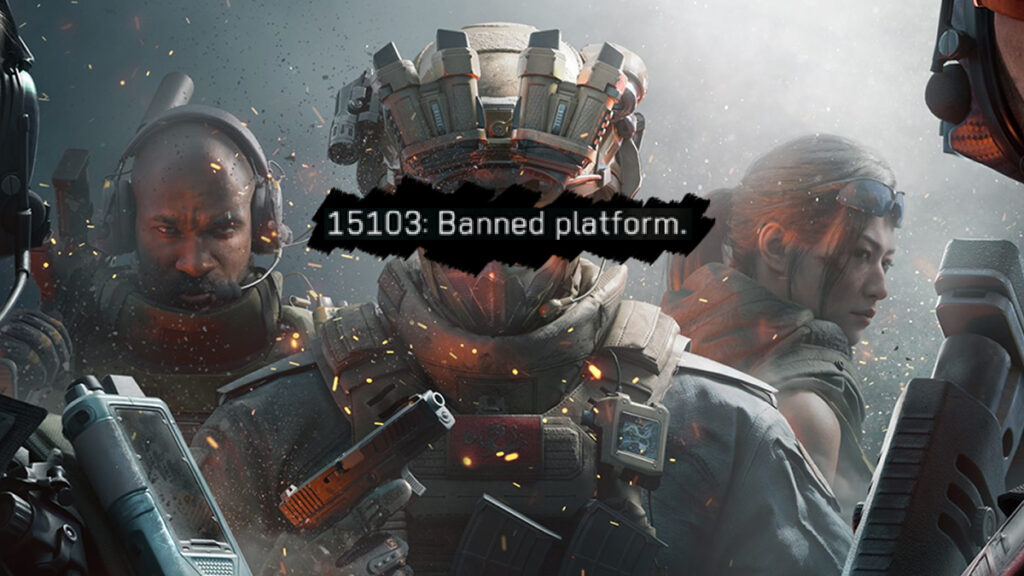
Battlefield and Call of Duty might have met their match with Delta Force Hawk Ops, the military FPS from Chinese developers TiMi Studio and Team Jade. However, as players worldwide flock to this highly anticipated game, a frustrating issue has surfaced. Based on player reports, a 15103 Banned Platform error is affecting mobile users trying to access Delta Force. No need to panic for now though, as here’s what’s actually happening to your device.

What Does 15103 Banned Platform Error in Delta Force Means?
What Does 15103 Banned Platform Error in Delta Force Means?
Image source: Jade Team, TiMi Studio via The Nerd Stash

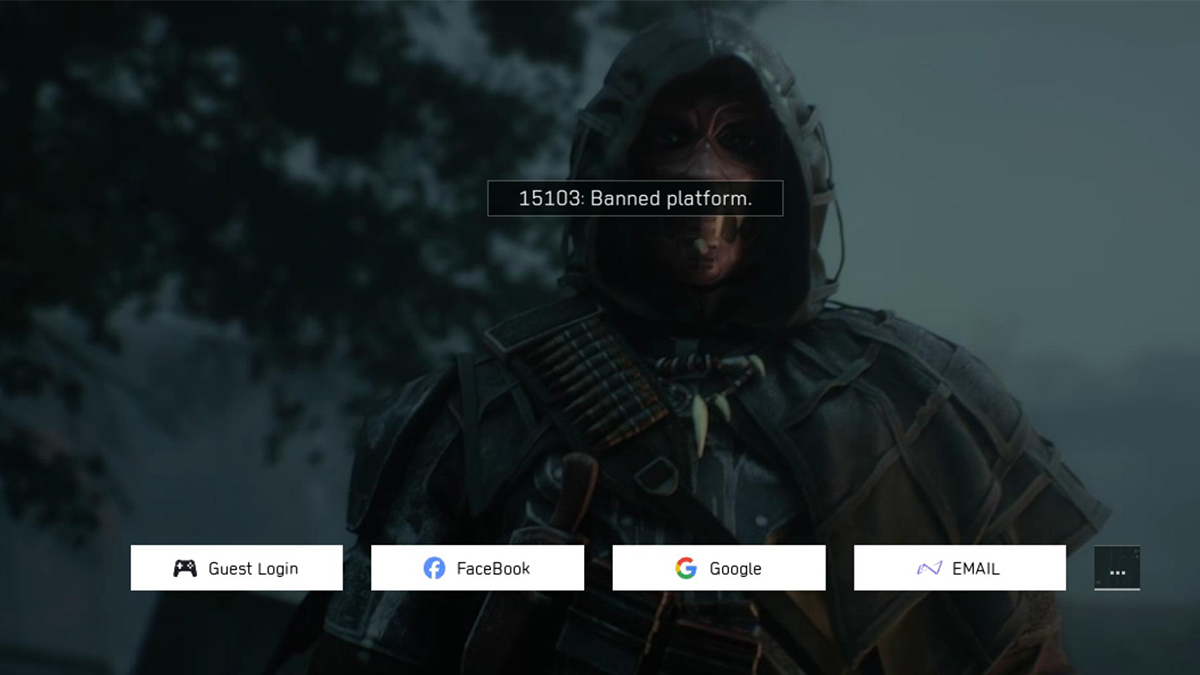
Some mobile players claimed they briefly accessed the game for minutes to a couple of hours. Afterward, it kicks them out of the match and shows the 15103 Banned Platform error message, locking them from further play.

As Delta Force will support crossplay across PC, consoles, and mobile, it seems a potential glitch allowed accidental early access on mobile. The 15103 Banned Platform error happened after the developers patched the issue and properly prevented mobile players from playing the PC beta. The term ‘banned’ here simply reflects that mobile platforms are currently restricted until the official public release.

Currently, Delta Force is in open beta for PC, available via Steam and the Epic Games Store since December 5th. Meanwhile, it hasn’t yet launched for mobile platforms; which is set to release between January and March 2025.
List of prohibited hardware and software
Image source: Jade Team, TiMi Studio, Valve via The Nerd Stash

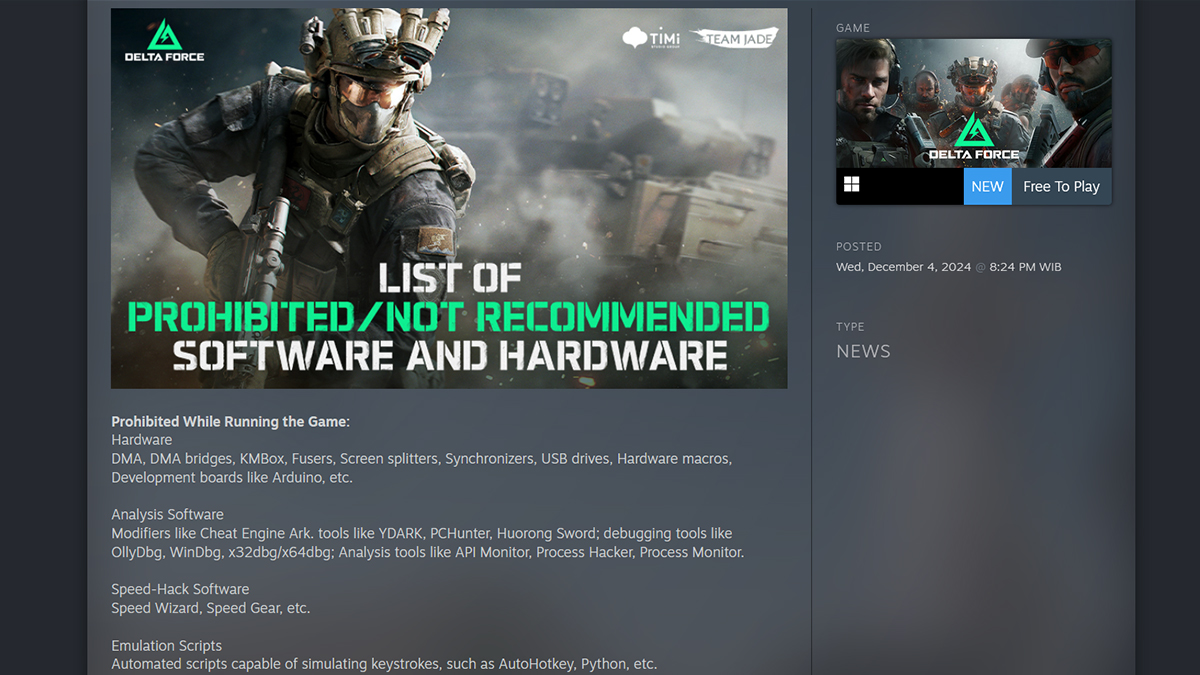
Nevertheless, if PC players are somehow encountering similar issues, they may be facing a different problem. The game’s ACE anti-cheat system, Anti-Cheat Expert, is known for being particularly strict. Team Jade has even explicitly stated that certain hardware and software could trigger bans:

Delta Force Hawk Ops Hands-On Preview: An FPS For Jaded Battlefield Fans
Related: Delta Force Hawk Ops Hands-On Preview: An FPS For Jaded Battlefield Fans
  • Prohibited Hardware:
    • DMA devices and bridges.
    • KMBox.
    • Fusers.
    • Screen splitters and synchronizers.
    • USB drives.
    • Hardware macros.
  • Not Recommended While Running the Game:
    • Remote Control Software: ToDesk, Sunlogin, TeamViewer, AnyDesk.
    • Streaming Tools: NVStreamer, Sunshine, Parsec, Moonlight.
    • Frame Capture Tools: RenderDoc, WinPix, NVIDIA Nsight, Intel GPA.

If you’re encountering the error on PC, double-check your setup to ensure no prohibited hardware or software is active. On mobile, patience is key to avoiding the 15103 Banned Platform error; your time to deploy in Delta Force is just a few months away.
Related Topics
Delta Force Hawk Ops Guide
Share. Facebook Twitter LinkedIn Reddit Email
Sidharta F. Rasidi
  • Website

An ordinary Indonesian who enjoys playing and talking about video games. His favorite games are Monster Hunter: World, Space Invader Extreme 2, THE iDOLM@STER SP, Road Trip Adventure, Halo series, and KOEI Tecmo's Warriors series.

SUGGESTED READS

Destiny 2 Renegades PS5 Review
8.5
Features

Destiny 2: Renegades Review – The Shooter Strikes Back

Clair Obscur: Expedition 33 Loses GOTY, Other Award from Indie Game Awards Over Generative AI: 'Some Weird Performative BS'
Game News

GOTY Stripped Over AI?: Clair Obscur: Expedition 33 Loses Awards at Indie Game Awards, ‘Some Weird Performative BS’

Sony Patents Real-time AI Game Censorship Tech That Could Even Make GTA 6 Kid-Friendly
Game News

Sony Patents Real-Time AI Game Censorship Tech That Could Even Make GTA 6 Kid-Friendly

Zenless Zone Zero Version 2.5 Announcement
Game News

Zenless Zone Zero Version 2.5 Is Ready To Wrap Up the Year With Two New Agents and a Free Outfit

PC Gamers Can't Catch a Break as Nvidia Plans 40% GeForce GPU Production Cuts, Report: 'Who Needs a PC Anyways'
Game News

PC Gamers Can’t Catch a Break as Nvidia Reportedly Plans 40% GeForce GPU Production Cuts: ‘Who Needs a PC Anyways’

Destiny 2 How to Get the Praxic Blade
Game Guides

How to Get the Praxic Blade in Destiny 2: Renegades

Trending
Destiny 2 Renegades PS5 Review
8.5

Destiny 2: Renegades Review – The Shooter Strikes Back

Clair Obscur: Expedition 33 Loses GOTY, Other Award from Indie Game Awards Over Generative AI: 'Some Weird Performative BS'

GOTY Stripped Over AI?: Clair Obscur: Expedition 33 Loses Awards at Indie Game Awards, ‘Some Weird Performative BS’

Sony Patents Real-time AI Game Censorship Tech That Could Even Make GTA 6 Kid-Friendly

Sony Patents Real-Time AI Game Censorship Tech That Could Even Make GTA 6 Kid-Friendly

Zenless Zone Zero Version 2.5 Announcement

Zenless Zone Zero Version 2.5 Is Ready To Wrap Up the Year With Two New Agents and a Free Outfit

The Nerd Stash
Facebook X (Twitter) Instagram YouTube LinkedIn
  • About Us
  • Join Our Team
  • Meet the Team
  • Privacy Policy
  • DMCA Policy
  • Contact Us
  • Terms of Use
  • Sitemap
  • Editorial Guidelines
  • Advertising Policy
© 2025 The Nerd Stash. All Rights Reserved.

Type above and press Enter to search. Press Esc to cancel.