Close Menu
  • Gaming
    • Game Guides
    • Codes
    • Game News
    • Game Previews
    • Game Reviews
    • Game Features
    • Game Lists
    • Platforms
      • Nintendo
      • PC
      • PlayStation
      • Xbox
      • Mobile
  • Entertainment
    • Movies
    • Movie Features
    • Movie Reviews
    • TV
    • Reality TV
    • Royals
  • Celebrity
    • Hollywood
  • Human Interest
  • Astrology
  • Videos
  • More
    • Anime
    • Lists
    • Podcasts
    • Reviews
Facebook X (Twitter) Instagram LinkedIn YouTube
  • About Us
  • Join Our Team
  • Meet the Team
  • Privacy Policy
  • DMCA Policy
  • Contact Us
  • Terms of Use
  • Sitemap
  • Editorial Guidelines
  • Advertising Policy
The Nerd Stash
  • Gaming
  • Celebrity
    • Hollywood
  • Human Interest
  • Videos
The Nerd Stash
Home»Game Guides»Destiny 2: How to Complete Desperate Measures

Destiny 2: How to Complete Desperate Measures

In the new Destiny 2 Lightfall Campaign, there are several missions that you’ll have to learn how to complete, including Desperate Measures. Desperate Measures is the…

Jordan MoyerBy Jordan MoyerMarch 1, 20233 Mins Read
Destiny 2: How to Complete Desperate Measures
Screenshot via The Nerd Stash (Destiny 2)
This article is over 2 years old and may contain outdated information.

In the new Destiny 2 Lightfall Campaign, there are several missions that you’ll have to learn how to complete, including Desperate Measures. Desperate Measures is the 8th step out of 21 total steps in the campaign. You’ll have to complete Desperate Measures in order to complete the new campaign, so it’s worth it to put in the time to complete it. You can find the quest step to complete Desperate Measures in your Quest Log under the Lightfall Quest. Keep reading to learn how to complete Desperate Measures in Destiny 2.

How to Complete Desperate Measures in Destiny 2

To begin the quest, you’ll have to head over to Neomuna and select the Lightfall Campaign node above Striders’ Gate. The recommended Light Level for the mission is 1750.
Destiny 2: How to Complete Desperate Measures
Screenshot via The Nerd Stash (Destiny 2)
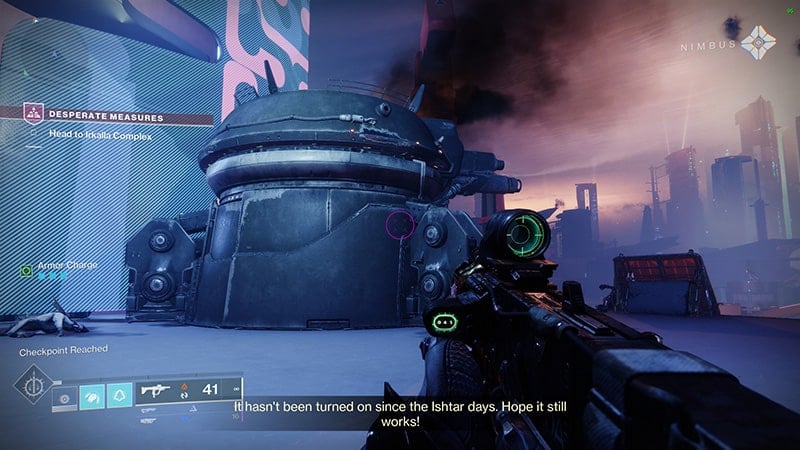
  • Head to Irkalla Complex
    1. When you first spawn into the mission, hop right onto your Sparrow and follow the objective waypoint to the Irkalla Complex, though the Zephyr Concourse
    2. “Fight your way through the Shadow Legion forces and help Nimbus defend the city against the siege”
    3. Defeat the Cabal enemies spawning in your path and head into the building and through the ESI Terminal
  • Disable the Barrier
    1. The barrier can be disabled by firing at the explosive tanks near the door
  • Head to the Irkalla Complex
    1. Continue through the building toward the quest waypoint
    2. Once you reach the Irkalla Complex, place down your Rally Banner and inspect the Strand node
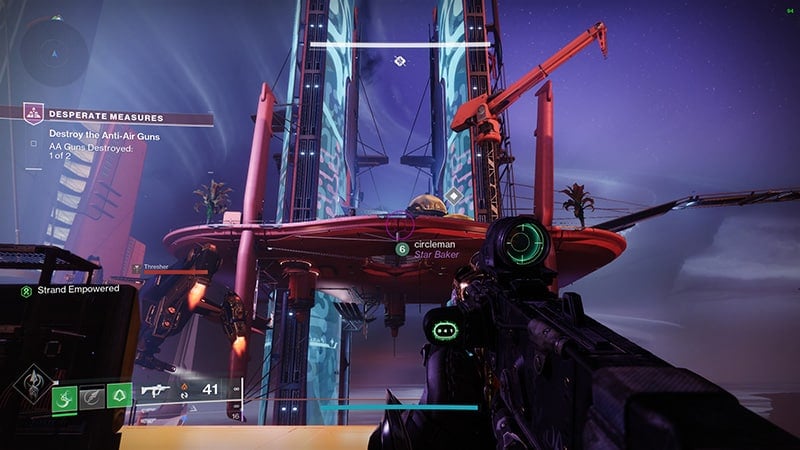
  • Destroy the Anti-Air Guns
    1. Destroy 2 AA Guns Destroyed
    2. Jump up the platforms on the side of the buildings, then grapple up to the roof of the building
    3. The anti-air guns can be found under orange-colored shields
    4. To destroy the anti-air guns, defeat the high-tier enemy near the guns, then shoot the explosive tanks near the guns
  • Head to the Irkalla Complex
    1. Follow the quest marker again to head over the bridge and into the Irkalla Complex
  • Secure Turrets
    1. “Clear out adversarial Cabal around turrets that can help with defenses”
  • Destroy Adversarial Tank
    1. Using the Orbital Strike weapons that can be picked up in the area, call down strikes on the adversarial tank in order to defeat it
  • Defend the Vault Entrance
    1. Several waves of Cabal enemies will spawn and begin to rush you. Keep them at bay to defend the Vault Entrance
    2. The Orbital Strike weapons can be useful against the high-tier enemies that spawn
  • Head to the Veil
    1. “Make your way to the veil and defend it at all costs”
    2. Follow the quest waypoint
Destiny 2: How to Complete Desperate Measures
Screenshot via The Nerd Stash (Destiny 2)
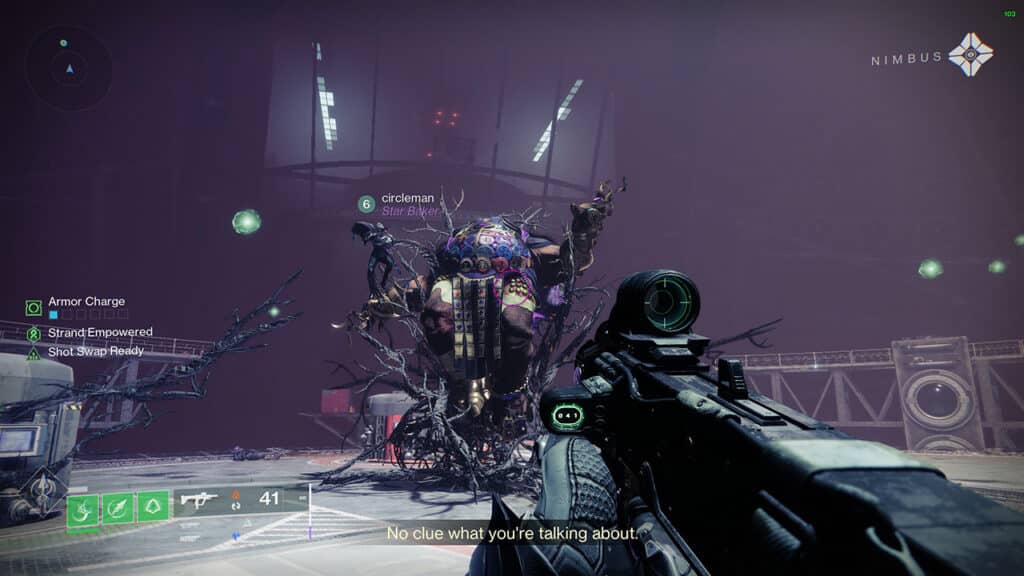
  • Defeat Calus
    1. Once you’ve completed the boss fight, the mission will be done

Related:

Destiny 2: How to Complete On the Verge

This is everything you need to know about how to complete Desperate Measures in Destiny 2. Be sure to check back for more useful and interesting guides and as always, be safe and have fun!

Related Topics
Destiny 2 Guide
Share. Facebook Twitter LinkedIn Reddit Email
Jordan Moyer
  • Website
  • X (Twitter)

Jordan is an experienced fantasy writer who spends hours behind her laptop, and lost in the pages of a book. She strives to be a successful gaming blogger, and has no complaint about the hours of game time she used to increase her knowledge of all things “geek”. She primarily writes gaming articles and fantasy novels. Ark: Survival Evolved is a favorite, along with Diablo 3, Warframe and Minecraft lately, though you can’t forget the good old Magic the Gathering card game! Writing about games truly gives her joy as it gives her another perspective to look at games from, a reason to really look into the mechanics of the game.

SUGGESTED READS

Destiny 2 Shadow and Order Delay
Game News

‘At This Point, I Don’t Think It’s Enough to Save the Game,’ Destiny 2 Players Heartbroken After Shadow and Order Delay

How to Spectate a Trade in Adopt Me on Roblox
Game Guides

How to Spectate a Trade in Adopt Me on Roblox

People of Note Release Date
Game News

Musical RPG, People of Note, Announces Its Release Date and Launches Public Demo

People of Note Demo Hands-on Impressions
Game Previews

People of Note Demo Hands-On Impressions – Embrace the Beat

Blender Bee Swarm Simulator
Game Guides

Where Is the Blender in Bee Swarm Simulator on Roblox? Answered

How to Get Blue Extract in Bee Swarm Simulator on Roblox
Game Guides

How to Get Blue Extract in Bee Swarm Simulator on Roblox

The Nerd Stash
Facebook X (Twitter) Instagram YouTube LinkedIn
  • About Us
  • Join Our Team
  • Meet the Team
  • Privacy Policy
  • DMCA Policy
  • Contact Us
  • Terms of Use
  • Sitemap
  • Editorial Guidelines
  • Advertising Policy
© 2026 The Nerd Stash. All Rights Reserved.

Type above and press Enter to search. Press Esc to cancel.