Close Menu
  • Gaming
    • Platforms
      • Nintendo
      • PC
      • PlayStation
      • Xbox
  • Entertainment
    • Movies
    • TV
    • Royals
  • Celebrity
    • Hollywood
  • Human Interest
  • Astrology
  • More
    • Reviews
Facebook X (Twitter) Instagram LinkedIn YouTube
  • About Us
  • Join Our Team
  • Meet the Team
  • Privacy Policy
  • DMCA Policy
  • Contact Us
  • Terms of Use
  • Sitemap
  • Editorial Guidelines
  • Advertising Policy
The Nerd Stash
  • Gaming
  • Celebrity
  • Hollywood
  • Human Interest
The Nerd Stash
Home»Gaming»How To Delete Steam Cloud Saves for Dragon’s Dogma 2

How To Delete Steam Cloud Saves for Dragon’s Dogma 2

Ready to start a new save?

Nat CollazoBy Nat CollazoMarch 22, 20242 Mins Read
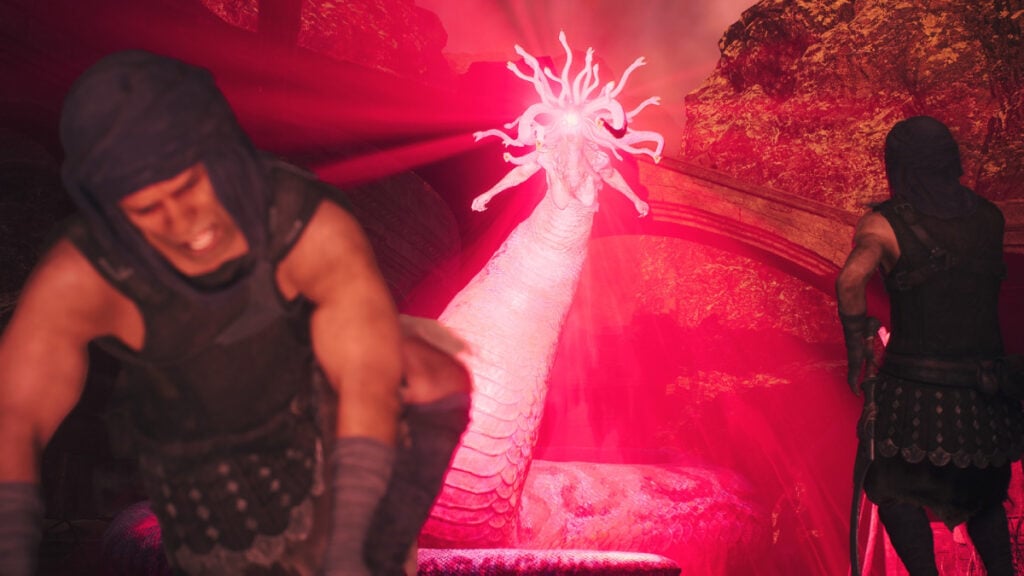
How To Delete Steam Cloud Saves for Dragon's Dogma 2
Image Source: Capcom via The Nerd Stash
This article is over 2 years old and may contain outdated information.

Deleting games is one of my favorite pastimes. Sometimes, I do it purposely while other times, it’s a complete accident. When it comes to Dragon’s Dogma 2, there’s really no way to natively delete your save if you wanted to. Since there are Steam Cloud saves, deleting the data on your PC still doesn’t resolve the fact that the save is still there. However, like most things in the video game world, there are workarounds to this.

Deleting Steam Cloud Saves for Dragon’s Dogma 2

How To Delete Steam Cloud Saves for Dragon's Dogma 2
Image Source: Valve via The Nerd Stash

Since the Steam Cloud automatically saves your Dragon’s Dogma 2 data online, physical saves don’t matter. To delete your Steam Cloud saves,

  1. Go to Dragon’s Dogma 2’s Properties in Steam by right-clicking on the game.
  2. In General, toggle the ‘Keep games saves in the Steam Cloud for Dragon’s Dogma 2‘ selection under Steam Cloud to Off.
  3. Right-click the game again to go into the Steam Settings and go to the Manage option.
  4. Select the Browse local files option to go directly to the game’s files on your PC.
  5. Locate the folder titled win64_save.
  6. Delete the folder.

With the Steam Cloud toggled off for Dragon’s Dogma 2 and the physical data deleted from the PC, you can restart and start a new save. Creating your character can take a long time and if you aren’t completely satisfied with the way they look, restarting might be what you need. Some players have even used this technique to test out whether or not their PC can even handle the game’s more demanding areas before passing Steam’s two-hour return window. There’s nothing worse than buying a game and finding out a few hours in that you can’t really run it. Actually, thinking about it, deleting your save data when you didn’t mean to is far, far worse…

Related:

Dragon’s Dogma 2 Starter Guide

Dragon’s Dogma 2 is available on PC, Xbox, and PlayStation.

Related Topics
Dragon's Dogma 2 Guide
Share. Facebook Twitter LinkedIn Reddit Email
Nat Collazo
  • Website
  • X (Twitter)
  • Instagram

Nat is a journalist with over ten years of online publishing experience. They are a massive fan of hanging out with both their wife and cat which would ideally be all the time. Nat received an undergraduate degree in English Literature from Florida International University, then returned to complete a graduate degree in Mass Communications before moving across the country to settle in New England.

SUGGESTED READS

PlayStation's Phantom Blade Zero Preorders Have 'Far Exceeded Expectations' Despite Disc-less Release Concerns
Gaming

PlayStation’s Phantom Blade Zero Preorders Have ‘Far Exceeded Expectations’ Despite Disc-less Release Concerns

Gaming

Interview: Dawn of War 4 Voice Actor Toby Longworth Discusses Space Marine Voices and How RoboCop Inspired His Dreadnought Performance

Mortal Shell 2 Sester Genessa Unlock
Gaming

How to Unlock Sester Genessa in Mortal Shell 2

Mortal Shell 2 Enable Easy Mode
Gaming

How To Enable Easy Mode in Mortal Shell 2

Mortal Shell 2 Forgotten Crossbow Unlock
Gaming

Where to Find the Forgotten Crossbow in Mortal Shell 2

Mortal Shell 2 Proxima Unlock
Gaming

How to Unlock Proxima in Mortal Shell 2

The Nerd Stash
Facebook X (Twitter) Instagram YouTube LinkedIn
  • About Us
  • Join Our Team
  • Meet the Team
  • Privacy Policy
  • DMCA Policy
  • Contact Us
  • Terms of Use
  • Sitemap
  • Editorial Guidelines
  • Advertising Policy
© 2026 The Nerd Stash. All Rights Reserved.

Type above and press Enter to search. Press Esc to cancel.