Close Menu
  • Gaming
    • Platforms
      • Nintendo
      • PC
      • PlayStation
      • Xbox
  • Entertainment
    • Movies
    • TV
    • Royals
  • Celebrity
    • Hollywood
  • Human Interest
  • Astrology
  • More
    • Anime
    • Reviews
Facebook X (Twitter) Instagram LinkedIn YouTube
  • About Us
  • Join Our Team
  • Meet the Team
  • Privacy Policy
  • DMCA Policy
  • Contact Us
  • Terms of Use
  • Sitemap
  • Editorial Guidelines
  • Advertising Policy
The Nerd Stash
  • Gaming
  • Celebrity
  • Hollywood
  • Human Interest
The Nerd Stash
Home»Gaming»How To Disable Crossplay In Modern Warfare 2

How To Disable Crossplay In Modern Warfare 2

Modern Warfare 2’s beta launched on the 16th of September. The game took the tried and tested formulae of 2019’s Modern Warfare and enhanced it…

Farrukh JafriBy Farrukh JafriSeptember 19, 20222 Mins Read
Modern Warfare 2
This article is over 3 years old and may contain outdated information.

Modern Warfare 2‘s beta launched on the 16th of September. The game took the tried and tested formulae of 2019’s Modern Warfare and enhanced it in many ways, from quality of life changes to graphical improvements. One important part of Call of Duty Modern Warfare was its crossplay ability that allowed players to play with people on other platforms. This feature was carried on to Modern Warfare 2. While many believe this feature to be a great one that allows for more competitiveness and easier matchmaking, others believe it is best turned off to ensure games are as fair as possible; this is especially true for console players that have a hard time playing against those on PC. In this guide, we are going to cover how to disable crossplay in Modern Warfare 2.

How To Disable Crossplay In Modern Warfare 2
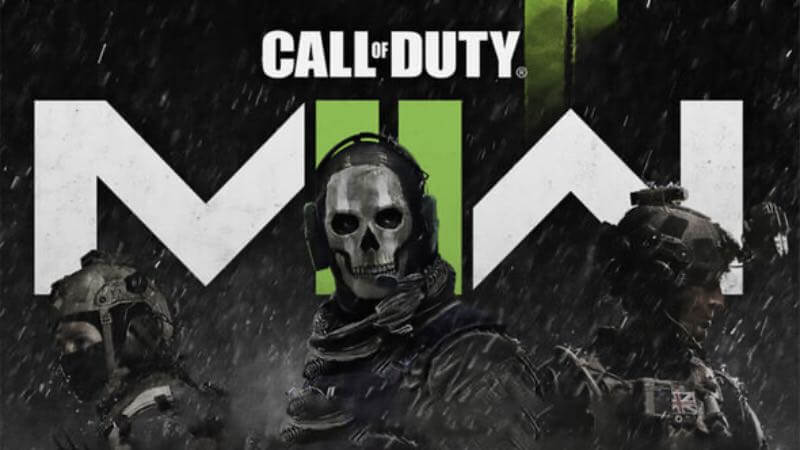
Modern Wrfare has crossplay

While it may sound simple, disabling crossplay can be a little tedious due to the high number of intricate options the game has.

Firstly, crossplay is enabled by default. You begin the game with the option toggled on, and there is nothing you have to do to turn it on for the first time.

To disable crossplay in Modern Warfare 2, head to the game’s multiplayer tab and enter settings. Here, head to account and network and there will be the option to toggle crossplay on and off. You can toggle the option off here if you decide not to engage in crossplay matchmaking in Modern Warfare 2.

While there is no massive change to the game by doing this, disabling crossplay might make it hard to find lobbies since most players choose to keep the option on.

This concludes how to disable crossplay in Modern Warfare 2.

Related Topics
Guides Modern Warfare 2
Share. Facebook Twitter LinkedIn Reddit Email
Farrukh Jafri
  • Website
  • X (Twitter)

21 year old Econ Major. I love lifting weights and playing video games. I finish a book whenever I can

SUGGESTED READS

Honkai Star Rail Version 4.3 Announcements
Gaming

Honkai: Star Rail Version 4.3 Unveils Blade’s New Form and More Fate Collab Characters

Take-Two CEO Reveals Fans Will Be Forced To Wait a Bit Longer for GTA 6 News 'This Summer,' But Insiders Disagree
Gaming

Take-Two CEO Reveals Fans Will Be Forced To Wait a Bit Longer for GTA 6 News ‘This Summer,’ But Insiders Disagree

007 First Light Launch Trailer
Gaming

007 First Light Celebrates the Long-Awaited Return of James Bond With Its Launch Trailer

Destiny 2 Final Update
Features

Destiny 2 Is Dead: Bungie’s Divisive Franchise Going on Maintenance Mode With Its Last Update Launching on June 9

GTA Studio's Secrets Stay Buried Forever as Rockstar Reportedly Enforces 'Lifetime NDAs' on Ex-Developers
Gaming

GTA Studio’s Secrets Stay Buried Forever as Rockstar Reportedly Enforces ‘Lifetime NDAs’ on Ex-Developers

Warhammer 40,000 Boltgun 2 Hands-On Preview
Features

Warhammer 40,000: Boltgun 2 Hands-On Preview – Retro-Shooting for the Emperor

The Nerd Stash
Facebook X (Twitter) Instagram YouTube LinkedIn
  • About Us
  • Join Our Team
  • Meet the Team
  • Privacy Policy
  • DMCA Policy
  • Contact Us
  • Terms of Use
  • Sitemap
  • Editorial Guidelines
  • Advertising Policy
© 2026 The Nerd Stash. All Rights Reserved.

Type above and press Enter to search. Press Esc to cancel.