Close Menu
  • Gaming
    • Game Guides
    • Codes
    • Game News
    • Game Previews
    • Game Reviews
    • Game Features
    • Game Lists
    • Platforms
      • Nintendo
      • PC
      • PlayStation
      • Xbox
      • Mobile
  • Entertainment
    • Movies
    • Movie Features
    • Movie Reviews
    • TV
    • Reality TV
    • Royals
  • Celebrity
    • Hollywood
  • Human Interest
  • Astrology
  • Videos
  • More
    • Anime
    • Lists
    • Podcasts
    • Reviews
Facebook X (Twitter) Instagram LinkedIn YouTube
  • About Us
  • Join Our Team
  • Meet the Team
  • Privacy Policy
  • DMCA Policy
  • Contact Us
  • Terms of Use
  • Sitemap
  • Editorial Guidelines
  • Advertising Policy
The Nerd Stash
  • Gaming
  • Celebrity
    • Hollywood
  • Human Interest
  • Videos
The Nerd Stash
Home»Game Guides»How to Disenchant or Remove Enchantments in Minecraft

How to Disenchant or Remove Enchantments in Minecraft

Grind the buffs away

Sidharta F. RasidiBy Sidharta F. RasidiDecember 23, 20243 Mins Read
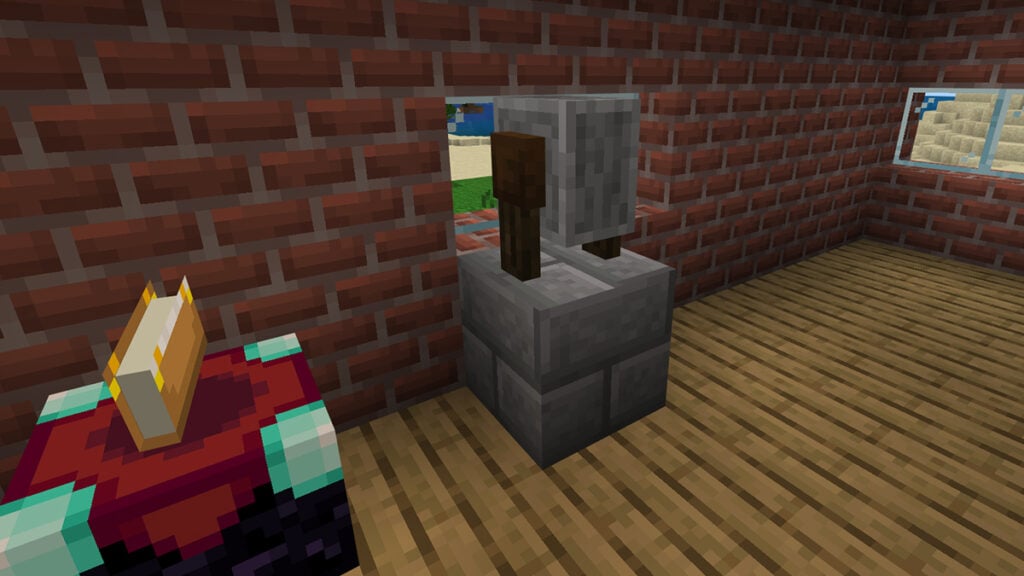
How to Disenchant or Remove Enchantments in Minecraft
Image source: Mojang via The Nerd Stash

Adding Enchantments to your tools is essential to improve your chance of survival. From Shovel to Sword and Bow, Enchanting them will grant the items additional ability or buff. But maybe you end up with undesirable Enchantments on your Boots and want to give them something better. You don’t have to panic and start looking for materials to make more of said tools again. Instead, there is a way to just disenchant or remove Enchantments in Minecraft.

1. Disenchanting via Grindstone
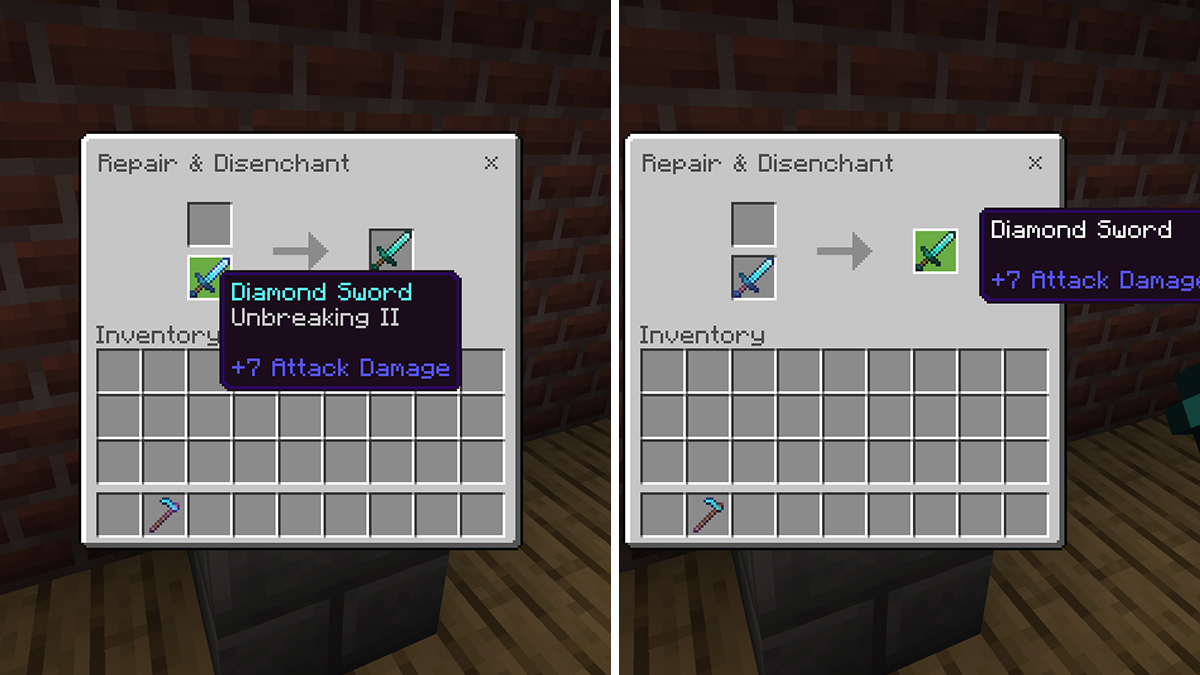
Disenchant or Remove Enchantment in Minecraft with a Grindstone
Image source: Mojang via The Nerd Stash

Removing Enchantments can be easily done using a Grindstone. Usually, you can find one inside a Weaponsmith‘s place which usually spawns in a Taiga village. But you can also craft one using:

  • Stone Slab x1.
  • Stick x2.
  • Plank (any kind) x2.

Simply put the Enchanted tool you have into one of the slots. Another item of the same type and with the same durability will appear on the slot on the right side. The same will happen If you put two items of the same type into the Grindstone.

However, keep in mind that removing an item’s Enchantments in Minecraft using a Grindstone will take out all the Enchantments from it. That means if you have a Diamond Sword with Unbreakable II and Knockback III, you cannot keep a specific Enchantment. You have to remove both — or all of them in case of more than two — completely and practically start from scratch.
How to Make a Mace in Minecraft (& Best Enchantments to Use)
Related: How to Make a Mace in Minecraft (& Best Enchantments to Use)

Don’t forget to put a supporting block below the Grindstone if you’re playing on the Bedrock Edition. Otherwise, the Grindstone will break after each use. Meanwhile, to remove Curses, you will need to use a Crafting Table instead.

2. Other Methods to Remove Enchantments in Minecraft
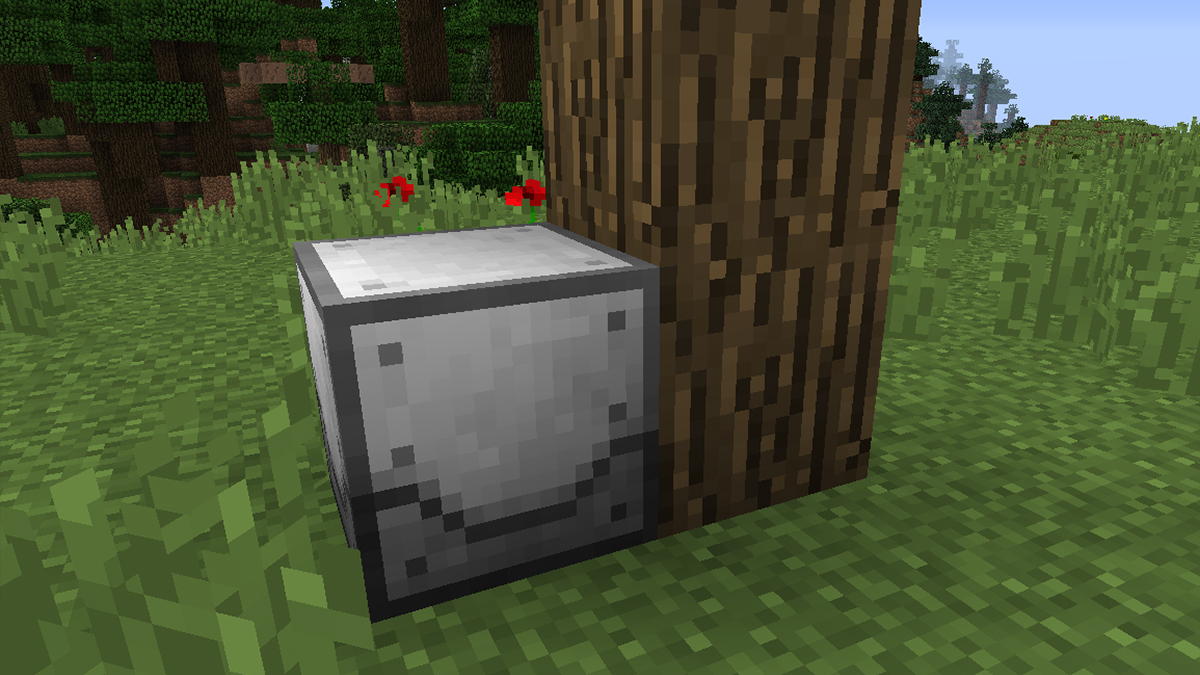
Other Method to Remove Enchantments in Minecraft
Image source: Buuz135, Mojang

While it’s easy enough to Disenchant items in vanilla Minecraft, things might work differently if you’re using mods. Especially if the mods are only compatible with earlier versions of the game.

For example, the Cyclic mod features something called the Unenchant Pylon. It lets you remove random Enchantment using Redstone, Glowdust, a Book, and Bottle o’ Enchanting. The Industrial Foregoing mod also adds the Enchantment Extractor tool. As you can expect, you can remove any Enchantment from items and transfer them onto a Book with it.

Different Minecraft mods can offer different ways to remove Enchantments or Disenchant items. Always remember to read the Read Me, guides, or ask around the community.


Related Topics
Guide Minecraft
Share. Facebook Twitter LinkedIn Reddit Email
Sidharta F. Rasidi
  • Website

An ordinary Indonesian who enjoys playing and talking about video games. His favorite games are Monster Hunter: World, Space Invader Extreme 2, THE iDOLM@STER SP, Road Trip Adventure, Halo series, and KOEI Tecmo's Warriors series.

SUGGESTED READS

Crimson Desert PC Review
9.5
Features

Crimson Desert Review – It’s Real, All of it

Death Stranding 2 PC Launch Adds Fuel to DLSS 5 AI Slop Backlash: 'It Is a Disgrace'
Game News

Death Stranding 2 PC Launch Adds Fuel to DLSS 5 AI Slop Backlash: ‘It Is a Disgrace’

Starfield Free Lanes & Terran Armada DLC
Game Previews

Starfield Free Lanes & Terran Armada Hands-Off Preview – Revitalizing This Spacefaring Adventure

Resident Evil 9 DLSS5
Game Features

DLSS 5 Isn’t the Future of Graphics; It’s a Filter Over Them

What is Honey Candy in Adopt Me? How to Get It and What It's For
Game Guides

What is Honey Candy in Adopt Me on Roblox? How to Get It and What It’s For

Honkai Star Rail Version 4.1
Game News

The Phantasmoon Games Continue in Honkai: Star Rail Version 4.1

The Nerd Stash
Facebook X (Twitter) Instagram YouTube LinkedIn
  • About Us
  • Join Our Team
  • Meet the Team
  • Privacy Policy
  • DMCA Policy
  • Contact Us
  • Terms of Use
  • Sitemap
  • Editorial Guidelines
  • Advertising Policy
© 2026 The Nerd Stash. All Rights Reserved.

Type above and press Enter to search. Press Esc to cancel.