
Pokemon games are no strangers to various glitches, even from Generation I (remember Missingno?), with the most popular and abusable one being the item duplication bug/glitch. In Pokemon Scarlet and Violet for the Nintendo Switch, you can exploit the duplicate item glitch for your own amusement and/or profit. Here’s how to duplicate items in Pokemon Scarlet and Violet.
[Updated on August 24, 2024 – Fact-checked and updated links]
How Duplicate Items Glitch in Pokemon Scarlet and Violet Works
Basically, there are actually two ways to duplicate items in Pokemon Scarlet and Violet. Before we begin, though, I hate to be the bearer of bad news, but unfortunately, per Patch 1.1, a crucial part of the second item duplication glitch reportedly no longer works.
1. Random Duplication Glitch via Picnic

This one is really easy, but until you do it, you won’t know what you’ll receive since you’re duplicating random sparkling items through this method:
- Look for a shiny/sparkly item on the ground.
- Instead of picking it up, set up a Picnic Table on top of the item.
- Check your Egg Basket.
- Instead of an Egg, you’ll receive whatever item is supposed to be below the Picnic Table.
- Even more of the same item will pile up the longer you stay at the Picnic.
2. Duplicate Items and Legendaries
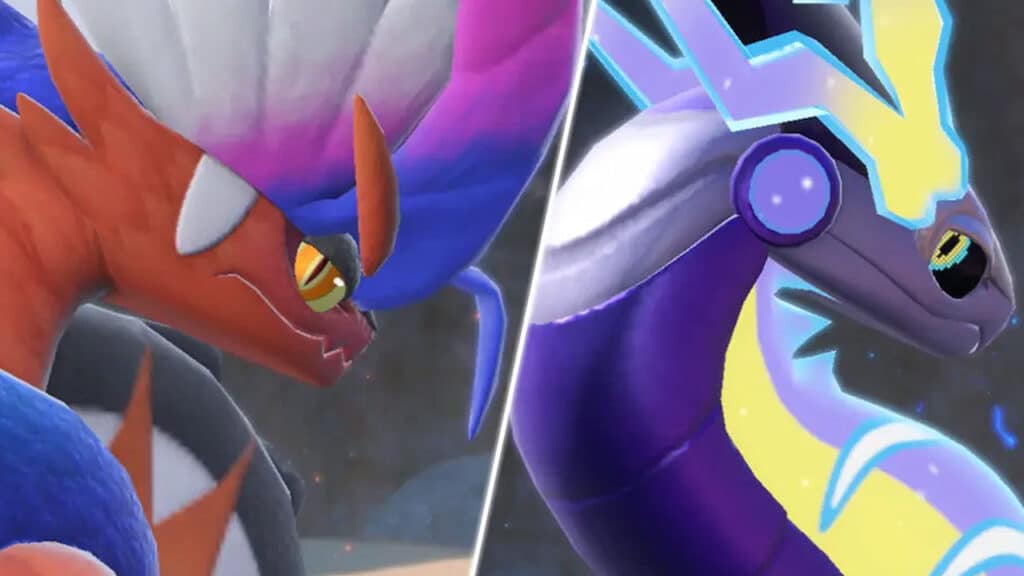
The second item duplication glitch involves cloning the Koraidon or Miraidon Legendary Pokemon. If you don’t want to cheat Legendaries, then I suggest you just do the first trick. This method reportedly was first discovered by YouTuber DrWater. Then, as seen in the video above, Youtuber BLAINES has thoroughly detailed how it is supposed to work:
- Complete the “The Way Home” Questline in Area Zero.
- Make an empty space in Box 1.
- Change your Koraidon or Miraidon into Battle Form.
- Add the Legendary to your party.
- Make it hold the item you want to duplicate.
- Ride and Dismount the Koraidon/Miraidon by pressing the + Button.
- Change Koraidon/Miraidon into Battle Form again.
- Fight and catch a random wild Pokemon, then try to add it to your party.
- Try replacing the Koraidon/Miraidon slot with the wild Pokemon you just caught.
- You’ll get a message saying Koraidon/Miraidon can’t be sent to the Box.
- However, try pressing the A and B buttons almost simultaneously — press the A button a fraction of a second before the B button. The timing is very tricky.
- Now, you’ll get the usual message when you switch a slot with a new Pokemon instead.
- Then choose to Return the item held by Koraidon/Miraidon back to your bag.
- Ride and Dismount the Koraidon/Miraidon by pressing the + Button.
- This way, you have cloned the Legendary Pokemon.
- Now open Box 1.
- Replace the caught Pokemon with the cloned Koraidon/Miraidon.
- Give the clone Koraidon/Miraidon an item to hold
- Select the clone Koraidon/Miraidon in your party.
- Pick the Return it to Ride Form option.
- Go back to Box 1 again.
- Press the X button twice to open the Team 1 menu.
- Open the Box where the cloned Koraidon/Miraidon holding the item is by pressing the L button.
- Choose the Legendary Pokemon, then pick the Put item away option.
- Keep repeating Steps 16 to 22 to duplicate more of the held item.
As I mentioned before, the Pokemon Scarlet and Violet Patch 1.1 broke (read: fixed, at least a part of it) the item duplicate glitch, making it so you can no longer clone the Legendary Pokemon and made it hard to remove it from your party. Nevertheless, according to Reddit user u/Egamer20, you can remove the clone Koraidon/Miraidon by going to the menu, clicking the original, and the clone should disappear from your party.
Related:
How to Reach Level 100 FAST in Pokémon Scarlet and Violet
Pokémon Scarlet and Violet are available on Nintendo Switch.