
Close Menu
  • Gaming
    • Game Guides
    • Codes
    • Game News
    • Game Previews
    • Game Reviews
    • Game Features
    • Game Lists
    • Platforms
      • Nintendo
      • PC
      • PlayStation
      • Xbox
      • Mobile
  • Entertainment
    • Movies
    • Movie Features
    • Movie Reviews
    • TV
    • Reality TV
    • Royals
  • Celebrity
    • Hollywood
  • Human Interest
  • Astrology
  • Videos
  • More
    • Anime
    • Lists
    • Podcasts
    • Reviews
Facebook X (Twitter) Instagram LinkedIn YouTube
  • About Us
  • Join Our Team
  • Meet the Team
  • Privacy Policy
  • DMCA Policy
  • Contact Us
  • Terms of Use
  • Sitemap
  • Editorial Guidelines
  • Advertising Policy
The Nerd Stash
  • Gaming
  • Celebrity
    • Hollywood
  • Human Interest
  • Videos
The Nerd Stash
Home»Game Guides»How to Equip Ranked Skin in MW2

How to Equip Ranked Skin in MW2

Call of Duty: Modern Warfare 2 features an exciting ranked mode found if you tap into Multiplayer. This is a great way for the more…

Mykel BrightBy Mykel BrightFebruary 27, 20233 Mins Read

Skip To...

  • How to Equip Ranked Skin in MW2
  • How to Unlock Ranked Skin in MW2
This article is over 2 years old and may contain outdated information.

Call of Duty: Modern Warfare 2 features an exciting ranked mode found if you tap into Multiplayer. This is a great way for the more competitive players to test their skills against each other. Besides that, you can also enjoy Skins unique to ranked mode. We will show you how you can equip and unlock more of these ranked Skins in MW2.

How to Equip Ranked Skin in MW2

How to Equip Ranked Skin in MW2

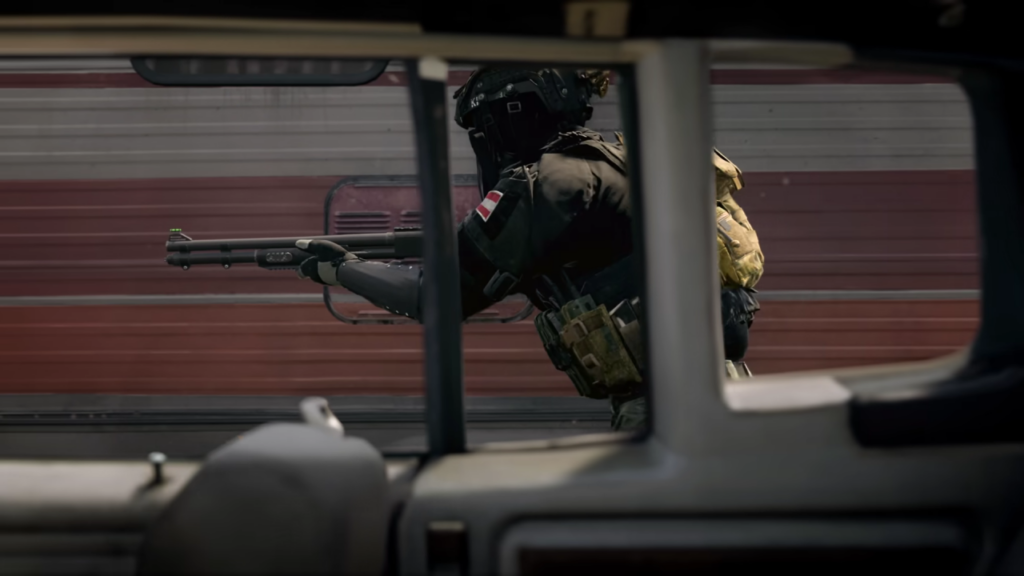
It is straightforward enough to equip ranked Skin in MW2. However, you can only equip this Skin on four of the operators used from the two base factions. So, the Skin you have can be equipped for the following:

  • SpecGru Faction: CDL Male Home | CDL Female Home
  • KorTac Faction: CDL Male Away | CDL Female Away

With that out of the way, let’s discover exactly how you can equip your unique ranked Skin in MW2.

All you have to do is select from the Operators listed above once you’re choosing your character. The Skins you have unlocked should be there for you to pick.

*Note: Many players have reported that Skins are locked regardless of their Rank. It is a known issue as seen on the official Trello board. So, if you cannot change your Skin, you may have to wait for a fix.*

Related:

How to Do a Finishing Move in MW2

How to Unlock Ranked Skin in MW2

There are eight total Skins you can unlock in ranked mode. For two of them, you earn them as Ranked Rewards. The remaining Skins are only accessible by progressing your Skill Division.

We’ve listed below all the potential ranked Skins in MW2:

  • Ranked Competitor: Rank 5 reward
  • Ranked Veteran: Rank 50 reward
  • Gold Competitor: Complete Season 2 with Gold Skill Division
  • Platinum Competitor: Complete Season 2 with Platinum Skill Division
  • Diamond Competitor: Complete Season 2 with Diamond Skill Division
  • Crimson Competitor: Complete Season 2 with Crimson Skill Division
  • Iridescent Competitor: Complete Season 2 with Iridescent Competitor
  • Top 250 Competitor: Complete Season 2 within the Top 250 Players ranking

If you want to improve your Skill Division to unlock ranked Skin in MW2, then you must win matches. When you win, you gain Skill Ratings. If you lose, you drop Skill Ratings, which can take you longer to climb up the ranks.

So, as you wait for a fix to the ranked Skin issue, you can compete in matches and continue to improve your Skill Divison and rank.

MW2 is available on PC, PS4 and PS5, and Xbox One and Series consoles.

Related Topics
Guide MW2
Share. Facebook Twitter LinkedIn Reddit Email
Mykel Bright
  • Website

Since childhood, Mykel has had a passion for writing, drawing, comic books, video games, and all things horror. She finds various ways to blend her loves such as sketching out ideas for potential comics and working out ideas for choice-based visual novels.

SUGGESTED READS

A PS5 Jailbreak Exploit Pushes This Random Star Wars PS4 Game to Insane Prices: 'Good Luck Hunting It'
Game News

A PS5 Jailbreak Exploit Pushes This Random Star Wars PS4 Game to Insane Prices: ‘Good Luck Hunting It’

Genshin Impact Luna IV Update
Game News

The Lantern Rite Returns for Genshin Impact Version ‘Luna IV’ Along With New Characters and Outfits

StarRupture Early Acces
Features

StarRupture Early Access Impressions – The Most Cohesive Base-Builder

PS6 and Next-Gen Xbox Launches May Be Delayed by AI-Driven RAM Demand: 'This Delay is a Blessing in Disguise'
Game News

PS6 and Next-Gen Xbox Launches May Be Delayed by AI-Driven RAM Demand: ‘This Delay is a Blessing in Disguise’

Konami Plans Yearly Silent Hill Releases, Said Series Producer: 'I Hope the Excitement Around It Remains High'
Game News

Konami Plans Yearly Silent Hill Releases, Said Series Producer: ‘I Hope the Excitement Around It Remains High’

New Dad's Viral Delivery Room Xbox Setup Divides the Internet: 'Most Diabolical Move I’ve Seen'
Game News

New Dad’s Viral Delivery Room Xbox Setup Divides the Internet: ‘Most Diabolical Move I’ve Seen’

Trending
A PS5 Jailbreak Exploit Pushes This Random Star Wars PS4 Game to Insane Prices: 'Good Luck Hunting It'

A PS5 Jailbreak Exploit Pushes This Random Star Wars PS4 Game to Insane Prices: ‘Good Luck Hunting It’

Genshin Impact Luna IV Update

The Lantern Rite Returns for Genshin Impact Version ‘Luna IV’ Along With New Characters and Outfits

StarRupture Early Acces

StarRupture Early Access Impressions – The Most Cohesive Base-Builder

PS6 and Next-Gen Xbox Launches May Be Delayed by AI-Driven RAM Demand: 'This Delay is a Blessing in Disguise'

PS6 and Next-Gen Xbox Launches May Be Delayed by AI-Driven RAM Demand: ‘This Delay is a Blessing in Disguise’

The Nerd Stash
Facebook X (Twitter) Instagram YouTube LinkedIn
  • About Us
  • Join Our Team
  • Meet the Team
  • Privacy Policy
  • DMCA Policy
  • Contact Us
  • Terms of Use
  • Sitemap
  • Editorial Guidelines
  • Advertising Policy
© 2026 The Nerd Stash. All Rights Reserved.

Type above and press Enter to search. Press Esc to cancel.





