

Close Menu
  • Gaming
    • Game Guides
    • Codes
    • Game News
    • Game Previews
    • Game Reviews
    • Game Features
    • Game Lists
    • Platforms
      • Nintendo
      • PC
      • PlayStation
      • Xbox
      • Mobile
  • Entertainment
    • Movies
    • Movie Features
    • Movie Reviews
    • TV
    • Reality TV
    • Royals
  • Celebrity
  • Human Interest
  • Astrology
  • Videos
  • More
    • Anime
    • Lists
    • Podcasts
    • Reviews
Facebook X (Twitter) Instagram LinkedIn YouTube
  • About Us
  • Join Our Team
  • Meet the Team
  • Privacy Policy
  • DMCA Policy
  • Contact Us
  • Terms of Use
  • Sitemap
  • Editorial Guidelines
  • Advertising Policy
The Nerd Stash
  • Gaming
  • Celebrity
  • Human Interest
  • Videos
The Nerd Stash
Home»Game Guides»How To Fast Travel in RuneScape: Dragonwilds (Lodestone Recipe & Vault Core Locations)

How To Fast Travel in RuneScape: Dragonwilds (Lodestone Recipe & Vault Core Locations)

Get to where you’re going

Nat CollazoBy Nat CollazoApril 16, 20252 Mins Read
How To Fast Travel in RuneScape Dragonwilds (Lodestone Recipe & Vault Core Locations)
Image Source: Jagex via The Nerd Stash

Skip To...

  • How to Fast Travel in RuneScape: DragonWilds
  • Where to Find Vault Cores

One of my favorite aspects of RuneScape: Dragonwilds is that you’re free to explore any area right from the beginning. While this freedom is exciting, it may not always be wise, especially since enemies become increasingly challenging as you venture further into Ashenfall. Fortunately, you can travel between locations using Lodestones that you’ll discover throughout the map. However, fast travel isn’t available from the start. The following information explains everything you need to know about creating and placing your own Lodestones for fast travel.

How to Fast Travel in RuneScape: DragonWilds
How To Fast Travel in RuneScape Dragonwilds (Lodestone Recipe & Vault Core Locations)
Image Source: Jagex via The Nerd Stash

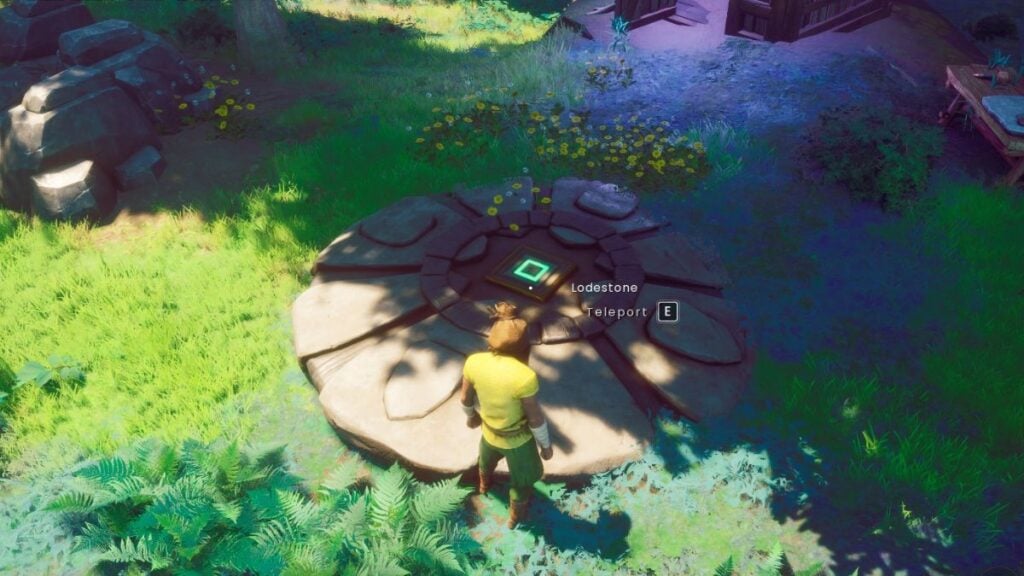
To fast travel in RuneScape: Dragonwilds, you need to use Lodestones. You can create Lodestones easily after unlocking the recipe. However, before you can unlock the recipe, you need to find its main ingredient: Vault Cores.

To create a Lodestone, you’ll need to press B to open up the crafting menu and have the following ingredients:

  • 32 Stones.
  • 20 Rune Essence.
  • One Vault Core.

Once it’s built, you can walk over to it and press E to open the map and fast travel to other Lodestones.

Where to Find Vault Cores
How To Fast Travel in RuneScape Dragonwilds (Lodestone Recipe & Vault Core Locations)
Image Source: Jagex via The Nerd Stash

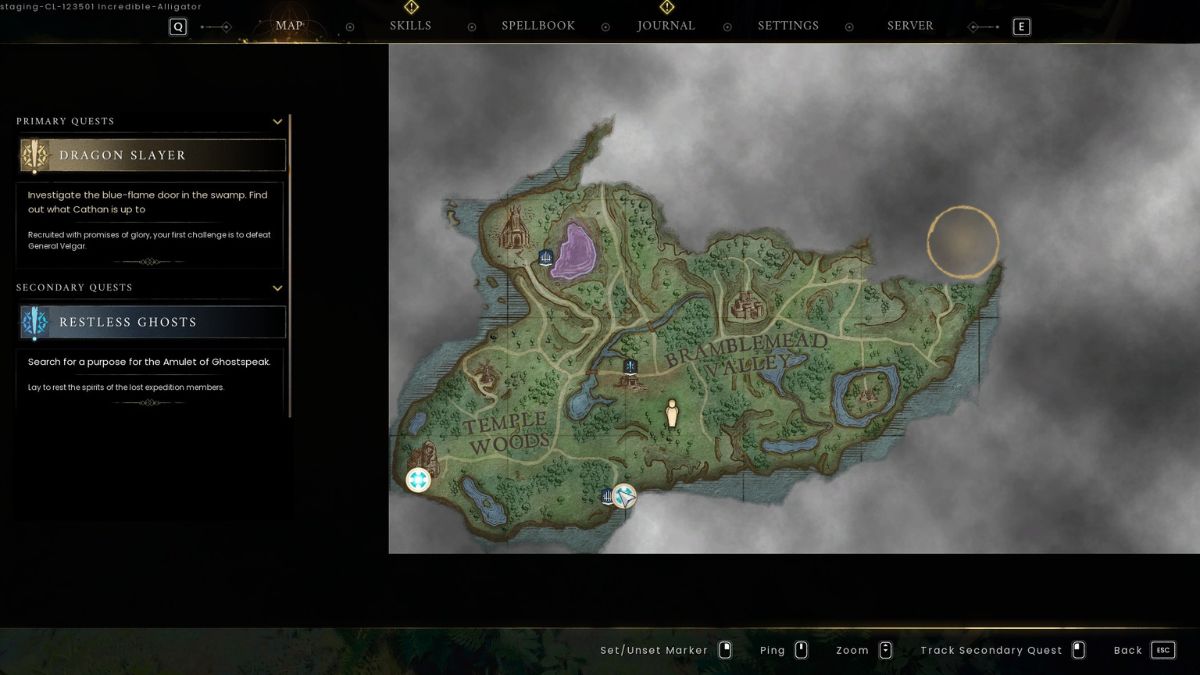
To get Vault Cores, you need to explore vaults. Fortunately, there is one close by to the starting point in Temple Woods, marked with a blue symbol. Before you enter, I recommend claiming a bed nearby, just in case you die. If you do die, your items will be teleported outside the vault doors.

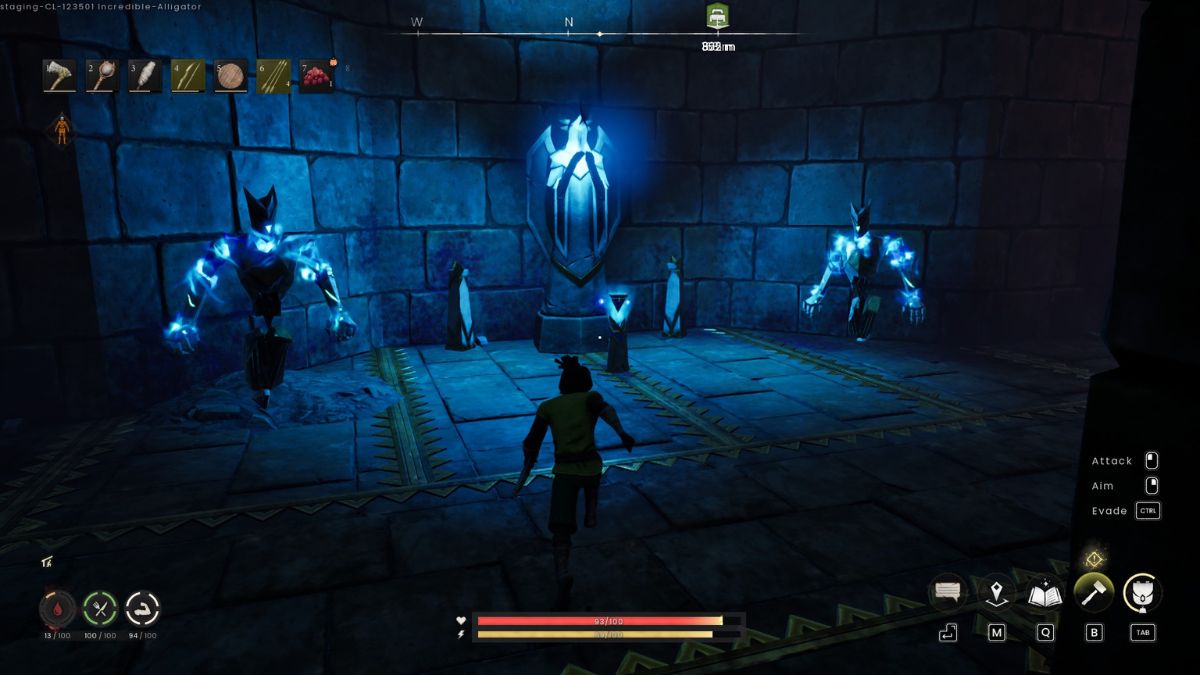
Inside a vault, you must defeat various enemies such as Giant Rats and Vault Guardian Sentinels while avoiding different traps. As you explore, you’ll find glowing stones that are actually Rune Essences that can be harvested with a pickaxe. You’ll need to go pretty deep into the vault to find the Vault Core, which is resting atop a pedestal with monsters around it.

The Vault Core can be picked up like any other item. If your goal is simply to create one Lodestone, you can grab the Vault Core, allow yourself to be killed by an enemy, and then retrieve your remains outside the vault. As long as you picked up the Vault Core, it will be in your inventory for you to use. Otherwise, you can keep exploring the vaults you come across to find more Vault Cores.
How To Destroy Walls/Structures in RuneScape: Dragonwilds
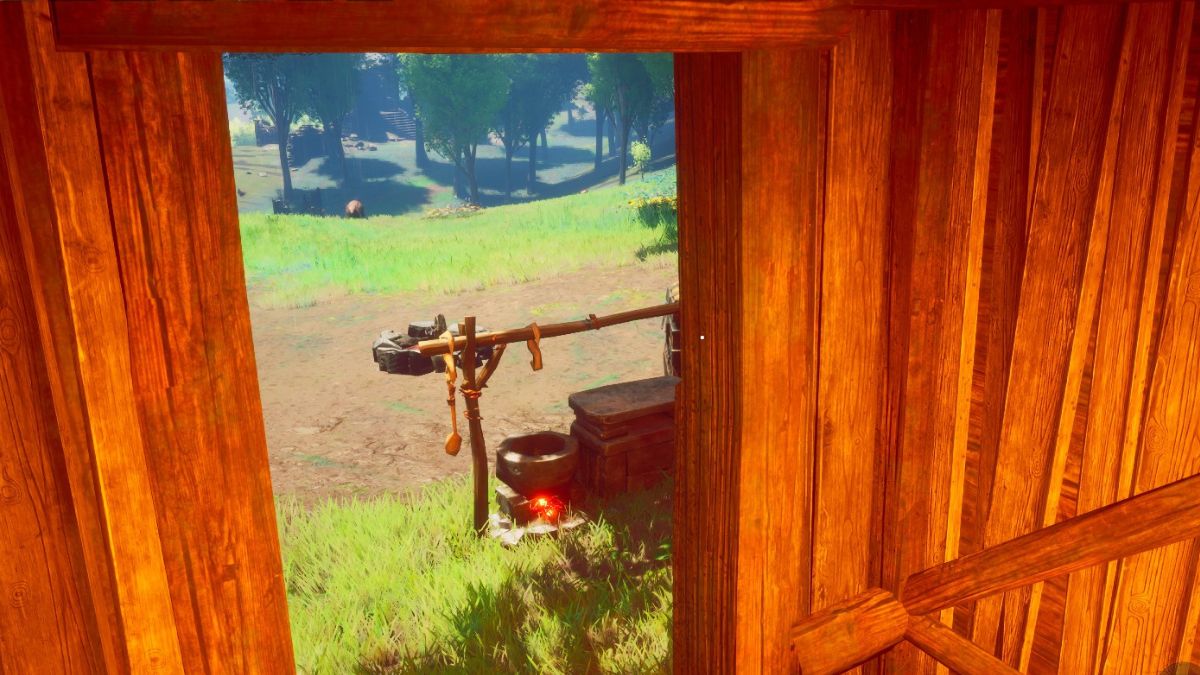
Related: How To Destroy Walls/Structures in RuneScape: Dragonwilds

RuneScape: Dragonwilds is available to play on PC.

Related Topics
Guide Runescape: Dragonwilds
Share. Facebook Twitter LinkedIn Reddit Email
Nat Collazo
  • Website
  • X (Twitter)
  • Instagram

I am a game journalist and guide writer with ten years of experience as well as the CEO/ Founder of Frowns Marketing, a marketing company that caters to indie games, tabletop games, and board games to help developers get more wishlists, backers, and players!

SUGGESTED READS

Astra Malorum Zombies easter egg song
Game Guides

Where To Find Astra Malorum Easter Egg Song In Black Ops 7 Zombies

Path of Exile 2 The Last of the Druids Update Preview
Features

One Of the Most Unique Druid Archetypes Is Ready to Land on Path of Exile 2: The Last of the Druids

Avatar TLA Fans Are Finally Getting the Open-World Game They've Been Waiting For: 'We Got Avatar's Creed Before GTA 6'
Game News

Avatar TLA Fans Are Finally Getting the Open-World Game They’ve Been Waiting For: ‘We Got Avatar’s Creed Before GTA 6’

Best Augments in Black Ops 7 Zombies
Game Guides

Best Augments You Need To Fully Research In Call of Duty: Black Ops 7 Zombies

All Steps in the Destiny 2 Renegades Campaign
Game Guides

How To Complete the Renegades Campaign in Destiny 2

Octopath Traveler 0 PS5 Review
9
Features

Octopath Traveler 0 Review – A Tale of Revenge and Restoration

Trending
Astra Malorum Zombies easter egg song

Where To Find Astra Malorum Easter Egg Song In Black Ops 7 Zombies

Path of Exile 2 The Last of the Druids Update Preview

One Of the Most Unique Druid Archetypes Is Ready to Land on Path of Exile 2: The Last of the Druids

Avatar TLA Fans Are Finally Getting the Open-World Game They've Been Waiting For: 'We Got Avatar's Creed Before GTA 6'

Avatar TLA Fans Are Finally Getting the Open-World Game They’ve Been Waiting For: ‘We Got Avatar’s Creed Before GTA 6’

Best Augments in Black Ops 7 Zombies

Best Augments You Need To Fully Research In Call of Duty: Black Ops 7 Zombies

The Nerd Stash
Facebook X (Twitter) Instagram YouTube LinkedIn
  • About Us
  • Join Our Team
  • Meet the Team
  • Privacy Policy
  • DMCA Policy
  • Contact Us
  • Terms of Use
  • Sitemap
  • Editorial Guidelines
  • Advertising Policy
© 2025 The Nerd Stash. All Rights Reserved.

Type above and press Enter to search. Press Esc to cancel.




