Close Menu
  • Gaming
    • Game Guides
    • Codes
    • Game News
    • Game Previews
    • Game Reviews
    • Game Features
    • Game Lists
    • Platforms
      • Nintendo
      • PC
      • PlayStation
      • Xbox
      • Mobile
  • Entertainment
    • Movies
    • Movie Features
    • Movie Reviews
    • TV
    • Reality TV
    • Royals
  • Celebrity
  • Human Interest
  • Astrology
  • Videos
  • More
    • Anime
    • Lists
    • Podcasts
    • Reviews
Facebook X (Twitter) Instagram LinkedIn YouTube
  • About Us
  • Join Our Team
  • Meet the Team
  • Privacy Policy
  • DMCA Policy
  • Contact Us
  • Terms of Use
  • Sitemap
  • Editorial Guidelines
  • Advertising Policy
The Nerd Stash
  • Gaming
  • Celebrity
  • Human Interest
  • Videos
The Nerd Stash
Home»Game Guides»How to Fix Dead Island 2 Co-op Not Working

How to Fix Dead Island 2 Co-op Not Working

Dead Island 2 is a popular first-person shooter game that allows players to team up with friends in co-op mode. Unfortunately, some players have been…

Omer DursunBy Omer DursunApril 21, 20232 Mins Read
How to play dead island 2 new characters early on xbox 1
Image Source: Punish Youtube

Skip To...

  • How to Fix Dead Island 2 Co-op Errors
  • How to Join Co-op Game in Dead Island 2
This article is over 2 years old and may contain outdated information.

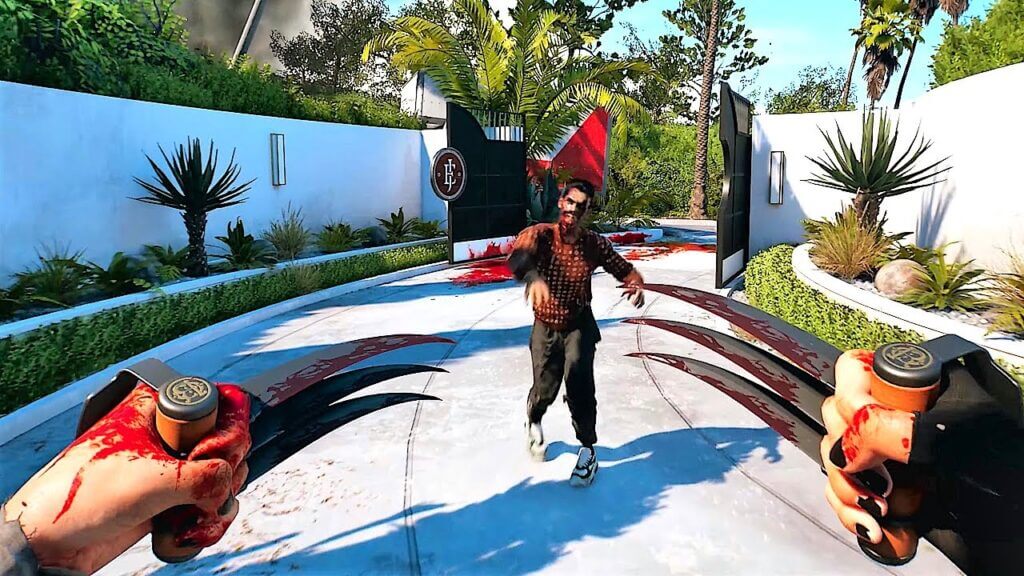
Dead Island 2 is a popular first-person shooter game that allows players to team up with friends in co-op mode. Unfortunately, some players have been experiencing issues with the game’s co-op mode, such as the failed to join the session error 0x1410. This error prevents players from joining a session, often with the message “Please check your network connection and try again.” How to fix Dead Island 2 co-op not working?

How to Fix Dead Island 2 Co-op Errors
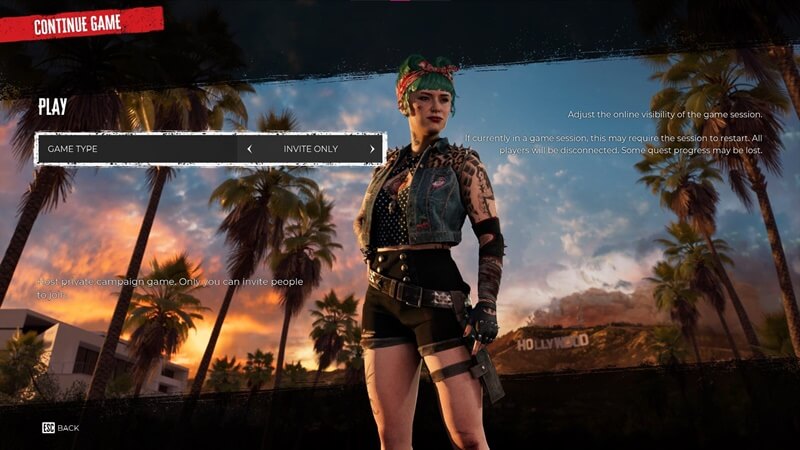
Image Credit: VG247

The failed to join the session error 0x1410 can be a frustrating issue to deal with. However, with the right steps, players can get back to enjoying the game with their friends in no time.

  • Check your internet and antivirus settings

In order to resolve this issue, players should first check their internet connection to ensure it is stable. If the connection is stable, adjusting the firewall or antivirus settings may be necessary to allow Dead Island 2 to communicate through the network.

  • Check update and game errors

Players should also check for server or game-related issues and follow official updates or announcements. Additionally, verifying game files or reinstalling the game may help resolve potential game-related problems.

  • Check the network’s NAT settings

Players may need to adjust their router or network’s NAT settings to ensure better communication between players. While this may seem like a daunting task, there are plenty of guides available online to help players through the process.

How to Join Co-op Game in Dead Island 2

Joining a co-op game in Dead Island 2 is a simple process. From the game’s main menu, select the Join Game option. This will match you with a player who has set their session to either Public or Friends Only. Alternatively, you can accept an invite from a friend if they have sent you one. It is important to note that some restrictions may apply in regards to joining a game.


Related Topics
Dead Island 2 Co-op Guide
Share. Facebook Twitter LinkedIn Reddit Email
Omer Dursun
  • Website

I am a freelance editor who loves to write technology and game content. I suggest you listen to my guide about games.

SUGGESTED READS

Anno 117 PC Review
8.5
Features

Anno 117: Pax Romana Review – An Empire Wasn’t Built in a Day

Henry in the Monastery
Features

Kingdom Come: Deliverance 2: Mysteria Ecclesiae Hands-On Impressions – The Final Chapter

Enshrouded Wake of the Water Update Preview
Game Features

Enshrouded: Wake of the Water Hands-On Impressions – The Tides of Change

Shigeru Miyamoto Believes Super Mario Games Have Reached Their Limit This Generation: 'We'd Done Everything We Could on the Switch'
Game News

Shigeru Miyamoto Believes Super Mario Games Have Reached Their Limit This Generation: ‘We’d Done Everything We Could on the Switch’

The Super Mario Galaxy Movie Is Already in Final Stages, Says Shigeru Miyamoto: 'It's Going to Be Fun'
Game News

The Super Mario Galaxy Movie Is Already in Final Stages, Says Shigeru Miyamoto: ‘It’s Going to Be Fun’

GTA 6 Reportedly Already 'Content Ready,' No More Delay After November 2026 Announcement
Gaming

GTA 6 Reportedly Already ‘Content Ready,’ No More Delay After November 2026 Announcement

Trending
Anno 117 PC Review
8.5

Anno 117: Pax Romana Review – An Empire Wasn’t Built in a Day

Henry in the Monastery

Kingdom Come: Deliverance 2: Mysteria Ecclesiae Hands-On Impressions – The Final Chapter

Enshrouded Wake of the Water Update Preview

Enshrouded: Wake of the Water Hands-On Impressions – The Tides of Change

Shigeru Miyamoto Believes Super Mario Games Have Reached Their Limit This Generation: 'We'd Done Everything We Could on the Switch'

Shigeru Miyamoto Believes Super Mario Games Have Reached Their Limit This Generation: ‘We’d Done Everything We Could on the Switch’

The Nerd Stash
Facebook X (Twitter) Instagram YouTube LinkedIn
  • About Us
  • Join Our Team
  • Meet the Team
  • Privacy Policy
  • DMCA Policy
  • Contact Us
  • Terms of Use
  • Sitemap
  • Editorial Guidelines
  • Advertising Policy
© 2025 The Nerd Stash. All Rights Reserved.

Type above and press Enter to search. Press Esc to cancel.