Close Menu
  • Gaming
    • Platforms
      • Nintendo
      • PC
      • PlayStation
      • Xbox
  • Entertainment
    • Movies
    • TV
    • Royals
  • Celebrity
    • Hollywood
  • Human Interest
  • Astrology
  • More
    • Anime
    • Reviews
Facebook X (Twitter) Instagram LinkedIn YouTube
  • About Us
  • Join Our Team
  • Meet the Team
  • Privacy Policy
  • DMCA Policy
  • Contact Us
  • Terms of Use
  • Sitemap
  • Editorial Guidelines
  • Advertising Policy
The Nerd Stash
  • Gaming
  • Celebrity
  • Hollywood
  • Human Interest
The Nerd Stash
Home»Gaming»How To Fix Pokemon GO Plus Not Auto Catching

How To Fix Pokemon GO Plus Not Auto Catching

Do you want to know how to fix the Pokemon GO Plus not auto-catching error? Niantic introduced this latest device on July 14, 2023, along…

Asanga WijeratneBy Asanga WijeratneJuly 18, 20233 Mins Read
How To Fix Pokemon Go Plus Not Auto Catching
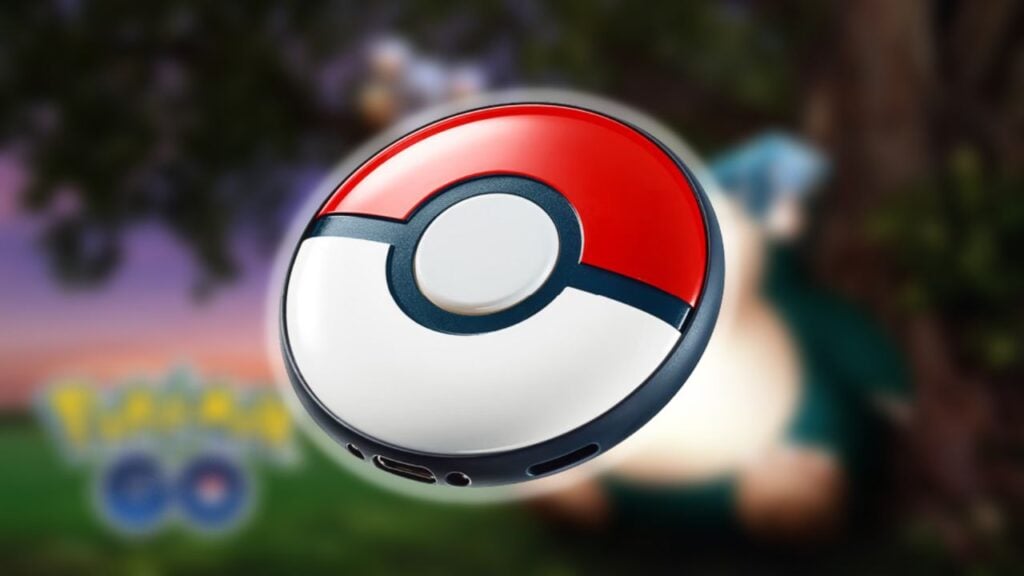
Image Source: Niantic via The Nerd Stash
This article is over 2 years old and may contain outdated information.

Do you want to know how to fix the Pokemon GO Plus not auto-catching error? Niantic introduced this latest device on July 14, 2023, along with the Pokemon Sleep app. However, some players have experienced technical issues such as not auto-catching Pokemon. This might be due to technical incompatibilities between your phone and device. So let’s look at how to fix Pokemon GO Plus, not auto-catching error.

Pokemon Go Plus: Fixing Not Auto Catching Error
Pokemon Go Plus Not Auto Catching
Image Source: Niantic

You can fix the not auto-catching error by ensuring that the device is correctly paired with your phone. Generally, this happens when you log out of the game and back in. You must disable and reenable settings to make the device work again. There is no permanent fix at the moment. However,  you can try the following steps:

  1. Ensure the Bluetooth connection is active: If your phone’s Bluetooth connection is not activated, it will not connect to the device. So make sure it is activated and adequately secured.
  2. Make sure to auto-catch is enabled on the app.
  3. Keep the device close to the phone: This error may happen due to the distance between your phone and the device. Keeping them near will fix Pokemon GO Plus, not auto-catching error.
  4. Ensure the phone is connected to the internet: The phone might get disconnected when you walk around. Make sure to check whether the internet connection is active or not.
  5. Ensure your inventory has enough space:  You must ensure your inventory is not full while going out to catch Pokemon. Because if you do not have enough space to locate new Pokemon, you cannot catch them.
  6. Keep the vibration on the device:  Finally, Make sure the vibration is on in your device, as this will inform you when a Pokemon is nearby fixing the Pokemon GO Plus, not auto-catching error.

Related:

How To Earn the Platinum Kanto Medal in Pokemon Go

Pokemon GO Plus troubleshooting shows that the device flashes different red lights for connection errors. It is essential to pay attention to these blinking lights and understand them. Contact customer support if you have tried all these steps and still experience the auto-catching error. They will help you resolve the issue and return to playing the game quickly.

The Pokemon GO Plus is a handy and fun device that allows players to catch Pokemon without looking at their phones constantly. Following these steps ensures your game experience is as smooth as possible. If you still need visual guidance, the video below from Poké AK will help.


Related Topics
Guide
Share. Facebook Twitter LinkedIn Reddit Email
Asanga Wijeratne
  • Website

SUGGESTED READS

Path of Exiles 2 Build Planner Guide
Gaming

How To Use the Build Planner in Path of Exile 2

Adopt Me Kicks Off Summer With Journey to Summer Camp Update, Here's All The New Week 1 Pets & Rewards
Gaming

Roblox Adopt Me Launches Journey to Summer Camp Update, Here’s All the Week 1 Pets & Rewards

LEGO Batman Legacy of the Dark Knight PC Review
9
Gaming

LEGO Batman: Legacy of the Dark Knight Review – A Hero Rises

Call of Duty: Modern Warfare 4 Launching This October on Next-Gen Consoles & Switch 2, But Not Game Pass
Gaming

Call of Duty: Modern Warfare 4 Launching This October on Next-Gen Consoles & Switch 2, But Not Game Pass

Hideo Kojima Teams Up With Prada for an AI Film, And Fans Aren't Happy: 'Beyond Incredibly Disappointing'
Gaming

Hideo Kojima Teams Up With Prada for an AI Film, And Fans Aren’t Happy: ‘Beyond Incredibly Disappointing’

The Witcher 3 Songs of the Past expansion
Gaming

A Witcher 3 Leak Just Forced CD Projekt Red to Announce a Brand-New Expansion: Songs of the Past

The Nerd Stash
Facebook X (Twitter) Instagram YouTube LinkedIn
  • About Us
  • Join Our Team
  • Meet the Team
  • Privacy Policy
  • DMCA Policy
  • Contact Us
  • Terms of Use
  • Sitemap
  • Editorial Guidelines
  • Advertising Policy
© 2026 The Nerd Stash. All Rights Reserved.

Type above and press Enter to search. Press Esc to cancel.