

Close Menu
  • Gaming
    • Platforms
      • Nintendo
      • PC
      • PlayStation
      • Xbox
  • Entertainment
    • Movies
    • TV
    • Royals
  • Celebrity
    • Hollywood
  • Human Interest
  • Astrology
  • More
    • Anime
    • Reviews
Facebook X (Twitter) Instagram LinkedIn YouTube
  • About Us
  • Join Our Team
  • Meet the Team
  • Privacy Policy
  • DMCA Policy
  • Contact Us
  • Terms of Use
  • Sitemap
  • Editorial Guidelines
  • Advertising Policy
The Nerd Stash
  • Gaming
  • Celebrity
  • Hollywood
  • Human Interest
The Nerd Stash
Home»Gaming»How To Get (and Use) Super Imposer in Honkai Star Rail

How To Get (and Use) Super Imposer in Honkai Star Rail

While playing Honkai: Star Rail, you might get yourself an item called Super Imposer or Superimposer (Custom-made) and wonder how to use it. This Honkai:…

Sidharta F. RasidiBy Sidharta F. RasidiMay 6, 20232 Mins Read
How To Get (& Use) Super Imposer in Honkai Star Rail
via The Nerd Stash
This article is over 2 years old and may contain outdated information.

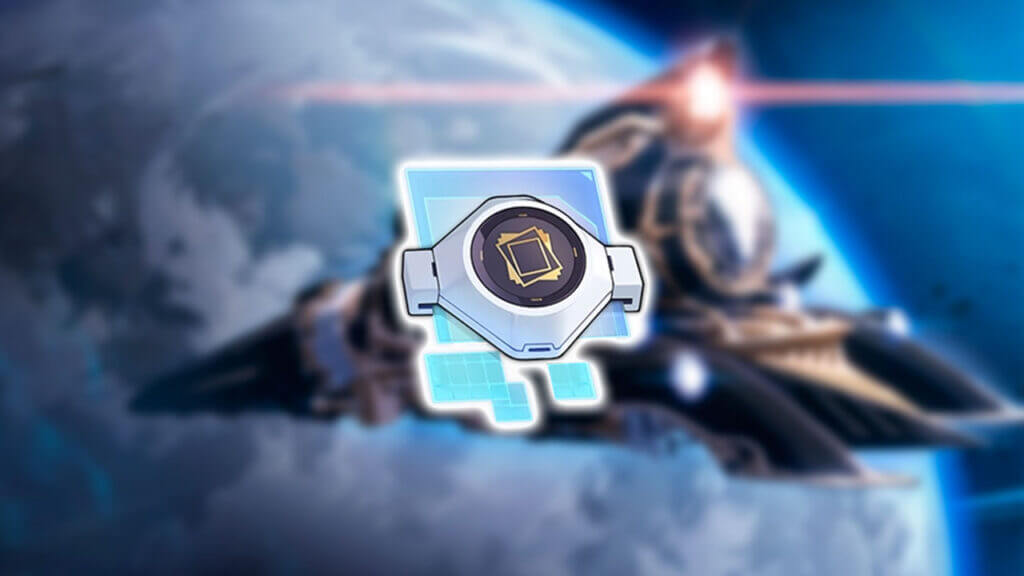
While playing Honkai: Star Rail, you might get yourself an item called Super Imposer or Superimposer (Custom-made) and wonder how to use it. This Honkai: Star Rail guide will tell you where and how you can obtain one and what is actually the function of this particular material.

Honkai Star Rail: How to Get Super Imposer (Custom-made)
How To Get (& Use) Super Imposer in Honkai Star Rail
Credits: miHoYo, Cognosphere/Honkai: Star Rail

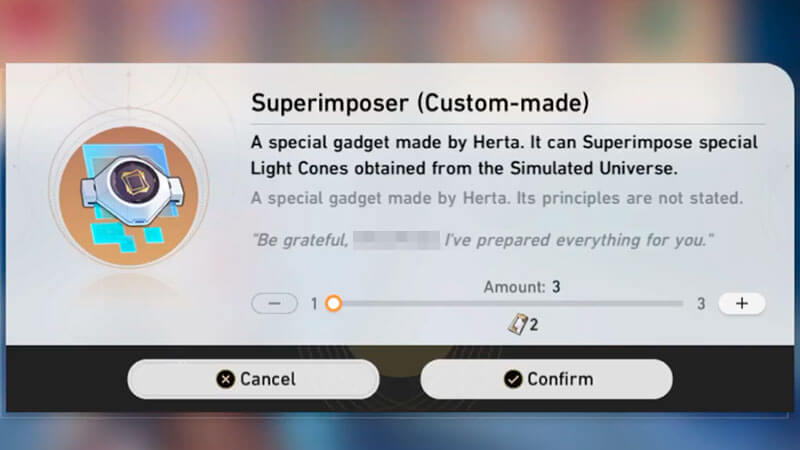
A special gadget made by Herta. It can Superimpose special Light Cones obtained from the Simulated Universe.

A special gadget made by Herta. Its principles are not stated.
“Be grateful, [Player Nickname]. I’ve prepared everything for you.”

The Superimposer (Custom-made) item in Honkai: Star Rail can be purchased from Herta’s Store for two Herta Bonds. If you need more Herta Bonds, try completing all Simulated Universe Worlds, and you should receive about 12 Herta Bonds. It should be enough to buy one Light Cone and two Superimposer (Custom-made) from Herta’s Store. Every week the game will also give you one free Herta Bond.

Honkai Star Rail: How to Use Super Imposer (Custom-made)
How To Get (& Use) Super Imposer in Honkai Star Rail
Credits: miHoYo, Cognosphere/Honkai: Star Rail

As its name stands, Superimposer (Custom-made) is a material used to Superimpose Light Cones. If you’re already familiar with Genshin Impact‘s Refinement, then Super Impose or Superimpose is Honkai: Star Rail‘s version. You use the duplicate of a weapon and/or certain materials to upgrade a weapon’s passive effects.

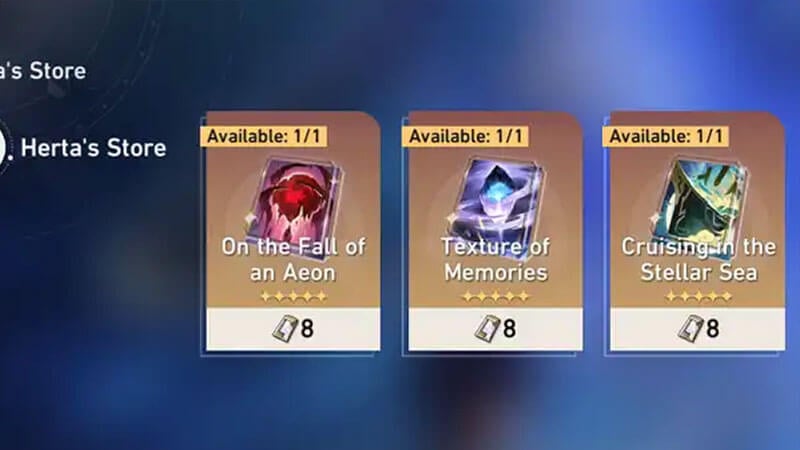
However, this material only works for specific Light Cones—particularly three Light Cones that also can be bought from Herta’s Shop:

  • Cruising in the Stellar Sea (5-Star Rarity, The Hunt Path)
  • On the Fall of an Aeon (5-Star Rarity, The Destruction Path)
  • Texture of Memories (5-Star Rarity, The Preservation Path)

Light Cone Superimposition can be done by first selecting a character by opening the Character Menu. Then Select a Light Cone that is equipped on the character. Click the Enhance button and look for the Superimpose option. Add the materials needed and then press Superimpose to finalize the process. The passive effects of a Light Cone start at Rank I and go up to a maximum of Rank V.

And that is everything you need to know about the Super Imposer or Superimposer (Custom-made) item in Honkai: Star Rail. Stay tuned at The Nerd Stash for more guides on Honkai: Star Rail and your other favorite mobile or console video games.

Honkai Star Rail is available on PC, PlayStation 4|5, Android, and iOS.

Related Topics
Guide Honkai: Star Rail
Share. Facebook Twitter LinkedIn Reddit Email
Sidharta F. Rasidi
  • Website

An ordinary Indonesian who enjoys playing and talking about video games. His favorite games are Monster Hunter: World, Space Invader Extreme 2, THE iDOLM@STER SP, Road Trip Adventure, Halo series, and KOEI Tecmo's Warriors series.

SUGGESTED READS

Diablo 4 Season 13 Tier List
Gaming

Class Tier List for Diablo 4 Season 13 (Best Classes for Endgame & Leveling)

Take-Two Boss Finally Explains Why GTA 6 Is Skipping PC at Launch: 'We'll See How It Works Out'
Gaming

Take-Two Boss Finally Explains Why GTA 6 Is Skipping PC at Launch: ‘We’ll See How It Works Out’

Rockstar Employee Review Claims 'Unrealistic' Crunch as GTA 6 Development Intensifies: 'Had to Work Till 3AM'
Gaming

Rockstar Employee Review Claims ‘Unrealistic’ Crunch as GTA 6 Development Intensifies: ‘Had to Work Till 3AM’

All Rewards from Admin Abuse Eggs & Box in Roblox Adopt Me
Gaming

All Rewards from Admin Abuse Eggs & Box in Roblox Adopt Me

Gaming

World Heroes Perfect Reminds Me of the Golden Age of Fighting Games

Fatal Fury City of the Wolves Mr Karate Reveal
Gaming

Fatal Fury: City of the Wolves Unveils Its Next Season 2 Fighter, and It’s a Classic

The Nerd Stash
Facebook X (Twitter) Instagram YouTube LinkedIn
  • About Us
  • Join Our Team
  • Meet the Team
  • Privacy Policy
  • DMCA Policy
  • Contact Us
  • Terms of Use
  • Sitemap
  • Editorial Guidelines
  • Advertising Policy
© 2026 The Nerd Stash. All Rights Reserved.

Type above and press Enter to search. Press Esc to cancel.




