Close Menu
  • Gaming
    • Game Guides
    • Codes
    • Game News
    • Game Previews
    • Game Reviews
    • Game Features
    • Game Lists
    • Platforms
      • Nintendo
      • PC
      • PlayStation
      • Xbox
      • Mobile
  • Entertainment
    • Movies
    • Movie Features
    • Movie Reviews
    • TV
    • Reality TV
    • Royals
  • Celebrity
    • Hollywood
  • Human Interest
  • Astrology
  • Videos
  • More
    • Anime
    • Lists
    • Podcasts
    • Reviews
Facebook X (Twitter) Instagram LinkedIn YouTube
  • About Us
  • Join Our Team
  • Meet the Team
  • Privacy Policy
  • DMCA Policy
  • Contact Us
  • Terms of Use
  • Sitemap
  • Editorial Guidelines
  • Advertising Policy
The Nerd Stash
  • Gaming
  • Celebrity
    • Hollywood
  • Human Interest
  • Videos
The Nerd Stash
Home»Game Guides»Roblox: How to Get The Hunt First Edition Badge in All Star Tower Defense

Roblox: How to Get The Hunt First Edition Badge in All Star Tower Defense

No eggs to find this time, but a golden bunny.

Brady Klinger-MeyersBy Brady Klinger-MeyersMarch 26, 20243 Mins Read
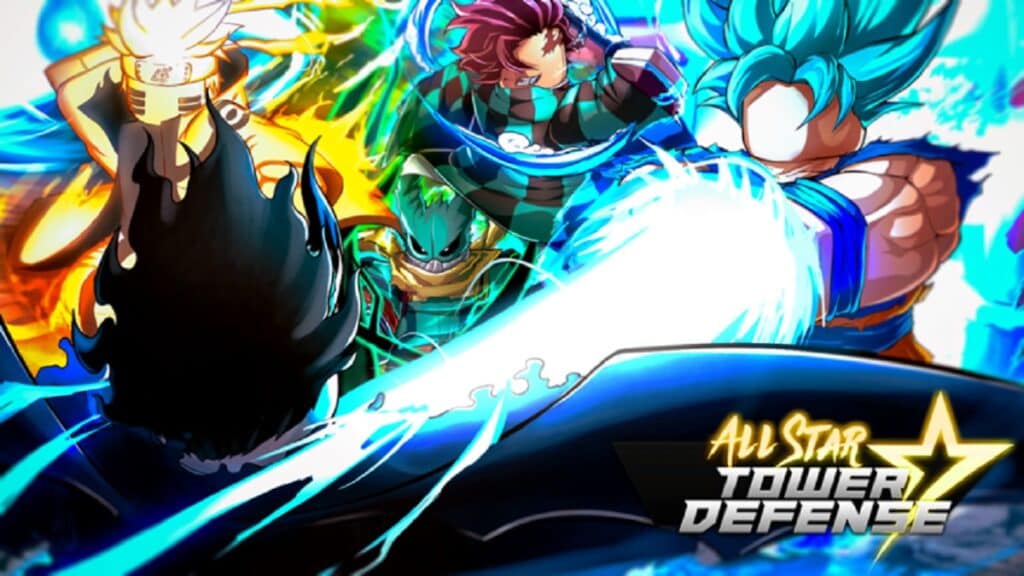
How to Get The Hunt Badge in Roblox All Star Tower Defense
Image Source: Top Down Games
This article is over 1 years old and may contain outdated information.

The Hunt event is being hosted by a bunch of different games on Roblox, including All Star Tower Defense, and participating awards you a nifty badge. If you love being a completionist, it’s best you get the badge as soon as possible; The Hunt won’t last forever. Luckily, All Star Tower Defense weaves the event into the game itself. Grab your best units because you need to bring the heat if you want The Hunt badge!

How to Get The Hunt Badge in Roblox All Star Tower Defense

The good news is that getting The Hunt badge in All Star Tower Defense can be done by just about anyone, even new players:

  • Enter the Story portal and join one of the empty queues
  • Choose Beginner Saga: Stage 1 and start
  • Survive until Wave 10
  • Defeat the Gold Bunny

If you’re new to All Star Tower Defense, I recommend playing the tutorial; otherwise, open your Inventory and equip your best units, with the best out of them being your leader. Afterwards, step into the Story portal.

equipping units in roblox all star tower defense
Image Source: Top Down Games via The Nerd Stash

Now, you’ll see several rooms — those are the queues. Join any that are empty or, better yet, bring along some friends. It’ll make the process go by quicker. Choose Stage 1 of the Beginner Saga and select Start.

Related:

10 Easiest and Fastest Badges You Can Get In Roblox The Hunt

Using the units you have equipped, you have to make it to Wave 10. I suggest placing your units near the beginning, especially around the bends to create a bulwark, like I did. It took just four Koku’s and five Lami’s upgraded to level 3; I never had a problem and no units got through.

reaching wave 10 in roblox all star tower defense to defeat the hunt bunny
Image Source: Top Down Games via The Nerd Stash

By Wave 10, the Gold Bunny appears and he’s rather fast. Make sure your units are placed in a way that their attacks can be focused (like in the screenshot). If and when the Gold Bunny is defeated, you’ll be awarded the Slayed Bunny badge in All Star Tower Defense, which is the game’s version of The Hunt: First Edition badge.

If you’re new or experienced to All Star Tower Defense, be sure to check the Task menu and Gifts menu for free in-game items as you may have knocked out a few missions at the same time. Of course, you can ignore that if you’re just here for the badge!

Related Topics
Guide Roblox
Share. Facebook Twitter LinkedIn Reddit Email
Brady Klinger-Meyers
  • Website

Brady has been writing about video games for the better part of four years. When he isn't obsessing over RPGs or games from his childhood, there's a good chance he's working on another short story.

SUGGESTED READS

Minecraft Accused of Mocking Lonely Kids, Sparking Mental Health Backlash: 'One of the Ickiest Things I've Seen'
Features

Minecraft Accused of Mocking Lonely Kids, Sparking Mental Health Backlash: ‘One of the Ickiest Things I’ve Seen’

Destiny 2 Renegades PS5 Review
8.5
Features

Destiny 2: Renegades Review – The Shooter Strikes Back

Clair Obscur: Expedition 33 Loses GOTY, Other Award from Indie Game Awards Over Generative AI: 'Some Weird Performative BS'
Game News

GOTY Stripped Over AI?: Clair Obscur: Expedition 33 Loses Awards at Indie Game Awards, ‘Some Weird Performative BS’

Sony Patents Real-time AI Game Censorship Tech That Could Even Make GTA 6 Kid-Friendly
Game News

Sony Patents Real-Time AI Game Censorship Tech That Could Even Make GTA 6 Kid-Friendly

Zenless Zone Zero Version 2.5 Announcement
Game News

Zenless Zone Zero Version 2.5 Is Ready To Wrap Up the Year With Two New Agents and a Free Outfit

PC Gamers Can't Catch a Break as Nvidia Plans 40% GeForce GPU Production Cuts, Report: 'Who Needs a PC Anyways'
Game News

PC Gamers Can’t Catch a Break as Nvidia Reportedly Plans 40% GeForce GPU Production Cuts: ‘Who Needs a PC Anyways’

Trending
Minecraft Accused of Mocking Lonely Kids, Sparking Mental Health Backlash: 'One of the Ickiest Things I've Seen'

Minecraft Accused of Mocking Lonely Kids, Sparking Mental Health Backlash: ‘One of the Ickiest Things I’ve Seen’

Destiny 2 Renegades PS5 Review
8.5

Destiny 2: Renegades Review – The Shooter Strikes Back

Clair Obscur: Expedition 33 Loses GOTY, Other Award from Indie Game Awards Over Generative AI: 'Some Weird Performative BS'

GOTY Stripped Over AI?: Clair Obscur: Expedition 33 Loses Awards at Indie Game Awards, ‘Some Weird Performative BS’

Sony Patents Real-time AI Game Censorship Tech That Could Even Make GTA 6 Kid-Friendly

Sony Patents Real-Time AI Game Censorship Tech That Could Even Make GTA 6 Kid-Friendly

The Nerd Stash
Facebook X (Twitter) Instagram YouTube LinkedIn
  • About Us
  • Join Our Team
  • Meet the Team
  • Privacy Policy
  • DMCA Policy
  • Contact Us
  • Terms of Use
  • Sitemap
  • Editorial Guidelines
  • Advertising Policy
© 2025 The Nerd Stash. All Rights Reserved.

Type above and press Enter to search. Press Esc to cancel.