Close Menu
  • Gaming
    • Platforms
      • Nintendo
      • PC
      • PlayStation
      • Xbox
  • Entertainment
    • Movies
    • TV
    • Royals
  • Celebrity
    • Hollywood
  • Human Interest
  • Astrology
  • More
    • Reviews
Facebook X (Twitter) Instagram LinkedIn YouTube
  • About Us
  • Join Our Team
  • Meet the Team
  • Privacy Policy
  • DMCA Policy
  • Contact Us
  • Terms of Use
  • Sitemap
  • Editorial Guidelines
  • Advertising Policy
The Nerd Stash
  • Gaming
  • Celebrity
  • Hollywood
  • Human Interest
The Nerd Stash
Home»Gaming»How To Get the Music Unlocker in Geometry Dash

How To Get the Music Unlocker in Geometry Dash

Proper practice makes perfect.

Sidharta F. RasidiBy Sidharta F. RasidiDecember 21, 20232 Mins Read
How To Get the Music Unlocker in Geometry Dash
Image source: RobTop Games via The Nerd Stash
This article is over 2 years old and may contain outdated information.

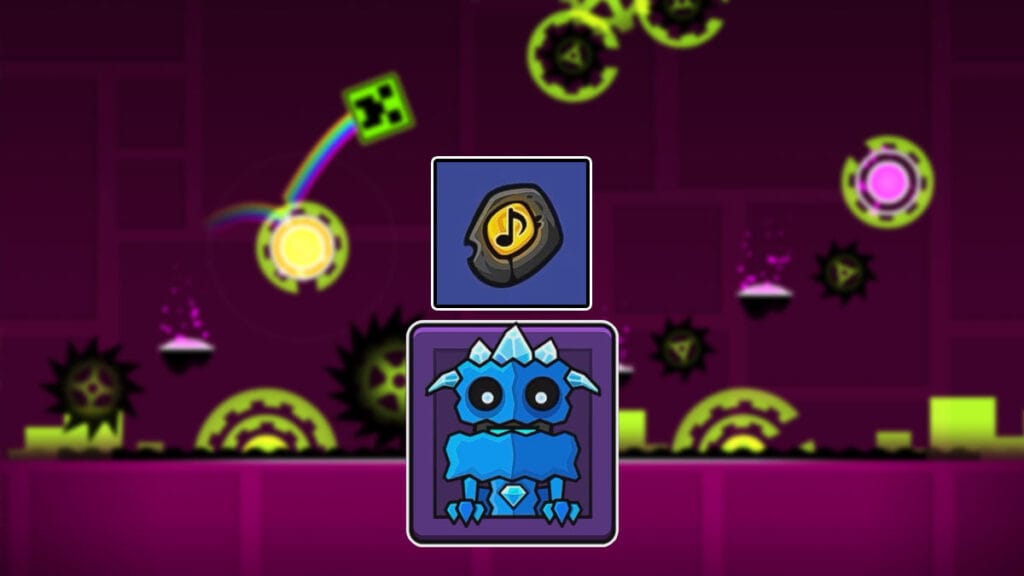
The long-awaited 2.2 Update to the classic rhythm-platforming game added a truckload of content to the game. One that fans have been asking for years is the ability to play the stage’s normal music during a practice run. This is quite crucial since the tempo of your run should match the music to be able to practice properly. RobTop Games has finally included the option through the Music Unlocker feature in Geometry Dash, but finding and getting it can be a bit tricky.

Geometry Dash: Unlocking the Music Unlocker
Geometry Dash: Unlocking the Music Unlocker
Image source: RobTop Games via SicaN64 screenshot

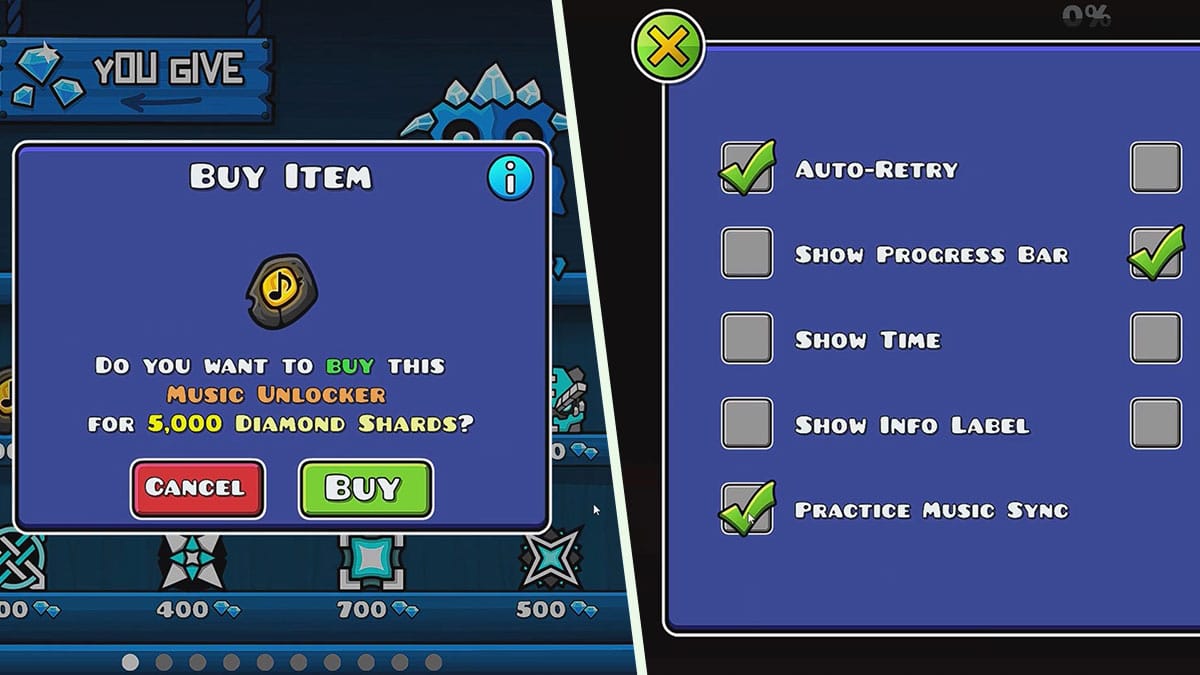
The Music Unlocker in Geometry Dash can be obtained by spending 5,000 Diamonds Shard in the Diamond Shop. The Shop menu itself can be accessed by clicking the purple dungeon door in the bottom-right corner of your screen from the main menu. This will open the Treasure Room containing Shops.

But before you can access the Diamond Shop, you have to pay the Shopkeeper 1,000 Diamonds. So in total, you will need 6,000 Diamonds to be able to unlock the feature. Yep, that’s going to be a lot of levels and quests grind. If you have enough money but the Shopkeeper won’t let you in, just keep clicking the icon.

Afterward, in Practice Mode, open the “Settings” menu by clicking the gear icon. The “Practice Music Sync” option should now be white and clickable. Now you can play any Geometry Dash stage in Practice Mode using the proper music.

To recap, here’s what you need to do to get the Music Unlocker feature in Geometry Dash:

  1. From the main menu, click on the purple dungeon door in the bottom-right corner of your screen to access The Treasure Room.
  2. From the Tier menu, press the left arrow button.
  3. Now you’re in the Shop menu. Click on the Diamond icon to unlock the Diamond Shop. You will need to spend 1,000 Diamonds though.
  4. In the Diamond Shop, click on the stone with a musical note on the top-left of the shelf. Costing 5,000 Diamonds, purchasing it will unlock the Music Unlocker in Geometry Dash.
  5. In Practice Mode, open the “Settings” menu and check the “Practice Music Sync” option.

Geometry Dash is available on PC, iOS and Android mobile devices.

Related Topics
Guide Indie Games
Share. Facebook Twitter LinkedIn Reddit Email
Sidharta F. Rasidi
  • Website

Since middle school, Sidharta has used his video game blog as a handy excuse to avoid studying. After graduating with a degree in Management Information Systems from Bina Nusantara University, he spent years honing his skills as a games journalist, working as an editor for a local gaming site and freelancing elsewhere. Nowadays, when he’s not busy crafting outrageous plots for his serialized comic, Sidharta covers niche games on his personal blog, StoPlayinGame.com. His favorite game series includes Monster Hunter, Earth Defense Force, THE iDOLM@STER, Road Trip Adventure, and KOEI Tecmo's Warriors.

SUGGESTED READS

How to find Pure Quartz in Palworld 1.0
Gaming

Where To Find Pure Quartz in Palworld

Sicario Writer's Call of Duty Movie To Adapt 'Modern Warfare' Universe, Confirmed Paramount
Gaming

Sicario Writer’s Call of Duty Movie To Adapt ‘Modern Warfare’ Universe, Confirmed Paramount

Fatal Fury City of the Wolves Rick Strowd Hands-on Impressions
Gaming

Fatal Fury: City of the Wolves Rick Strowd Hands-On Impressions – A Strong Start

Zenless Zone Zero Version 3.1 Anniversary
Gaming

Zenless Zone Zero Celebrates Its 2-Year Milestone With Free S-Rank Agents and a Crossover Announcement

All Black Marketeer Locations in Palworld
Gaming

All Black Marketeer Locations in Palworld

Gaming

A New Wolverine Trailer Playing in Front of the Odyssey is Getting Obliterated by PlayStation Fans: ‘Can’t wait for my PHYSICAL COPY’

The Nerd Stash
Facebook X (Twitter) Instagram YouTube LinkedIn
  • About Us
  • Join Our Team
  • Meet the Team
  • Privacy Policy
  • DMCA Policy
  • Contact Us
  • Terms of Use
  • Sitemap
  • Editorial Guidelines
  • Advertising Policy
© 2026 The Nerd Stash. All Rights Reserved.

Type above and press Enter to search. Press Esc to cancel.