Close Menu
  • Gaming
    • Platforms
      • Nintendo
      • PC
      • PlayStation
      • Xbox
  • Entertainment
    • Movies
    • TV
    • Royals
  • Celebrity
    • Hollywood
  • Human Interest
  • Astrology
  • More
    • Anime
    • Reviews
Facebook X (Twitter) Instagram LinkedIn YouTube
  • About Us
  • Join Our Team
  • Meet the Team
  • Privacy Policy
  • DMCA Policy
  • Contact Us
  • Terms of Use
  • Sitemap
  • Editorial Guidelines
  • Advertising Policy
The Nerd Stash
  • Gaming
  • Celebrity
  • Hollywood
  • Human Interest
The Nerd Stash
Home»Gaming»How To Get (& Use) the Hollow Box in Roblox Type Soul

How To Get (& Use) the Hollow Box in Roblox Type Soul

Can you roll the best Arrancar weapon?

Nat CollazoBy Nat CollazoApril 8, 20242 Mins Read
How To Get (& Use) the Hollow Box in Roblox Type Soul
Image Source: Type Soul Team via The Nerd Stash
This article is over 2 years old and may contain outdated information.

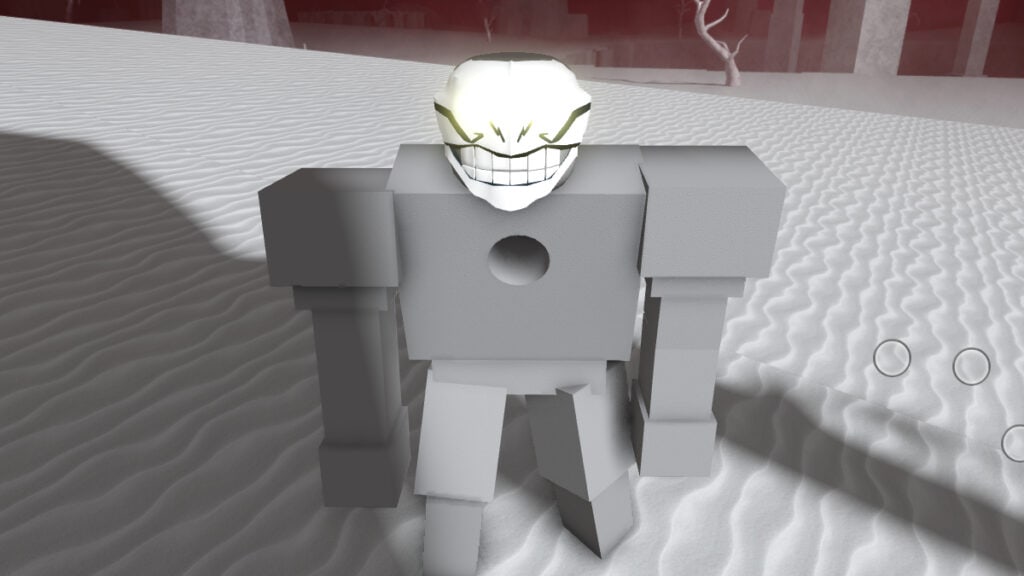
The Hollow Box is a raid drop you can only obtain if you’re a part of the Hollow class in Type Soul. Quincy’s have their own box as well called the Spirit Box. Regardless of which one you’re looking for, the game doesn’t make it easy to get one. With some patience, and just a little bit of using the players around you, getting a Hollow Box in the Roblox game Type Soul is painless.

How to Get the Hollow Box in Roblox Type Soul

How To Get (& Use) the Hollow Box in Roblox Type Soul
Image Source: Type Soul Team via The Nerd Stash

To get the Hollow Box in Type Soul, your class needs to win a raid in the server. Within 30 minutes after your class has won the raid, you’ll be able to head to the Karakura Town merchant to purchase it for $40,000 Kan. To do this quickly, jump servers until you find one that already has a raid going on. The later into the raid, the better; so long as your class is winning.

You won’t be able to speak to the merchant if you talk to them after the 30-minute window or if your class did not win the raid.

How to Use the Hollow Box in Roblox Type Soul

How To Get (& Use) the Hollow Box in Roblox Type Soul
Image Source: Type Soul Team via The Nerd Stash

Using the Hollow Box is the easy part. Press the N key to open your character’s ability and item list. Using the Next button on the bottom right of this new window, go to the Items section. Here, you select the Hollow Box, which will roll a randomized Arrancar weapon for you to use. The weapon is random each time you use it.

Related:

Where To Find Kisuke in Roblox Type Soul (Kisuke Location)

Roblox is available to play on Xbox, PlayStation, mobile devices, and in PC via the Roblox launcher or Game Pass.

Related Topics
Guide Roblox
Share. Facebook Twitter LinkedIn Reddit Email
Nat Collazo
  • Website
  • X (Twitter)
  • Instagram

I am a game journalist and guide writer with ten years of experience as well as the CEO/ Founder of Frowns Marketing, a marketing company that caters to indie games, tabletop games, and board games to help developers get more wishlists, backers, and players!

SUGGESTED READS

Diablo 4 Season 13 Tier List
Gaming

Class Tier List for Diablo 4 Season 13 (Best Classes for Endgame & Leveling)

Take-Two Boss Finally Explains Why GTA 6 Is Skipping PC at Launch: 'We'll See How It Works Out'
Gaming

Take-Two Boss Finally Explains Why GTA 6 Is Skipping PC at Launch: ‘We’ll See How It Works Out’

Rockstar Employee Review Claims 'Unrealistic' Crunch as GTA 6 Development Intensifies: 'Had to Work Till 3AM'
Gaming

Rockstar Employee Review Claims ‘Unrealistic’ Crunch as GTA 6 Development Intensifies: ‘Had to Work Till 3AM’

All Rewards from Admin Abuse Eggs & Box in Roblox Adopt Me
Gaming

All Rewards from Admin Abuse Eggs & Box in Roblox Adopt Me

Gaming

World Heroes Perfect Reminds Me of the Golden Age of Fighting Games

Fatal Fury City of the Wolves Mr Karate Reveal
Gaming

Fatal Fury: City of the Wolves Unveils Its Next Season 2 Fighter, and It’s a Classic

The Nerd Stash
Facebook X (Twitter) Instagram YouTube LinkedIn
  • About Us
  • Join Our Team
  • Meet the Team
  • Privacy Policy
  • DMCA Policy
  • Contact Us
  • Terms of Use
  • Sitemap
  • Editorial Guidelines
  • Advertising Policy
© 2026 The Nerd Stash. All Rights Reserved.

Type above and press Enter to search. Press Esc to cancel.