Close Menu
  • Gaming
    • Platforms
      • Nintendo
      • PC
      • PlayStation
      • Xbox
  • Entertainment
    • Movies
    • TV
    • Royals
  • Celebrity
    • Hollywood
  • Human Interest
  • Astrology
  • More
    • Anime
    • Reviews
Facebook X (Twitter) Instagram LinkedIn YouTube
  • About Us
  • Join Our Team
  • Meet the Team
  • Privacy Policy
  • DMCA Policy
  • Contact Us
  • Terms of Use
  • Sitemap
  • Editorial Guidelines
  • Advertising Policy
The Nerd Stash
  • Gaming
  • Celebrity
  • Hollywood
  • Human Interest
The Nerd Stash
Home»Gaming»How To Link Rocket League Cars to Fortnite

How To Link Rocket League Cars to Fortnite

Rocket cars meet battle royale? Now, that’s a turbo-charged mashup!

Asanga WijeratneBy Asanga WijeratneDecember 5, 20232 Mins Read
How to Link Rocket League Cars to Fortnite
Image Source: Epic Games
This article is over 2 years old and may contain outdated information.

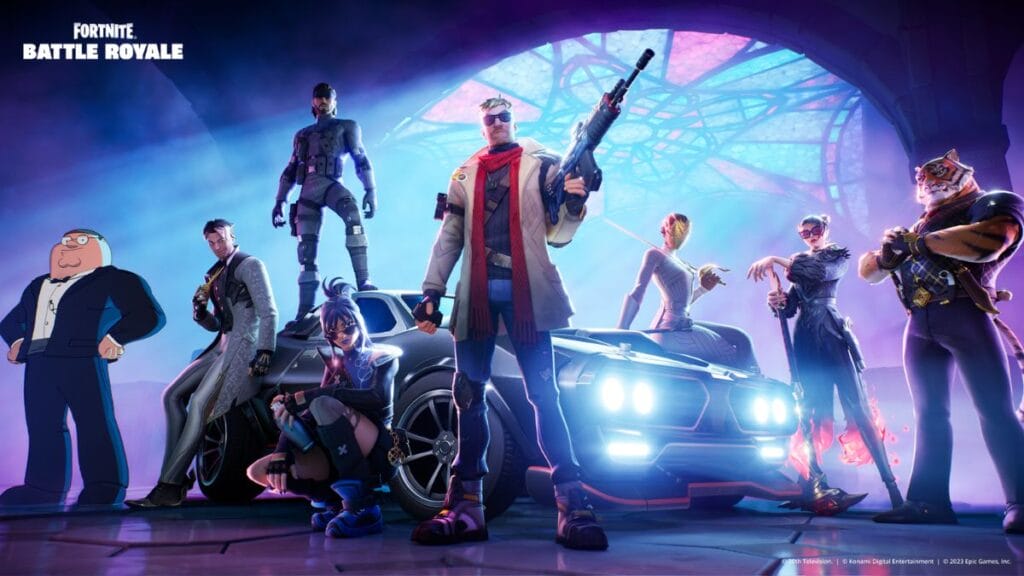
With the latest update, Fortnite Chapter 5, players can enjoy their favorite Rocket League cars while battling it out in Fortnite. Whether you’re an Octane fan, a Cyclone enthusiast, or a Lamborghini Huracán STO devotee, your vehicle is ready to roll once your accounts are linked. So, let’s see how to link your Rocket League cars to Fortnite and start cruising the island in style.

Linking Your Rocket League and Fortnite Accounts

Rocket League Cars Fortnite
Image Source: Epic Games

You can link your Rocket League and Fortnite accounts by following these simple steps:

  1. Go to the Rocket League activation page.
  2. Log in with your Epic Games Credentials.
  3. Click on Check Setup and link your preferred platforms.
  4. Select one account as your primary account.
  5. Confirm the selection. 

Once you complete the Rocket League and Fortnite linking process, all linked platforms will share the Account level ranks and Rocket Pass progress associated with the primary account. Remember, you can change the primary platform only every 24 hours. Therefore, choose wisely!

Although Credits and Esports tokens won’t merge, you can still access them on the platform where you got them. If you unlink accounts, all your items will stay on the platform where you bought or earned them. Also, platform-specific items will remain limited to that platform and can only be used when playing on the corresponding device.

How To Get Rocket League Items

Once the accounts are linked, specific Rocket car bodies such as Octane, Cyclone, Jäger 619, or Lamborghini Huracán STO owned in Rocket League will automatically become available in Fortnite. 

To customize your car, launch Fortnite and navigate to your Locker. Then, select the “Cars” section, where you’ll find Car Bodies, Decals, and Wheels. Any equipped Rocket League car will automatically transform whenever you enter a Sports Car in Fortnite Battle Royale or a compatible creator-made island.


Related Topics
Fortnite Guide
Share. Facebook Twitter LinkedIn Reddit Email
Asanga Wijeratne
  • Website

SUGGESTED READS

Hideo Kojima Teams Up With Prada for an AI Film, And Fans Aren't Happy: 'Beyond Incredibly Disappointing'
Gaming

Hideo Kojima Teams Up With Prada for an AI Film, And Fans Aren’t Happy: ‘Beyond Incredibly Disappointing’

The Witcher 3 Songs of the Past expansion
Gaming

A Witcher 3 Leak Just Forced CD Projekt Red to Announce a Brand-New Expansion: Songs of the Past

CDPR Announces The Witcher 3 'Special Anniversary Stream' Amid New Massive DLC Rumor
Gaming

CDPR Announces The Witcher 3 ‘Special Anniversary Stream’ Amid New Massive DLC Expansion Rumor

007 First Light All Challenges
Gaming

All Challenges in 007 First Light

How Long to Beat 007 First Light
Gaming

How Long to Beat 007 First Light (Full Chapters List)

007 First Lict Tactical Sim Mode
Gaming

How To Unlock Tactical Sim Mode in 007 First Light

The Nerd Stash
Facebook X (Twitter) Instagram YouTube LinkedIn
  • About Us
  • Join Our Team
  • Meet the Team
  • Privacy Policy
  • DMCA Policy
  • Contact Us
  • Terms of Use
  • Sitemap
  • Editorial Guidelines
  • Advertising Policy
© 2026 The Nerd Stash. All Rights Reserved.

Type above and press Enter to search. Press Esc to cancel.