Close Menu
  • Gaming
    • Platforms
      • Nintendo
      • PC
      • PlayStation
      • Xbox
  • Entertainment
    • Movies
    • TV
    • Royals
  • Celebrity
    • Hollywood
  • Human Interest
  • Astrology
  • More
    • Reviews
Facebook X (Twitter) Instagram LinkedIn YouTube
  • About Us
  • Join Our Team
  • Meet the Team
  • Privacy Policy
  • DMCA Policy
  • Contact Us
  • Terms of Use
  • Sitemap
  • Editorial Guidelines
  • Advertising Policy
The Nerd Stash
  • Gaming
  • Celebrity
  • Hollywood
  • Human Interest
The Nerd Stash
Home»Gaming»How To Play Co-Op in Return to Moria

How To Play Co-Op in Return to Moria

And my axe!

Julio La PineBy Julio La PineOctober 25, 20232 Mins Read
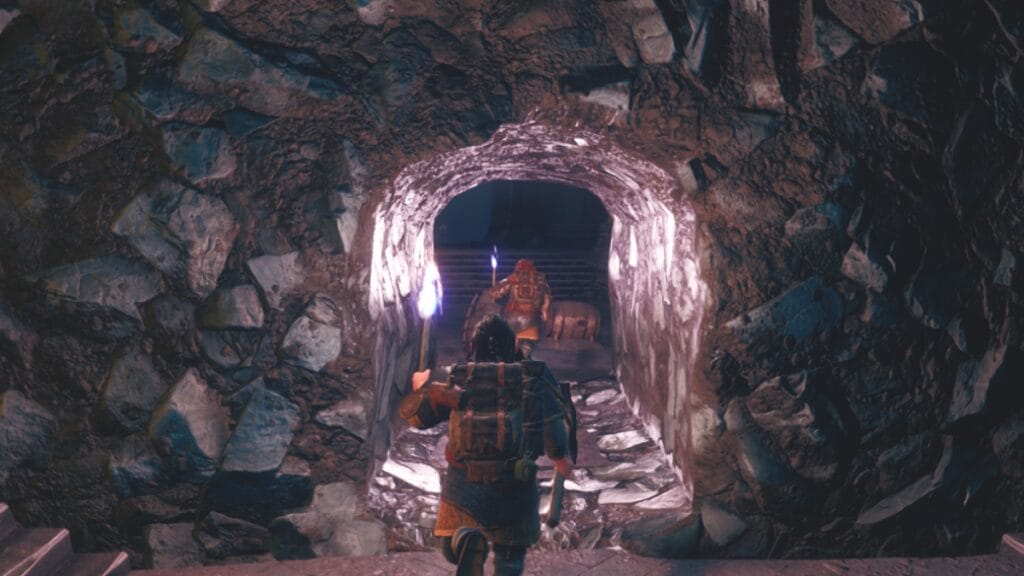
Return to Moria Multiplayer
Image Source: Free Range Games via The Nerd Stash
This article is over 2 years old and may contain outdated information.

Free Range Games went above and beyond to make players feel like they assembled their company of Dwarves. Whether your character comes from the Iron Hills or The Lonely Mountain, they all have the same goal: reclaim Moria. While solo play might be tempting for some, Return to Moria encourages you to try the multiplayer component, which, here at least, we consider is the ideal way to experience the game. So, if you want to band together with other Dwarves, here we’ll tell you how to enable co-op play in Lord of the Rings: Return to Moria.

How To Enable Co-Op Play in Lord of the Rings: Return to Moria

Return to Moria Co-Op Options
Image Source: Free Range Games via The Nerd Stash

There are different ways to try multiplayer in Return to Moria. So far, you can host or join a world and then have friends over or visit them. Plus, you don’t need to make a new Dwarf for each world. Your favorite character can visit others without any issues. Here, we’ll break both ways to play with others in this title.

Host a World

World Code
Image Source: Free Range Games via The Nerd Stash

To host a world, you must follow these steps:

  1. Head to the game’s main menu.
  2. Click on “Play.”
  3. Select the Dwarf you want to play as and click on them.
  4. To host, select Load or Create World.
  5. Once you select the world, choose the “Host Online” option.
  6. Copy the invite code and send it to your friends.
  7. Alternatively, you can press Shift + F3 and open your Epic Games panel to invite your friends directly.

Join a World

Return to Moria World Code
Image Source: Free Range Games via The Nerd Stash

To join a world, you’ll need to follow some of the above steps, with a few slight changes:

  1. Head to the game’s main menu.
  2. Click on “Play.”
  3. Select the Dwarf you want to play as and click on them.
  4. Click on Join Other World
  5. Input the host world’s code.
  6. When playing on Epic Games, you can join via the panel’s invitation without a code.

Related Topics
Guide Lord of the Rings: Return to Moria
Share. Facebook Twitter LinkedIn Reddit Email
Julio La Pine
  • Website

News/Guide Writer for The Nerd Stash. When not working, you'll find him playing Final Fantasy 14, any good JRPG, and modding Project Zomboid.

SUGGESTED READS

Gaming

GTA 6 Leaker Hunt Goes Nuclear as Take-Two Demands Discord and Microsoft Hand Over Private Data

Raid Shadow Legends new players
Gaming

7 New-Player Mistakes That Cost You Free Rewards in Raid: Shadow Legends (August 2026)

PlayStation's Phantom Blade Zero Preorders Have 'Far Exceeded Expectations' Despite Disc-less Release Concerns
Gaming

PlayStation’s Phantom Blade Zero Preorders Have ‘Far Exceeded Expectations’ Despite Disc-less Release Concerns

Gaming

Interview: Dawn of War 4 Voice Actor Toby Longworth Discusses Space Marine Voices and How RoboCop Inspired His Dreadnought Performance

Mortal Shell 2 Sester Genessa Unlock
Gaming

How to Unlock Sester Genessa in Mortal Shell 2

Mortal Shell 2 Eredim Guide
Gaming

How to Unlock Eredim in Mortal Shell 2

The Nerd Stash
Facebook X (Twitter) Instagram YouTube LinkedIn
  • About Us
  • Join Our Team
  • Meet the Team
  • Privacy Policy
  • DMCA Policy
  • Contact Us
  • Terms of Use
  • Sitemap
  • Editorial Guidelines
  • Advertising Policy
© 2026 The Nerd Stash. All Rights Reserved.

Type above and press Enter to search. Press Esc to cancel.