Close Menu
  • Gaming
    • Platforms
      • Nintendo
      • PC
      • PlayStation
      • Xbox
  • Entertainment
    • Movies
    • TV
    • Royals
  • Celebrity
    • Hollywood
  • Human Interest
  • Astrology
  • More
    • Reviews
Facebook X (Twitter) Instagram LinkedIn YouTube
  • About Us
  • Join Our Team
  • Meet the Team
  • Privacy Policy
  • DMCA Policy
  • Contact Us
  • Terms of Use
  • Sitemap
  • Editorial Guidelines
  • Advertising Policy
The Nerd Stash
  • Gaming
  • Celebrity
  • Hollywood
  • Human Interest
The Nerd Stash
Home»Gaming»How to Play Goat Simulator 3 Multiplayer With Your Friends

How to Play Goat Simulator 3 Multiplayer With Your Friends

Want to know how to play Goat Simulator 3 multiplayer with your friends? Even though Goat Simulator 3 has a storyline, you shouldn’t just focus…

Artur NovichenkoBy Artur NovichenkoNovember 18, 20222 Mins Read
how-to-play-goat-simulator-3-multiplayer-with-your-friends
This article is over 3 years old and may contain outdated information.

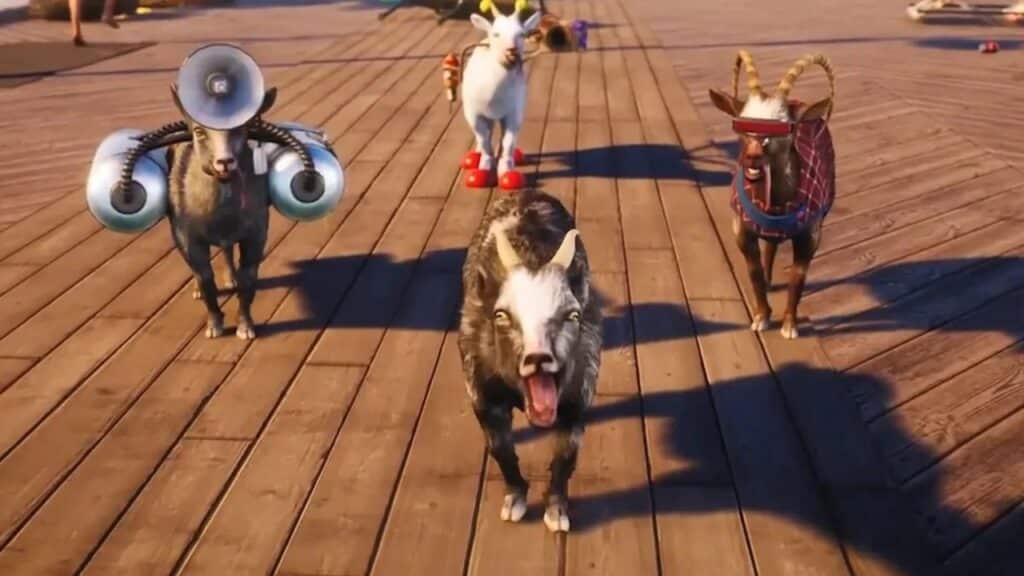
Want to know how to play Goat Simulator 3 multiplayer with your friends? Even though Goat Simulator 3 has a storyline, you shouldn’t just focus on becoming a high-ranking Illuminati. First, the game’s purpose is to give you a good mood and fun. And, of course, it’s best to have fun with friends. In addition, in Goat Simulator 3, you can play with up to three friends at once, unlike similar games where you can play in multiplayer with one friend. However, our guide is here to help you and tell you how to play Goat Simulator 3 multiplayer.

[Updated August 21, 2024 – Updated links]

How to Play Goat Simulator 3 Multiplayer With Your Friends

Quests, fun, and all-out chaos are just some experiences you can have with your friends in Goat Simulator 3. You can compete to see who can do the best flip on a trampoline or catch a couple of NPCs and throw them off a cliff or a tower. Of course, this is not entirely humane, but you play as an Illuminati goat, so it is the lesser evil you can do.

If you play with a friend, the game will get you completely new emotions. You can play Goat Simulator 3 multiplayer with your friends in two ways:

  • Go to Main Menu and select Friends. Select players from your friends list and invite them to the lobby.
  • You can also play in multiplayer by adding a player to the lobby while in the game. To do this, press the options button on the controller or the ESC key on the PC.

Also, you can play with a friend on the same screen if you play on a console. To do this, connect two controllers and press the X button on Xbox or the Square button on PlayStation. After that, the second player will automatically join the game. The good news is that the second player doesn’t have to have an account. The second player will appear in the game with a free temporary account, although he can change this account to the main one later.

Related Topics
Goat Simulator 3 Guide
Share. Facebook Twitter LinkedIn Reddit Email
Artur Novichenko
  • Website

Artur is a copywriter and SEO specialist, as well as a small business owner. In his free time, he loves to play computer games and is glad that he was able to connect his professional career with his hobby.

SUGGESTED READS

Where to Get Corrosive Solvent in Palworld 1.0
Gaming

Where to Get Corrosive Solvent in Palworld 1.0

Where to Find All Echobones & Catch Panthalus in Palworld 1.0
Gaming

Where to Find All Echobones & Catch Panthalus in Palworld 1.0

Transport Fever 3 Features
Gaming

Transport Fever 3 Is Gearing Up for Launch With New Footage Showcasing Several Features for Transport Tycoon Fans

9.5
Gaming

Rhythm Heaven Groove Review – Harmonic Perfection

Marvel Rivals Season 9 Hands-On Preview
Gaming

Marvel Rivals Season 9 Hands-On Impressions: Feels Like a Whole New Game

Diablo 4 x Overwatch Collab
Gaming

Diablo 4 x Overwatch Impressions: Something of an Inconsistent Bag

The Nerd Stash
Facebook X (Twitter) Instagram YouTube LinkedIn
  • About Us
  • Join Our Team
  • Meet the Team
  • Privacy Policy
  • DMCA Policy
  • Contact Us
  • Terms of Use
  • Sitemap
  • Editorial Guidelines
  • Advertising Policy
© 2026 The Nerd Stash. All Rights Reserved.

Type above and press Enter to search. Press Esc to cancel.