
Close Menu
  • Gaming
    • Platforms
      • Nintendo
      • PC
      • PlayStation
      • Xbox
  • Entertainment
    • Movies
    • TV
    • Royals
  • Celebrity
    • Hollywood
  • Human Interest
  • Astrology
  • More
    • Reviews
Facebook X (Twitter) Instagram LinkedIn YouTube
  • About Us
  • Join Our Team
  • Meet the Team
  • Privacy Policy
  • DMCA Policy
  • Contact Us
  • Terms of Use
  • Sitemap
  • Editorial Guidelines
  • Advertising Policy
The Nerd Stash
  • Gaming
  • Celebrity
  • Hollywood
  • Human Interest
The Nerd Stash
Home»Gaming»How to Play Pokemon Anil

How to Play Pokemon Anil

If you’re a fan of the old-school Pokémon games from bygone days, Pokemon Anil is the perfect experience for you. Whether you’re a long-time Trainer or a newcomer…

AugustBy AugustApril 21, 20233 Mins Read
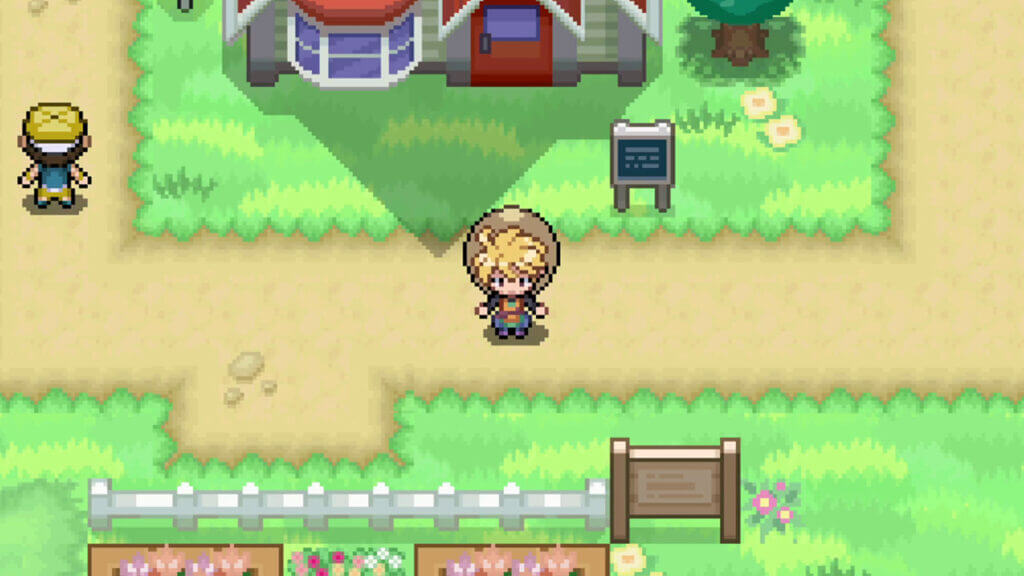
Standing in Pallet Town in Pokemon Anil
Image via The Nerd Stash
This article is over 3 years old and may contain outdated information.

If you’re a fan of the old-school Pokémon games from bygone days, Pokemon Anil is the perfect experience for you. Whether you’re a long-time Trainer or a newcomer to the Pokémon franchise, this custom project will satiate your creature-collector cravings. Created by pocket monster community member EricLostie, Pokemon Anil is fanmade recreation of Pokemon Red and Blue. This stunning emulated experience goes above and beyond a simple touch-up to graphics and visual design. It offers quality-of-life features and additional mechanics unavailable in the original games. However, since Pokemon Anil isn’t an official entry, many likely wonder how they can play it. 

How to Download and Play Pokemon Anil on PC

Title Screen for Pokemon Anil
Image via The Nerd Stash

To play Pokemon Anil on PC, you must visit a website with a download link to EricLostie’s official Google Drive. Before clicking on any sites you’re unfamiliar with, please remember the risk involved in playing fan-created, unlicensed games. Accordingly, precautions must be taken when browsing the internet, especially for download links to fanmade projects.
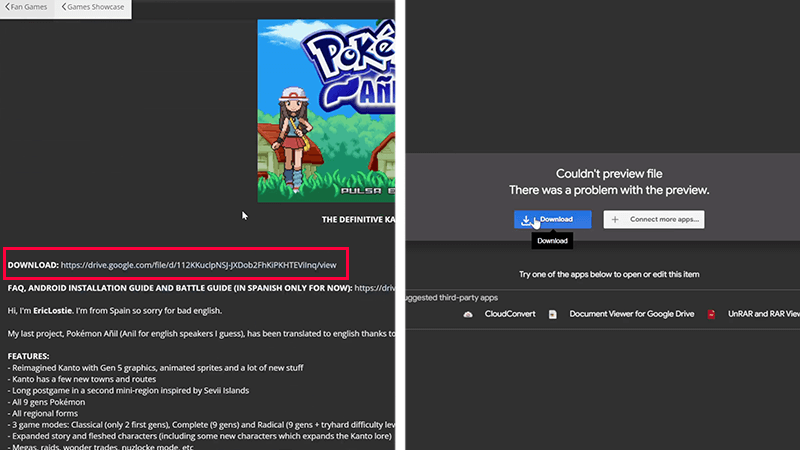
Download and Install Pokemon Anil on PC
Image via The Nerd Stash

We’ve taken the risk of searching for the best method to download and play Pokemon Anil, so you don’t have to. Following the steps below, we’ll guide you on how to safely start playing this fantastic Pokémon experience as quickly as possible:

  1. The site we’ll provide is The PokéCommunity Forums. Using Google Safe Browsing and SSLTrust, we can confirm this community-run site is safe.
  2. After you’re on the page, scroll down to EricLostie’s post and select the link next to “DOWNLOAD.” 
  3. You will find yourself on a Google Drive page called “POKEMON ANIL V1.12 ENGLISH COMPLETE.rar.” Select Download followed by Download Anyway.
  4. After you’ve downloaded the file, use a file compression software to extract it; we used WinRAR. For reference, we scanned the file with Kaspersky Premium Antivirus and found no malware intact. 
  5. Open the folder, and continue through the following inner folder to navigate to “Game.exe.” 
  6. Launch to play Pokemon Anil and enjoy the gameplay experience on PC.
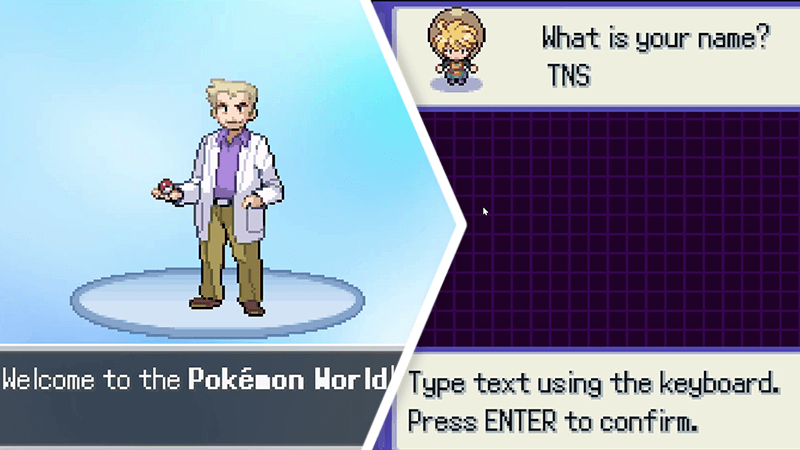
Choosing Name on Pokemon Anil PC Play
Image via The Nerd Stash

The first portion of Pokemon Anil will take you through the character selection screen, where you’ll select your MC and name. Once you’re in the game, you can begin exploring Pallet Town without restriction. If you want to leave the game, open the menu window and choose Options, indicated by a Nintendo DS. Scroll to the bottom to find Exit. Of course, be sure to Save your game before leaving! 

Pokemon Anil is available on PC.

Related Topics
Guide Pokemon
Share. Facebook Twitter LinkedIn Reddit Email
August

August Webb is a Staff Writer and former Lead Guide Editor of TNS. When not working, she's playing a visual novel, fanning over an indie gem, or lost in the world of VR.

SUGGESTED READS

8
Gaming

Madden NFL 27 Review – The Buffalo Bills Of the Series

One of GTA Online's Biggest Roleplay Servers Is Officially Launching on Rockstar Launcher This September
Gaming

One of GTA Online’s Biggest Roleplay Servers Is Officially Launching on Rockstar Launcher This September

Marvel Tokon Fighting Souls PS5 Review
9.5
Gaming

Marvel Tōkon: Fighting Souls Review – Taking the Genre to New Heights

GTA 6's $100 Preorder Is Outselling the $80 Edition Amid Fans' Backlash, Confirms Take-Two: 'We Want People to be Thrilled'
Gaming

GTA 6’s $100 Preorder Is Outselling the $80 Edition Amid Fans’ Backlash, Confirms Take-Two: ‘We Want People to be Thrilled’

Job Simulator Human Relations
Gaming

FarBridge Is Expanding The Job Simulator Universe With Job Simulator: Human Relations

Star Wars Zero Company PC Preview
Gaming

Star Wars: Zero Company Preview – Missing 90 Percent Shots Turned Us to the Dark Side

The Nerd Stash
Facebook X (Twitter) Instagram YouTube LinkedIn
  • About Us
  • Join Our Team
  • Meet the Team
  • Privacy Policy
  • DMCA Policy
  • Contact Us
  • Terms of Use
  • Sitemap
  • Editorial Guidelines
  • Advertising Policy
© 2026 The Nerd Stash. All Rights Reserved.

Type above and press Enter to search. Press Esc to cancel.