
Close Menu
  • Gaming
    • Platforms
      • Nintendo
      • PC
      • PlayStation
      • Xbox
  • Entertainment
    • Movies
    • TV
    • Royals
  • Celebrity
    • Hollywood
  • Human Interest
  • Astrology
  • More
    • Anime
    • Reviews
Facebook X (Twitter) Instagram LinkedIn YouTube
  • About Us
  • Join Our Team
  • Meet the Team
  • Privacy Policy
  • DMCA Policy
  • Contact Us
  • Terms of Use
  • Sitemap
  • Editorial Guidelines
  • Advertising Policy
The Nerd Stash
  • Gaming
  • Celebrity
  • Hollywood
  • Human Interest
The Nerd Stash
Home»Gaming»How to Show FPS Counter in Call of Duty: Modern Warfare 2

How to Show FPS Counter in Call of Duty: Modern Warfare 2

Call of Duty: Modern Warfare 2 is a first-person shooter video game developed by Infinity Ward and published by Activision. The game was released on…

Asanga WijeratneBy Asanga WijeratneOctober 31, 20223 Mins Read
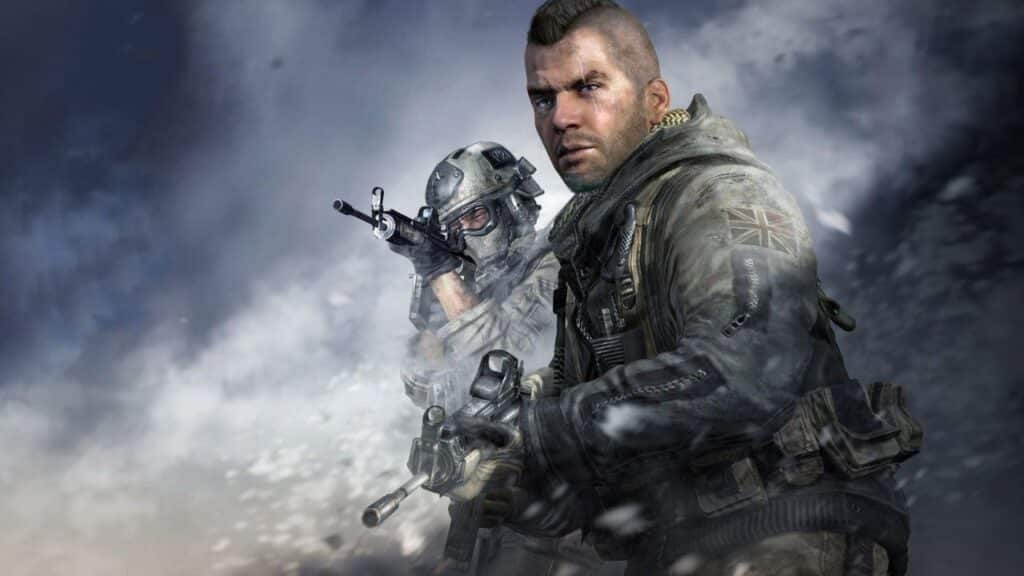
Modern Warfare 2 FPS counter
This article is over 3 years old and may contain outdated information.

Call of Duty: Modern Warfare 2 is a first-person shooter video game developed by Infinity Ward and published by Activision. The game was released on October 28, 2022, for PlayStation 4, PlayStation 5, Xbox One, Xbox Series X|S, and PC. Since then, many people have complained about the lack of an FPS counter in Call of Duty: Modern Warfare 2, but there is a way to show it. See in real-time if your console or your internet can keep up with the action of combat.

[Updated August 23, 2024 – Updated links]

What are the FPS?

FPS, or Frames Per Second, measures how well your computer can keep up with the action in a game. The higher the number, the smoother the game will be. The game will be choppy and laggy if you have a low FPS. Modern Warfare 2 is a particularly demanding game, and even high-end computers can have trouble running it at a high FPS. That’s why checking your FPS before you start playing is essential. The Modern Warfare 2 FPS counter is an excellent tool for doing just that. By reviewing your FPS, you can ensure that you’re getting the most out of your computer and that you won’t be disappointed when the action starts.

How to show the FPS counter in Modern Warfare 2

FPS counter in Modern Warfare 2

You can show the FPS Counter by navigating to the setting and going to Telemetry under Interface. This is how you can verify it:

  1.  Launch the game.
  2. Go to the Main Menu.
  3. Select Settings.
  4. Go to the Interface tab.
  5. Scroll down to Telemetry.
  6. Click on “Show more”
  7. Turn the FPS Counter on.

After setting all these options, you will see the EFPS Counter in the upper right corner of the screen.

The EPS  Counter is a great way to see how well your computer runs Modern Warfare 2. If you’re having trouble with the game, checking your FPS can help determine the problem. By turning on the EPS Counter, you can easily see if your computer is struggling to keep up with the action. Also, you may need to upgrade your computer or lower the graphics settings if you are not getting a high FPS with anything.

We hope this guide has helped you learn how to show the FPS counter in Modern Warfare 2. If you have any other questions about the game, be sure to check out our other Modern Warfare 2 guides.


Related Topics
Guide Modern Warfare 2
Share. Facebook Twitter LinkedIn Reddit Email
Asanga Wijeratne
  • Website

SUGGESTED READS

Vampire Survivors Developer Goes Wild With Over 15 New Games, Expands to Japan and Italy: 'Profit Is Not a Priority'
Gaming

Vampire Survivors Developer Goes Wild With Over 15 New Projects, Expands to Japan and Italy: ‘Profit Is Not a Priority’

Gaming

The Expanse: Osiris Reborn Is Owlcats Most Ambitious Leap Yet ‘A stunning jump forward’

World of Tanks HEAT Closed Beta Preview
Features

World of Tanks HEAT Hands-On Preview – Faster, Flashier, and Just as Tactical

Where to Find the Secret Fall Shop in Roblox Adopt Me
Gaming

Where to Find the Secret Fall Shop in Roblox Adopt Me

Diablo 4 Lord of Hatred Review
10
Features

Diablo 4: Lord of Hatred Review – Breaking the Cycle

Shuhei Yoshida Says He Was Fired From Playstation Studios for Saying 'No' to Jim Ryan: 'He Asked For Ridiculous Things'
Gaming

Shuhei Yoshida Says He Was Fired From Playstation Studios for Saying ‘No’ to Jim Ryan: ‘He Asked For Ridiculous Things’

The Nerd Stash
Facebook X (Twitter) Instagram YouTube LinkedIn
  • About Us
  • Join Our Team
  • Meet the Team
  • Privacy Policy
  • DMCA Policy
  • Contact Us
  • Terms of Use
  • Sitemap
  • Editorial Guidelines
  • Advertising Policy
© 2026 The Nerd Stash. All Rights Reserved.

Type above and press Enter to search. Press Esc to cancel.




