

Close Menu
  • Gaming
    • Platforms
      • Nintendo
      • PC
      • PlayStation
      • Xbox
  • Entertainment
    • Movies
    • TV
    • Royals
  • Celebrity
    • Hollywood
  • Human Interest
  • Astrology
  • More
    • Anime
    • Reviews
Facebook X (Twitter) Instagram LinkedIn YouTube
  • About Us
  • Join Our Team
  • Meet the Team
  • Privacy Policy
  • DMCA Policy
  • Contact Us
  • Terms of Use
  • Sitemap
  • Editorial Guidelines
  • Advertising Policy
The Nerd Stash
  • Gaming
  • Celebrity
  • Hollywood
  • Human Interest
The Nerd Stash
Home»Gaming»How to Unlock Fishing in Diablo 4: Lord of Hatred

How to Unlock Fishing in Diablo 4: Lord of Hatred

A quick break from demon-slaying

Julio La PineBy Julio La PineApril 29, 20262 Mins Read
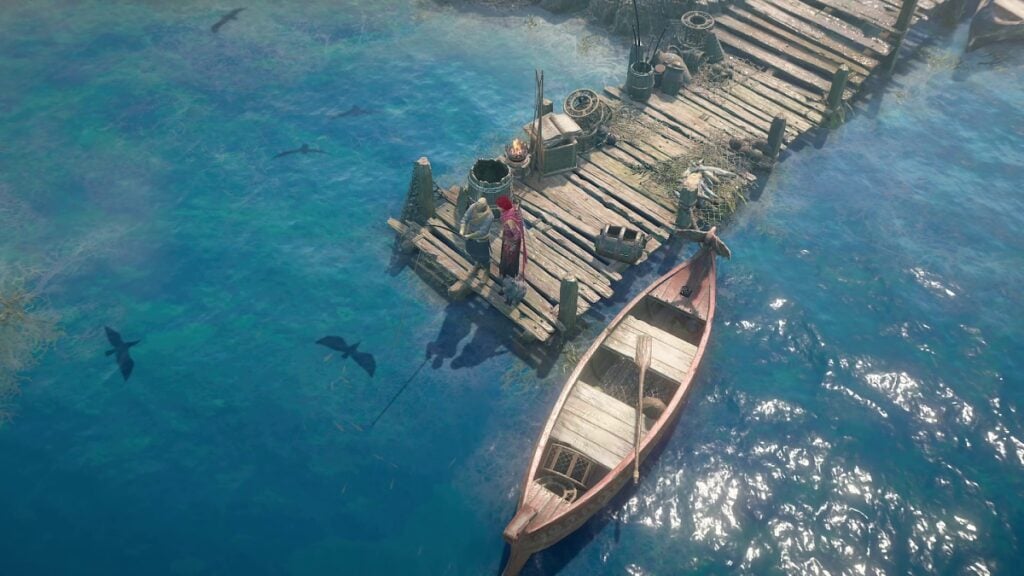
Diablo 4 Lord of Hatred Unlock Fishing
Image Source: Blizzard via The Nerd Stash

Among all the many systems that come with Diablo 4: Lord of Hatred, there is one light-hearted one that some players might want to delve into, and we’re talking about fishing. Even if it isn’t someone’s priority, it is still a nice and engaging side activity that you can learn about just a couple of hours after docking in Skovos. So, if you want to get started with it, here’s a quick guide on how to unlock fishing in Diablo 4: Lord of Hatred.

Unlocking Fishing in Diablo 4: Lord of Hatred
Diablo 4 How to Unlock Fishing
Image Source: Blizzard via The Nerd Stash

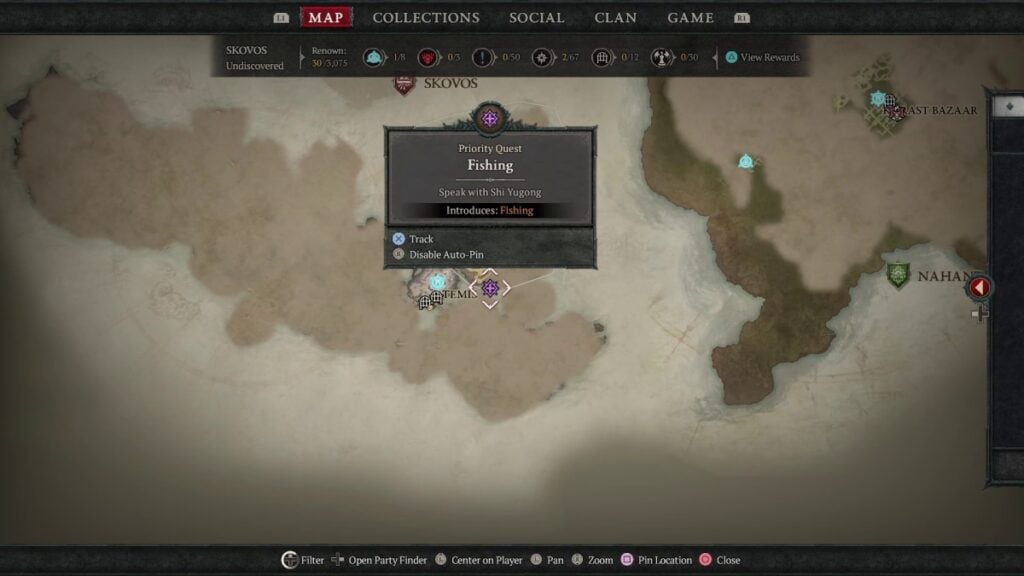
Without throwing too many spoilers, you’ll unlock fishing by following the campaign of Diablo 4: Lord of Hatred. To be a bit more specific, however, you’ll see the priority quest appear once you reach Temis. As soon as you arrive at this location, you’ll be able to explore the first open region of Skovos, which contains this new side activity. From here, you can track the priority quest, as we did in the above image, and head toward the location.

As soon as you arrive at the location, you’ll have to talk to Shi Yugong. After a short dialogue, you’ll get the tutorial for fishing, which is quite easy. You just need to find a body of water, cast your line, wait for the bite, and press any of your action buttons to reel in the fish.

Once all that is complete, you’ll have fishing unlocked in Diablo 4: Lord of Hatred. Like other items in the game, you can track your catches on your collections tab. Also, when it comes to fish, you need to manually add them to your collection, and if they are already added, you can either sell them or drop them.
Diablo 4: Lord of Hatred Review – Breaking the Cycle
Related: Diablo 4: Lord of Hatred Review – Breaking the Cycle

Lastly, you can also check with Shi Yugong for an extra quest after completing the tutorial, which will also help you get your feet wet (no pun intended) with this new system. Also, just like all the loot you obtain in the world and through several activities, fish also come in different rarities, so make sure to keep fishing until you obtain the rarest of fish in Skovos.


Related Topics
Diablo 4 Guide
Share. Facebook Twitter LinkedIn Reddit Email
Julio La Pine
  • Website

Been gaming since '99! I am a huge JRPG fan and my favorite franchise is Final Fantasy. I love writing about games and I hope I can do it for the rest of my days!

SUGGESTED READS

Diablo 4 Lord of Hatred Campaign Guide
Gaming

How to Start the Lord of Hatred Campaign in Diablo 4

Diablo 4 All Warlock Skills
Gaming

Best Warlock Skills in Diablo 4: Lord of Hatred

Best Warlock Leveling Build
Gaming

Fast Diablo 4: Lord of Hatred Warlock Leveling Build

Diablo 4 Lord of Hatred Talisman Guide
Gaming

What Is the Talisman in Diablo 4: Lord of Hatred (& How it Works)

Diablo 4 Warlock Quest Guide
Gaming

Warlock Class Quest Guide for Diablo 4: Lord of Hatred

Diablo 4 All Skovos Dungeons Locations
Gaming

All Skovos Dungeons Locations in Diablo 4: Lord of Hatred

The Nerd Stash
Facebook X (Twitter) Instagram YouTube LinkedIn
  • About Us
  • Join Our Team
  • Meet the Team
  • Privacy Policy
  • DMCA Policy
  • Contact Us
  • Terms of Use
  • Sitemap
  • Editorial Guidelines
  • Advertising Policy
© 2026 The Nerd Stash. All Rights Reserved.

Type above and press Enter to search. Press Esc to cancel.



