Close Menu
  • Gaming
    • Game Guides
    • Codes
    • Game News
    • Game Previews
    • Game Reviews
    • Game Features
    • Game Lists
    • Platforms
      • Nintendo
      • PC
      • PlayStation
      • Xbox
      • Mobile
  • Entertainment
    • Movies
    • Movie Features
    • Movie Reviews
    • TV
    • Reality TV
    • Royals
  • Celebrity
    • Hollywood
  • Human Interest
  • Astrology
  • Videos
  • More
    • Anime
    • Lists
    • Podcasts
    • Reviews
Facebook X (Twitter) Instagram LinkedIn YouTube
  • About Us
  • Join Our Team
  • Meet the Team
  • Privacy Policy
  • DMCA Policy
  • Contact Us
  • Terms of Use
  • Sitemap
  • Editorial Guidelines
  • Advertising Policy
The Nerd Stash
  • Gaming
  • Celebrity
    • Hollywood
  • Human Interest
  • Videos
The Nerd Stash
Home»Game Guides»How to Use The Checkpoint Bot in Destiny 2

How to Use The Checkpoint Bot in Destiny 2

Are you tired of endlessly repeating the same activities over and over? Here’s how to use the Checkpoint Bot in Destiny 2. Picture this: you’ve…

Cande MaldonadoBy Cande MaldonadoApril 3, 20233 Mins Read
How to Use The Checkpoint Bot

Skip To...

  • What is the Checkpoint Bot
  • How to Use The Checkpoint Bot in Destiny 2
This article is over 2 years old and may contain outdated information.

Are you tired of endlessly repeating the same activities over and over? Here’s how to use the Checkpoint Bot in Destiny 2.

Picture this: you’ve just completed the same Destiny 2 activity for the umpteenth time this week, and you’re starting to feel like a Guardian stuck in an endless cycle of deja vu. You’re grinding away for that one elusive piece of gear. Still, every time you run the activity, you can feel your brain cells slowly disintegrating from boredom. It’s like Groundhog Day but without humor or romance. If this sounds all too familiar, you are not alone in your frustration.

What is the Checkpoint Bot
How to Use The Checkpoint Bot in Destiny 2

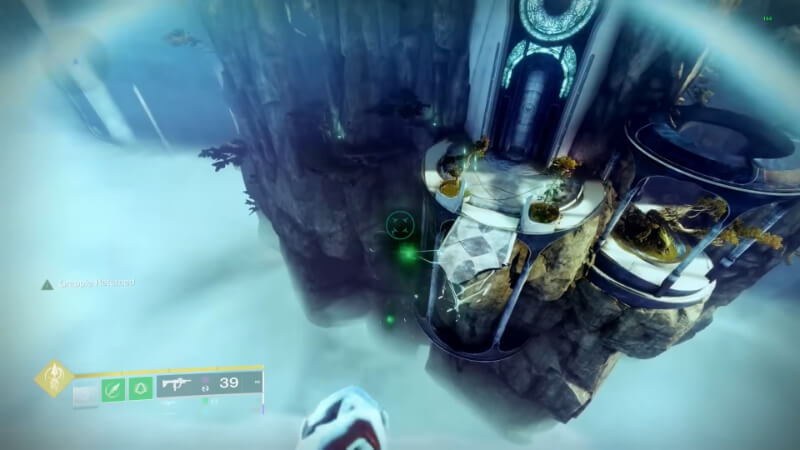
The Checkpoint Bot is a handy tool for Destiny 2 players looking to save time and effort when farming for specific loot. It works by creating a checkpoint at specific segments in an activity, allowing Guardians to challenge an encounter repeatedly without repeating the entire activity. Using Checkpoint Bots, players can skip parts of an activity and efficiently farm for the gear they want. However, it’s essential to use them responsibly and follow proper etiquette, or risk being banned from using them in the future.

How to Use The Checkpoint Bot in Destiny 2

Using the Checkpoint Bot in Destiny 2 is a relatively simple process. To get started, simply type /Join CheckpointBot#0000 into the chat box, replacing the “0000” with the correct numbers listed on D2Checkpoint.com. 

A famous example of a Checkpoint Bot in Destiny 2 is the one for the Last Wish raid encounter with Shuro-Chi. By joining the Checkpoint Bot team, Guardians can save time and effort. You can quickly regain the checkpoint before the Shuro-Chi encounters each week. This allows them to challenge the encounter repeatedly until they get the specific gear they desire without going through the whole raid again.

Follow proper etiquette by quickly getting into the encounter, wiping to save the checkpoint, and then leaving. Don’t abuse the system, or you may be banned from using the bots in the future.

While there are currently only six bosses with available checkpoints. Still, if you use a Checkpoint Bot, you are saving time. It’s a great way for busy Guardians to save time and streamline the process of farming for specific gear.

Related:

Link Text

So don’t waste more time running through the same activities week after week – get out there and start using the Checkpoint Bot in Destiny 2!

Destiny 2 is available on PC, PS4, PS5, Xbox One, and Xbox Series X|S.

Related Topics
Destiny 2 Guide
Share. Facebook Twitter LinkedIn Reddit Email
Cande Maldonado
  • Website

Pot-smasher, NPC-annoyer, side quest-completionist. Oh, there's that writing gig, too.

SUGGESTED READS

Amazon's Tomb Raider Reveals Sophie Turner's Accurate Lara Croft Looks, But Fans Still Have One Major Concern
Game News

Amazon’s Tomb Raider Reveals Sophie Turner’s Classic-Inspired Lara Croft Looks, But Fans Still Have One Major Concern

Monster Hunter Wilds DLC FPS
Game News

More DLC Equals More FPS: Monster Hunter Wilds Player Discovers an Unintentional Flaw In the Game’s Performance

Marathon Raid Map
Features

Marathon Will Break Extraction Shooter Conventions by Bringing Destiny-like Raids Into the Mix

Hytale Reddit Moderator Clarifies 2.8 Million Player Count: 'How the Table Turns…'
Game News

Hytale Reddit Moderator Clarifies the Mindboggling 2.8 Million Player Count Situation: ‘How the Table Turns…’

Hytale Reaches 2.8 Million Active Players on Release Day, Says Developer: 'Eat Your Heart Out'
Game News

Hytale Reaches 2.8 Million Active Players on Release Day, Says Developer: ‘Eat Your Heart Out’

All Hytale Creative Mode and Server Console Commands
Game Guides

All Hytale Creative Mode and Server Console Commands

Trending
Amazon's Tomb Raider Reveals Sophie Turner's Accurate Lara Croft Looks, But Fans Still Have One Major Concern

Amazon’s Tomb Raider Reveals Sophie Turner’s Classic-Inspired Lara Croft Looks, But Fans Still Have One Major Concern

Monster Hunter Wilds DLC FPS

More DLC Equals More FPS: Monster Hunter Wilds Player Discovers an Unintentional Flaw In the Game’s Performance

Marathon Raid Map

Marathon Will Break Extraction Shooter Conventions by Bringing Destiny-like Raids Into the Mix

Hytale Reddit Moderator Clarifies 2.8 Million Player Count: 'How the Table Turns…'

Hytale Reddit Moderator Clarifies the Mindboggling 2.8 Million Player Count Situation: ‘How the Table Turns…’

The Nerd Stash
Facebook X (Twitter) Instagram YouTube LinkedIn
  • About Us
  • Join Our Team
  • Meet the Team
  • Privacy Policy
  • DMCA Policy
  • Contact Us
  • Terms of Use
  • Sitemap
  • Editorial Guidelines
  • Advertising Policy
© 2026 The Nerd Stash. All Rights Reserved.

Type above and press Enter to search. Press Esc to cancel.