Close Menu
  • Gaming
    • Game Guides
    • Codes
    • Game News
    • Game Previews
    • Game Reviews
    • Game Features
    • Game Lists
    • Platforms
      • Nintendo
      • PC
      • PlayStation
      • Xbox
      • Mobile
  • Entertainment
    • Movies
    • Movie Features
    • Movie Reviews
    • TV
    • Reality TV
    • Royals
  • Celebrity
    • Hollywood
  • Human Interest
  • Astrology
  • Videos
  • More
    • Anime
    • Lists
    • Podcasts
    • Reviews
Facebook X (Twitter) Instagram LinkedIn YouTube
  • About Us
  • Join Our Team
  • Meet the Team
  • Privacy Policy
  • DMCA Policy
  • Contact Us
  • Terms of Use
  • Sitemap
  • Editorial Guidelines
  • Advertising Policy
The Nerd Stash
  • Gaming
  • Celebrity
    • Hollywood
  • Human Interest
  • Videos
The Nerd Stash
Home»Game Guides»How & Where to Get More Ammo in Starfield

How & Where to Get More Ammo in Starfield

Starfield has so much to offer when it comes to curating the perfect gameplay experience for any level of player. You’re able to make your…

Nat CollazoBy Nat CollazoAugust 31, 20233 Mins Read
How & Where to Get More Ammo in Starfield
Image Source: Bethesda via The Nerd Stash

Skip To...

  • How to Get More Ammo in Starfield
  • Where to Get More Ammo in Starfield
This article is over 2 years old and may contain outdated information.

Starfield has so much to offer when it comes to curating the perfect gameplay experience for any level of player. You’re able to make your own choices, create your own character, redesign how that character looks, and so much more. You also have access to a variety of different weapons that you can use. However, with weapons comes ammo. Considering that, we have outlined exactly how and where to get more ammo in Starfield to ensure that your journey is a safe one.

How to Get More Ammo in Starfield
How & Where to Get More Ammo in Starfield
Image Source: Bethesda via The Nerd Stash

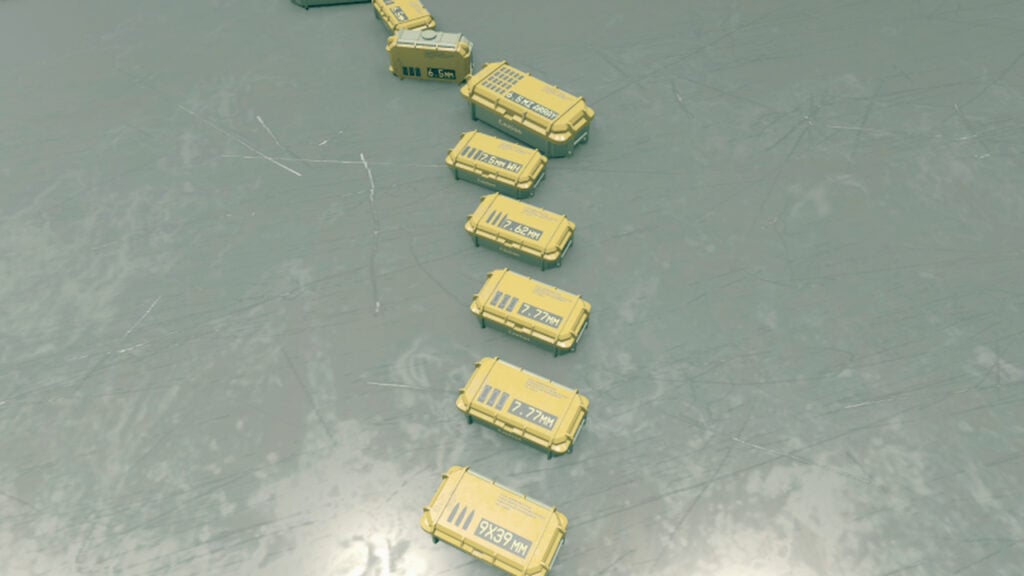
You might be happy to find that ammo is actually pretty easy to come by in Starfield. One of the easiest, and cheapest, ways to get ammo is to loot containers and lockers as you come across them. It won’t happen very often, but these places will sometimes have ammo that you can take advantage of. If you happen to be in a pinch and don’t have any other means of obtaining the ammo that you need, this might be your best option. Looking around and ensuring that you’re exploring everywhere that you can might yield you a variety of different things. There are also more practical places where you can get ammo if you’re looking to get it in higher quantities or for different weapons.

Where to Get More Ammo in Starfield

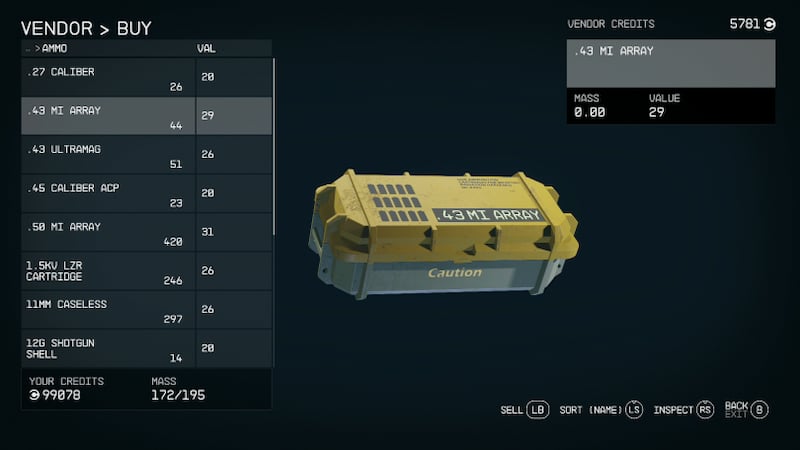
If you want the best chance at being able to find more ammo, you’ll want to head into town. More specifically, you’re going to want to head over to a variety of different vendors depending on where you are in the game. If you happen to be in New Atlantis on Jemison, you might want to go over to Centurian Arsenal for a chance at finding what you need. If you happen to be over in Akila City on Akila, then your best bet will be to go to Shepherd’s General Store, Rowland Arms, or Laredo Firearms. As long as you know what sort of ammo you’re looking for, you should be able to stock up on what you need and head off to continue doing whatever it is that you’d like to do whether it be attack aliens and enemies or survey planets for resources. This time, you’ll be doing it completely packed with the ammo that you need.

Related: Starfield Reveals Its File Size Ahead of Launch | The Nerd Stash

Starfield launches on September 6 for Xbox Series X|S and PC.

Related Topics
Guide Starfield
Share. Facebook Twitter LinkedIn Reddit Email
Nat Collazo
  • Website
  • X (Twitter)
  • Instagram

I am a game journalist and guide writer with ten years of experience as well as the CEO/ Founder of Frowns Marketing, a marketing company that caters to indie games, tabletop games, and board games to help developers get more wishlists, backers, and players!

SUGGESTED READS

A PS5 Jailbreak Exploit Pushes This Random Star Wars PS4 Game to Insane Prices: 'Good Luck Hunting It'
Game News

A PS5 Jailbreak Exploit Pushes This Random Star Wars PS4 Game to Insane Prices: ‘Good Luck Hunting It’

Genshin Impact Luna IV Update
Game News

The Lantern Rite Returns for Genshin Impact Version ‘Luna IV’ Along With New Characters and Outfits

StarRupture Early Acces
Features

StarRupture Early Access Impressions – The Most Cohesive Base-Builder

PS6 and Next-Gen Xbox Launches May Be Delayed by AI-Driven RAM Demand: 'This Delay is a Blessing in Disguise'
Game News

PS6 and Next-Gen Xbox Launches May Be Delayed by AI-Driven RAM Demand: ‘This Delay is a Blessing in Disguise’

Konami Plans Yearly Silent Hill Releases, Said Series Producer: 'I Hope the Excitement Around It Remains High'
Game News

Konami Plans Yearly Silent Hill Releases, Said Series Producer: ‘I Hope the Excitement Around It Remains High’

New Dad's Viral Delivery Room Xbox Setup Divides the Internet: 'Most Diabolical Move I’ve Seen'
Game News

New Dad’s Viral Delivery Room Xbox Setup Divides the Internet: ‘Most Diabolical Move I’ve Seen’

Trending
A PS5 Jailbreak Exploit Pushes This Random Star Wars PS4 Game to Insane Prices: 'Good Luck Hunting It'

A PS5 Jailbreak Exploit Pushes This Random Star Wars PS4 Game to Insane Prices: ‘Good Luck Hunting It’

Genshin Impact Luna IV Update

The Lantern Rite Returns for Genshin Impact Version ‘Luna IV’ Along With New Characters and Outfits

StarRupture Early Acces

StarRupture Early Access Impressions – The Most Cohesive Base-Builder

PS6 and Next-Gen Xbox Launches May Be Delayed by AI-Driven RAM Demand: 'This Delay is a Blessing in Disguise'

PS6 and Next-Gen Xbox Launches May Be Delayed by AI-Driven RAM Demand: ‘This Delay is a Blessing in Disguise’

The Nerd Stash
Facebook X (Twitter) Instagram YouTube LinkedIn
  • About Us
  • Join Our Team
  • Meet the Team
  • Privacy Policy
  • DMCA Policy
  • Contact Us
  • Terms of Use
  • Sitemap
  • Editorial Guidelines
  • Advertising Policy
© 2026 The Nerd Stash. All Rights Reserved.

Type above and press Enter to search. Press Esc to cancel.