

Close Menu
  • Gaming
    • Platforms
      • Nintendo
      • PC
      • PlayStation
      • Xbox
  • Entertainment
    • Movies
    • TV
    • Royals
  • Celebrity
    • Hollywood
  • Human Interest
  • Astrology
  • More
    • Reviews
Facebook X (Twitter) Instagram LinkedIn YouTube
  • About Us
  • Join Our Team
  • Meet the Team
  • Privacy Policy
  • DMCA Policy
  • Contact Us
  • Terms of Use
  • Sitemap
  • Editorial Guidelines
  • Advertising Policy
The Nerd Stash
  • Gaming
  • Celebrity
  • Hollywood
  • Human Interest
The Nerd Stash
Home»Gaming»Marvel Rivals Screen Flickering Issue: Is There Any Fix?

Marvel Rivals Screen Flickering Issue: Is There Any Fix?

You probably won’t need Stark Tech’s help with this problem

Sidharta F. RasidiBy Sidharta F. RasidiDecember 7, 20242 Mins Read
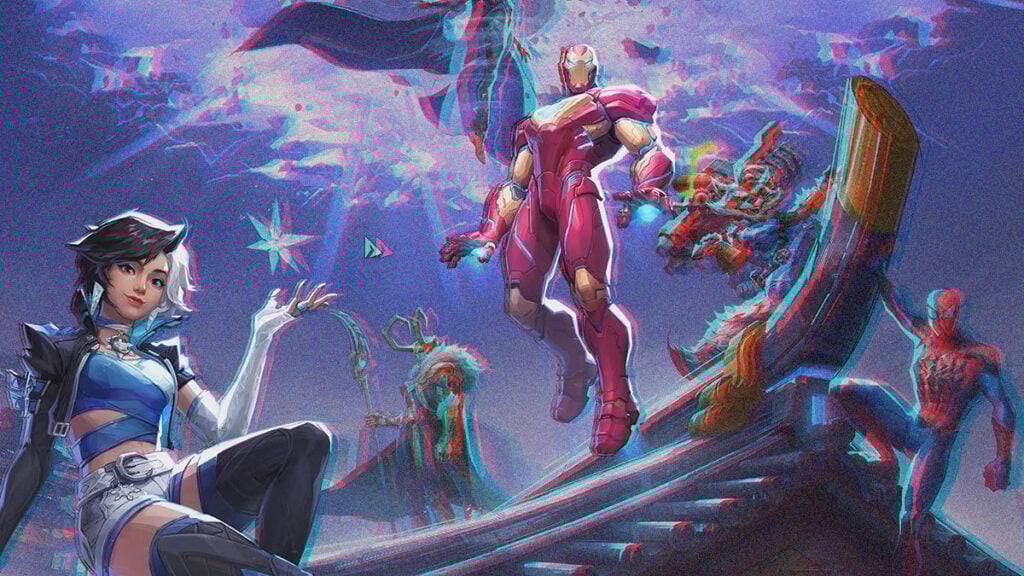
Marvel Rivals Screen Flickering Issue: Is There Any Fix?
Image source: NetEase via The Nerd Stash
This article is over 1 years old and may contain outdated information.

Fans of Marvel heroes and villains are enjoying NetEase’s hero shooter. For some players, exploring the multiverse universe arena is less fun due to a frustrating menu screen flickering bug they’ve been reporting. The issue seems to be quite widespread as it has been widely discussed on Steam Forums and Discord. If you’re one of the many Marvel Rivals players dealing with the screen flicker or flickering menu, a few workarounds might help.

What Causes the Screen Flickering in Marvel Rivals?
What Causes the Screen Flickering in Marvel Rivals?
Image source: NetEase via The Nerd Stash

While the root cause remains unclear, most of the time, a flickering screen is tied to graphical settings or compatibility issues. Considering many reports from players on the official Discord and Steam Forums, the bug does affect various setups. Although no official solution exists so far, tweaking the game’s visual settings should reduce or even eliminate the flickering.

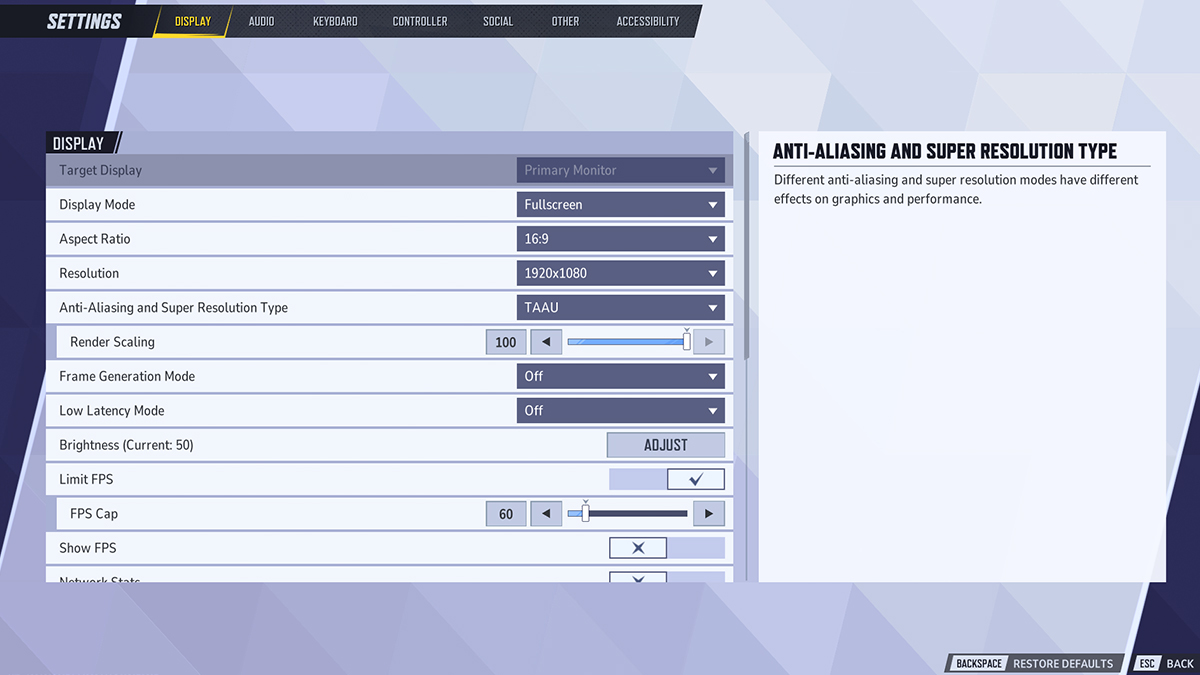
After changing a bunch of options, we managed to minimize the screen flickering issue in Marvel Rivals. Here are some options you should try tweaking:

  • Limit FPS to 60 or enable V-Sync: Higher frame rates might be the main trigger of the issue. Turning on V-Sync or limiting your FPS should help stabilize the menu and prevent flickering.
  • Switch to TAAU: Some players reported that FSR upscaling could cause visual problems, so switch to TAAU instead.
  • Use Fullscreen Mode instead of Borderless Fullscreen to alleviate the screen flicker in Marvel Rivals.
  • Set graphics settings to Medium or Low.
  • Turn on G-Sync for Nvidia cards or Vertical Refresh for AMD.
  • Update your GPU drivers: Doing so should enhance your hardware’s performance and ensure better compatibility with current releases.
  • Check and change your TV or monitor’s refresh rate from 120Hz or higher to 60Hz.
  • Try ALT+Tabbing after tweaking the settings.
5 Things Marvel Rivals Needs If It Wants To Beat Overwatch
Related: 5 Things Marvel Rivals Needs If It Wants To Beat Overwatch

Afterward, don’t forget to restart your game. While these fixes might work temporarily, it’s up to NetEase to deliver a permanent solution via a patch. In the meantime, tweaking the settings should reduce the screen flicker and make Marvel Rivals menus much less straining to your eyes. Fingers crossed for an update soon!


Related Topics
Guide Marvel Rivals
Share. Facebook Twitter LinkedIn Reddit Email
Sidharta F. Rasidi
  • Website

Since middle school, Sidharta has used his video game blog as a handy excuse to avoid studying. After graduating with a degree in Management Information Systems from Bina Nusantara University, he spent years honing his skills as a games journalist, working as an editor for a local gaming site and freelancing elsewhere. Nowadays, when he’s not busy crafting outrageous plots for his serialized comic, Sidharta covers niche games on his personal blog, StoPlayinGame.com. His favorite game series includes Monster Hunter, Earth Defense Force, THE iDOLM@STER, Road Trip Adventure, and KOEI Tecmo's Warriors.

SUGGESTED READS

PlayStation PS Plus subscription cancel
Gaming

Angry PlayStation Users Threaten to Cancel PS Plus After Sony Cancels Physical Media: ‘They’re Already on Thin Ice’

Sony Just Put Another Nail in Physical Games' Coffin by Repurposing Its Disc Factory: 'A Direct Impact on Production'
Gaming

Sony Just Put Another Nail in Physical Games’ Coffin by Repurposing Its Disc Factory: ‘A Direct Impact on Production’

Star Fox Nintendo Switch 2 Review
9
Gaming

Star Fox Review – The Crew Is Back

PlayStation Physical Discs Gone
Gaming

The End of an Era: PlayStation to End Physical Disc Production in 2028

$99 Price Tag Isn't Scaring Gamers as GTA 6 Preorders Top PlayStation Store Charts Worldwide
Gaming

$99 Price Tag Isn’t Scaring Gamers as GTA 6 Preorders Top PlayStation Store Charts Worldwide

GTA 6 Launch Issues
Gaming

The Launch Of GTA 6 Might Be In Danger as Rockstar Games Could Go On Strike

The Nerd Stash
Facebook X (Twitter) Instagram YouTube LinkedIn
  • About Us
  • Join Our Team
  • Meet the Team
  • Privacy Policy
  • DMCA Policy
  • Contact Us
  • Terms of Use
  • Sitemap
  • Editorial Guidelines
  • Advertising Policy
© 2026 The Nerd Stash. All Rights Reserved.

Type above and press Enter to search. Press Esc to cancel.



