
Close Menu
  • Gaming
    • Platforms
      • Nintendo
      • PC
      • PlayStation
      • Xbox
  • Entertainment
    • Movies
    • TV
    • Royals
  • Celebrity
    • Hollywood
  • Human Interest
  • Astrology
  • More
    • Anime
    • Reviews
Facebook X (Twitter) Instagram LinkedIn YouTube
  • About Us
  • Join Our Team
  • Meet the Team
  • Privacy Policy
  • DMCA Policy
  • Contact Us
  • Terms of Use
  • Sitemap
  • Editorial Guidelines
  • Advertising Policy
The Nerd Stash
  • Gaming
  • Celebrity
  • Hollywood
  • Human Interest
The Nerd Stash
Home»Gaming»Revive Your Pals Instantly With This Exploit in Palworld

Revive Your Pals Instantly With This Exploit in Palworld

Revive your Pals instantly!

Akın BilginBy Akın BilginFebruary 3, 20242 Mins Read
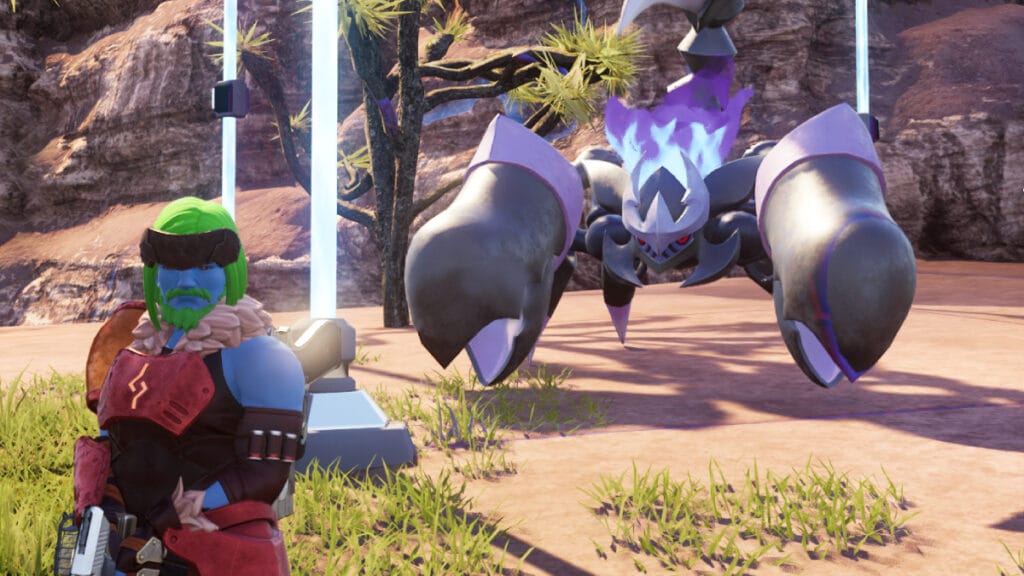
palworld viewing cage
Image Source: Pocket Pair via The Nerd Stash
This article is over 2 years old and may contain outdated information.

There are many different Pals in Palworld, but your favorite Pal can be lost in battle or while working at the base. If this Pal plays a critical role for you, whether in battle or your base, its death can put you in a complicated situation because you have to wait 10 minutes to revive it. However, thanks to a recently discovered exploit, you can instantly revive all your dead Pals without having to wait for this cooldown.

How To Revive Your Pals Instantly in Palworld

palworld revive pals
Image Source: Pocket Pair via The Nerd Stash

First of all, it is worth mentioning that this is definitely an exploit. The item you need to use to instantly revive your Pals is not for this intended use. It is completely for decoration purposes. Since the game is new and in early access, it is quite natural to have such bugs. But if you want to use this exploit, you can do so until it is fixed.

If you put your dead Pal in the Palbox, you will see the 10-minute countdown start. At the end of this countdown, your Pal will come back to life. But with this exploit, you can revive them instantly without waiting for 10 minutes. To use the exploit to instantly revive your Pals in Palworld, you must first be Level 15. Then, you must unlock the Viewing Cage by spending 2 Technology Points in the Technology tree.

Related:

How To Heal Pals in Palworld

To recap:

  1. Get to Level 15 and unlock the Viewing Cage blueprint.
  2. Build the Viewing Cage for x10 Wood, x10 Paldium Fragment, and x20 Stone.
  3. Place your Incapacitated, or dead Pal inside the Viewing Cage.
  4. After doing so, you can revive your Pal instantly without waiting for 10 minutes of cooldown.
Related Topics
Guide Palworld
Share. Facebook Twitter LinkedIn Reddit Email
Akın Bilgin
  • Website
  • X (Twitter)

Akın Bilgin loves colony simulators, survival, and souls-like games. He has been a freelance guide writer for two years and is studying English Language and Literature in Turkey.

SUGGESTED READS

Honkai Star Rail Version 4.3 Announcements
Gaming

Honkai: Star Rail Version 4.3 Unveils Blade’s New Form and More Fate Collab Characters

Take-Two CEO Reveals Fans Will Be Forced To Wait a Bit Longer for GTA 6 News 'This Summer,' But Insiders Disagree
Gaming

Take-Two CEO Reveals Fans Will Be Forced To Wait a Bit Longer for GTA 6 News ‘This Summer,’ But Insiders Disagree

007 First Light Launch Trailer
Gaming

007 First Light Celebrates the Long-Awaited Return of James Bond With Its Launch Trailer

Destiny 2 Final Update
Features

Destiny 2 Is Dead: Bungie’s Divisive Franchise Going on Maintenance Mode With Its Last Update Launching on June 9

GTA Studio's Secrets Stay Buried Forever as Rockstar Reportedly Enforces 'Lifetime NDAs' on Ex-Developers
Gaming

GTA Studio’s Secrets Stay Buried Forever as Rockstar Reportedly Enforces ‘Lifetime NDAs’ on Ex-Developers

Warhammer 40,000 Boltgun 2 Hands-On Preview
Features

Warhammer 40,000: Boltgun 2 Hands-On Preview – Retro-Shooting for the Emperor

The Nerd Stash
Facebook X (Twitter) Instagram YouTube LinkedIn
  • About Us
  • Join Our Team
  • Meet the Team
  • Privacy Policy
  • DMCA Policy
  • Contact Us
  • Terms of Use
  • Sitemap
  • Editorial Guidelines
  • Advertising Policy
© 2026 The Nerd Stash. All Rights Reserved.

Type above and press Enter to search. Press Esc to cancel.





