

Close Menu
  • Gaming
    • Game Guides
    • Codes
    • Game News
    • Game Previews
    • Game Reviews
    • Game Features
    • Game Lists
    • Platforms
      • Nintendo
      • PC
      • PlayStation
      • Xbox
      • Mobile
  • Entertainment
    • Movies
    • Movie Features
    • Movie Reviews
    • TV
    • Reality TV
    • Royals
  • Celebrity
    • Hollywood
  • Human Interest
  • Astrology
  • Videos
  • More
    • Anime
    • Lists
    • Podcasts
    • Reviews
Facebook X (Twitter) Instagram LinkedIn YouTube
  • About Us
  • Join Our Team
  • Meet the Team
  • Privacy Policy
  • DMCA Policy
  • Contact Us
  • Terms of Use
  • Sitemap
  • Editorial Guidelines
  • Advertising Policy
The Nerd Stash
  • Gaming
  • Celebrity
    • Hollywood
  • Human Interest
  • Videos
The Nerd Stash
Home»Game Guides»Roblox: How to Get The Hunt Event Badge in Twilight Daycare

Roblox: How to Get The Hunt Event Badge in Twilight Daycare

Uh oh! Someone’s in need of changing!

Brady Klinger-MeyersBy Brady Klinger-MeyersMarch 29, 20243 Mins Read
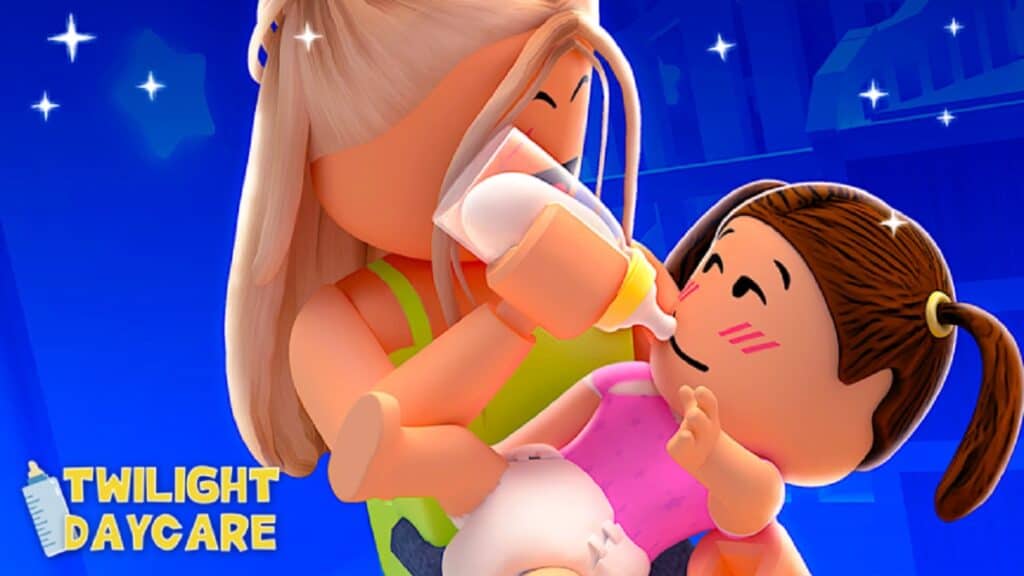
how to get the hunt badge in twilight daycare
Image Source: Nighty Studios
This article is over 1 years old and may contain outdated information.

Relatively speaking, getting The Hunt badge in Twilight Daycare isn’t hard, but it can be challenging if you don’t have any friends on Roblox. While many games feature a special event that you can do completely solo, like Steep Steps, this is a cooperative experience. Luckily, you don’t necessarily need a friend; plenty of other players are trying to get the badge, too. Find a buddy, and you two can knock it out fairly quickly!

Roblox: How to Get The Hunt Badge in Twilight Daycare

For the uninitiated, Twilight Daycare is a roleplaying game where you can play as a daycare worker or, if you so choose, as a child. It’s like The Sims meets Adopt Me, and fans get really into it. To get The Hunt badge in Twilight Daycare, you’ll have to do the following:

  • One person has to be the baby, the other has to be a child
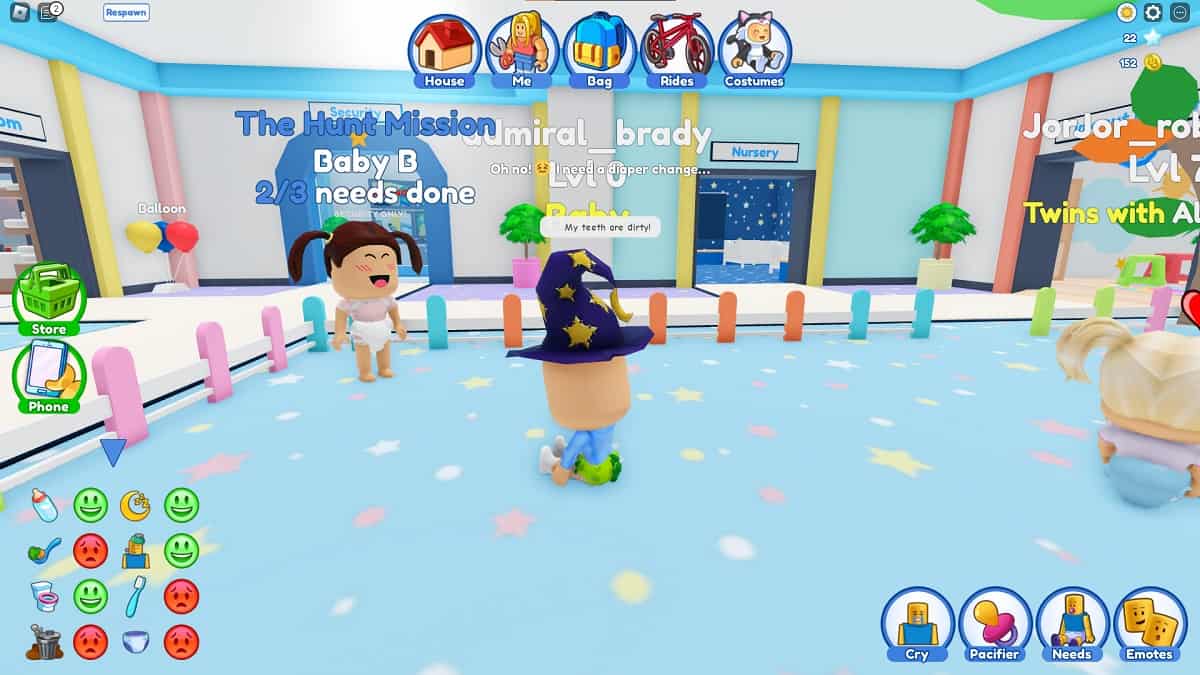
  • Speak with Baby B to start The Hunt
  • Complete three of the baby’s needs

Speaking to Baby B is of utmost importance for you and your friend. You won’t get credit for The Hunt until you do.
Related:

10 Easiest and Fastest Badges You Can Get In Roblox The Hunt
speaking to baby b to start the hunt in roblox twilight daycare
Image Source: Nighty Studios via The Nerd Stash

When you spawn into Twilight Daycare, she’s found in the corner of the playpen. And lastly, both you and your friend get credit, even if you’re playing as a baby.

Now, if you are playing as a baby, it’s important to communicate with the daycare workers on what you need. There’s a little text bubble that appears over your head, but your friend may miss it and, at least for now, we’re putting aside the roleplaying aspect.
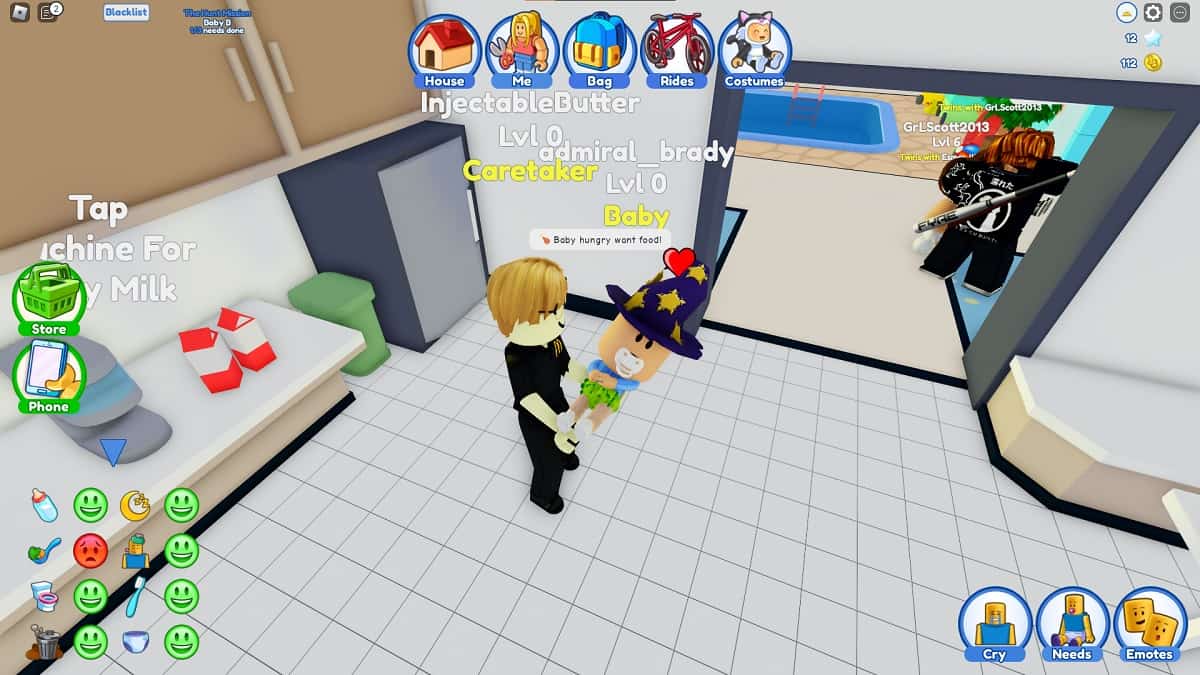
an adult completing a task for the hunt
Image Source: Nighty Studios via The Nerd Stash

As to what your needs are, you can find those in the bottom-left corner. There’s a list of needs, each with its own emotion, and when one is red and frowning, that need has to be met. You can also find the same list in the right-hand corner under “Needs.”

Related:

Roblox: How to Get The Hunt First Edition Badge in All Star Tower Defense

The needs of a child can range from changing their diaper, feeding, brushing their teeth, even bathing or treating sickness. You’ll find stations for each need all around the daycare. When all three tasks are fulfilled in Twilight Daycare, speak to Baby B again and The Hunt badge is yours. You’ll also both get 500 coins to spend in the game!


Related Topics
Guide Roblox
Share. Facebook Twitter LinkedIn Reddit Email
Brady Klinger-Meyers
  • Website

Brady has been writing about video games for the better part of four years. When he isn't obsessing over RPGs or games from his childhood, there's a good chance he's working on another short story.

SUGGESTED READS

Minecraft Accused of Mocking Lonely Kids, Sparking Mental Health Backlash: 'One of the Ickiest Things I've Seen'
Features

Minecraft Accused of Mocking Lonely Kids, Sparking Mental Health Backlash: ‘One of the Ickiest Things I’ve Seen’

Destiny 2 Renegades PS5 Review
8.5
Features

Destiny 2: Renegades Review – The Shooter Strikes Back

Clair Obscur: Expedition 33 Loses GOTY, Other Award from Indie Game Awards Over Generative AI: 'Some Weird Performative BS'
Game News

GOTY Stripped Over AI?: Clair Obscur: Expedition 33 Loses Awards at Indie Game Awards, ‘Some Weird Performative BS’

Sony Patents Real-time AI Game Censorship Tech That Could Even Make GTA 6 Kid-Friendly
Game News

Sony Patents Real-Time AI Game Censorship Tech That Could Even Make GTA 6 Kid-Friendly

Zenless Zone Zero Version 2.5 Announcement
Game News

Zenless Zone Zero Version 2.5 Is Ready To Wrap Up the Year With Two New Agents and a Free Outfit

PC Gamers Can't Catch a Break as Nvidia Plans 40% GeForce GPU Production Cuts, Report: 'Who Needs a PC Anyways'
Game News

PC Gamers Can’t Catch a Break as Nvidia Reportedly Plans 40% GeForce GPU Production Cuts: ‘Who Needs a PC Anyways’

Trending
Minecraft Accused of Mocking Lonely Kids, Sparking Mental Health Backlash: 'One of the Ickiest Things I've Seen'

Minecraft Accused of Mocking Lonely Kids, Sparking Mental Health Backlash: ‘One of the Ickiest Things I’ve Seen’

Destiny 2 Renegades PS5 Review
8.5

Destiny 2: Renegades Review – The Shooter Strikes Back

Clair Obscur: Expedition 33 Loses GOTY, Other Award from Indie Game Awards Over Generative AI: 'Some Weird Performative BS'

GOTY Stripped Over AI?: Clair Obscur: Expedition 33 Loses Awards at Indie Game Awards, ‘Some Weird Performative BS’

Sony Patents Real-time AI Game Censorship Tech That Could Even Make GTA 6 Kid-Friendly

Sony Patents Real-Time AI Game Censorship Tech That Could Even Make GTA 6 Kid-Friendly

The Nerd Stash
Facebook X (Twitter) Instagram YouTube LinkedIn
  • About Us
  • Join Our Team
  • Meet the Team
  • Privacy Policy
  • DMCA Policy
  • Contact Us
  • Terms of Use
  • Sitemap
  • Editorial Guidelines
  • Advertising Policy
© 2025 The Nerd Stash. All Rights Reserved.

Type above and press Enter to search. Press Esc to cancel.



