Close Menu
  • Gaming
    • Platforms
      • Nintendo
      • PC
      • PlayStation
      • Xbox
  • Entertainment
    • Movies
    • TV
    • Royals
  • Celebrity
    • Hollywood
  • Human Interest
  • Astrology
  • More
    • Reviews
Facebook X (Twitter) Instagram LinkedIn YouTube
  • About Us
  • Join Our Team
  • Meet the Team
  • Privacy Policy
  • DMCA Policy
  • Contact Us
  • Terms of Use
  • Sitemap
  • Editorial Guidelines
  • Advertising Policy
The Nerd Stash
  • Gaming
  • Celebrity
  • Hollywood
  • Human Interest
The Nerd Stash
Home»Gaming»Roblox: Meta Lock Codes (April 2024)

Roblox: Meta Lock Codes (April 2024)

Put some Blue Lock power into your soccer ball strikes!

AugustBy AugustApril 4, 20242 Mins Read
Roblox Meta Lock PvP match
Image Source: Reydmundo via The Nerd Stash
This article is over 2 years old and may contain outdated information.

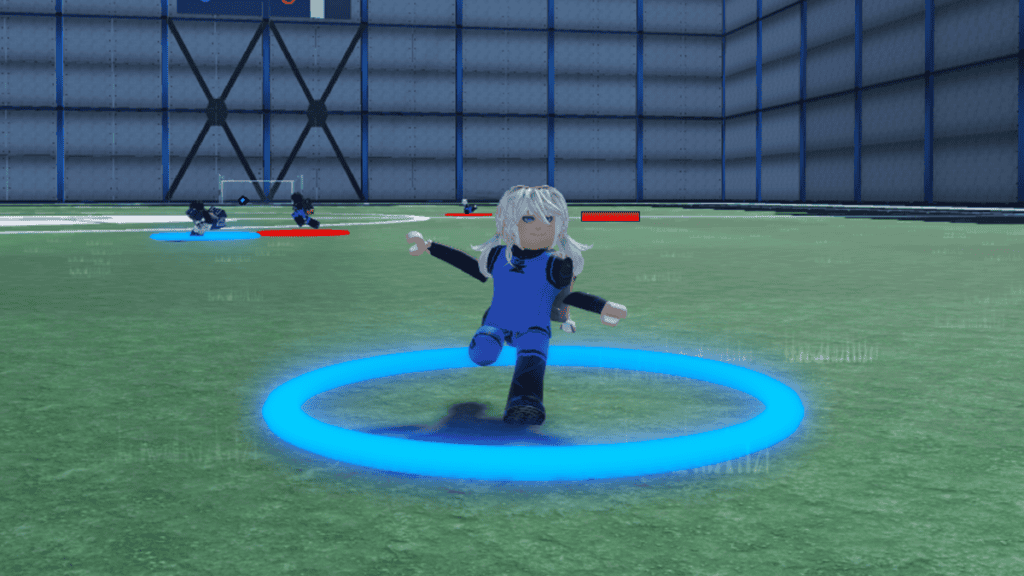
While mechanical skill and team-coordinated strategies are what’ll bring in the Goals in Meta Lock, you’ll only get so far without the best Weapons and Flows. For instance, pair Godspeed with just about any Mythical Flow, and you’ll be unstoppable on the field. However, you do need to get lucky with the gacha, which you can only interact with using Spins. Luckily, this month’s promo code list should grant enough Spins for you to at least get a Rare Weapon and Flow in Roblox Meta Lock.

All Working Roblox Meta Lock Codes in April 2024
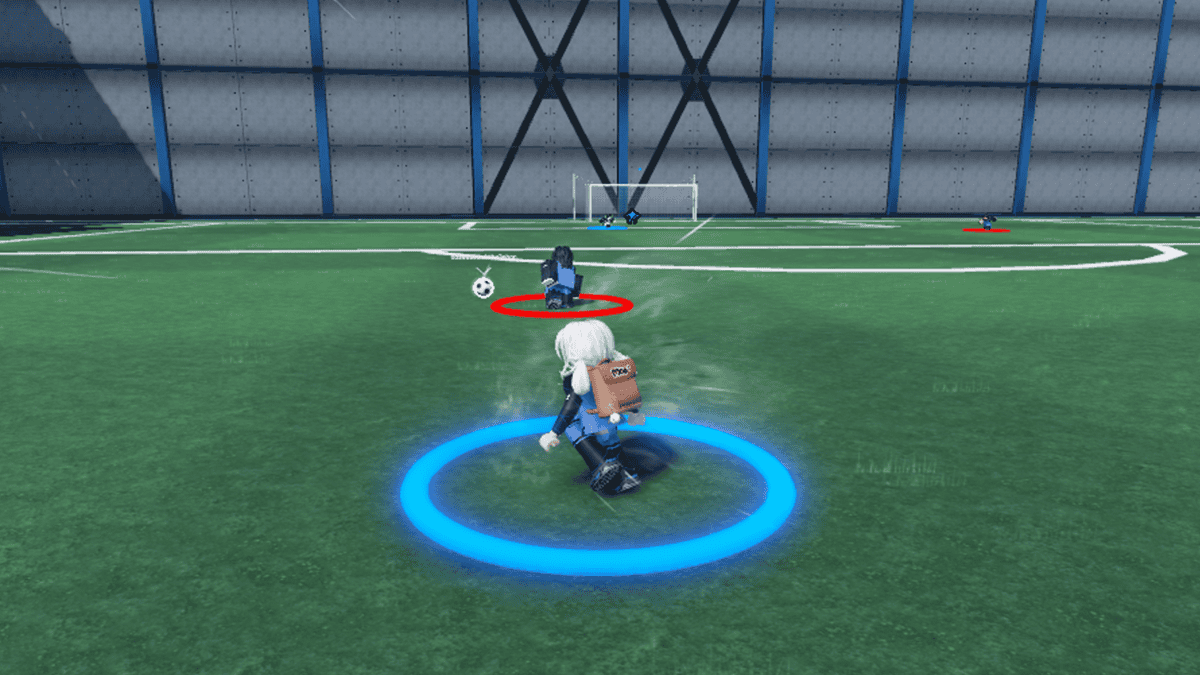
Meta Lock PvP gameplay
Image Source: Reydmundo via The Nerd Stash

As of April 5, 2024, there’s only one active code for Roblox Meta Lock. But no worries; the Spins you can redeem from it are more than enough to land you at least two Rares or even a Legendary. Note that the Spins you receive from the code(s) are only for Weapons and Flows, not Talents. 

CodesFree Rewards
CODESPINS2020 Spins

Related:

Roblox: Haze Piece Codes (April 2024)

How To Redeem Meta Lock Codes

How To Redeem Roblox Meta Lock Codes
Image Source: Reydmundo via The Nerd Stash

Typically, Roblox experiences will have you redeem your codes via a Twitter icon within the in-game UI. However, Meta Lock is a little different:

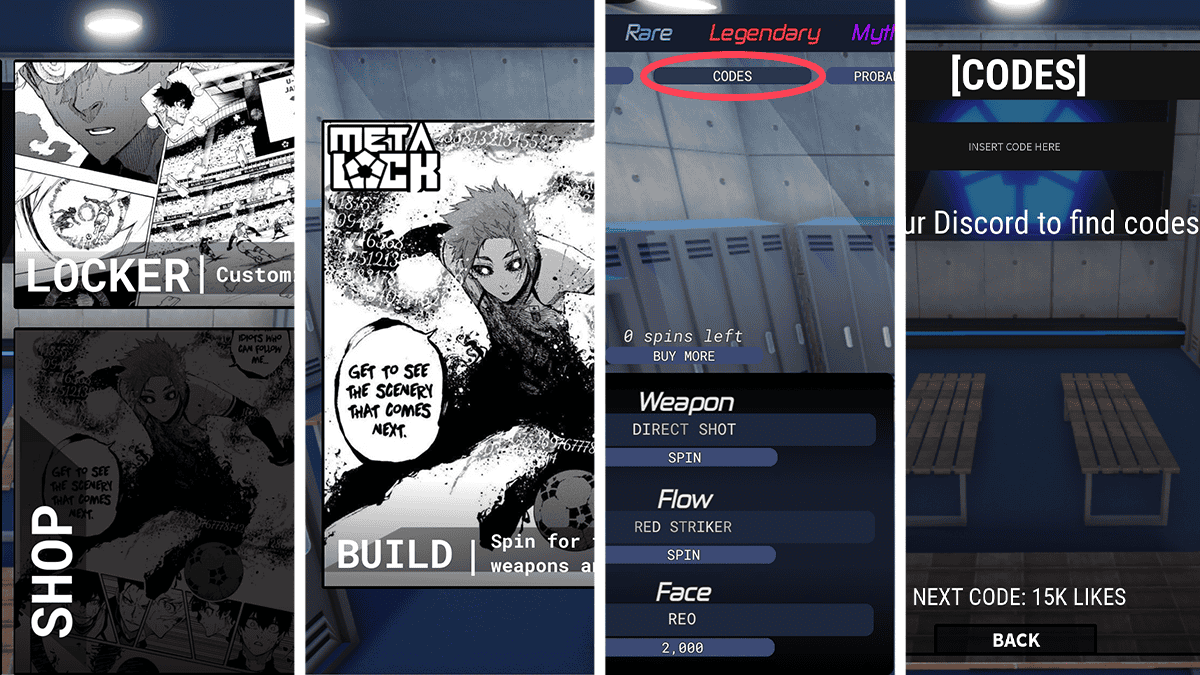
  1. From the main menu, select Locker.
  2. Next, Navigate to Build.
  3. At the top-left-hand side of the screen, you should notice a Codes button.
  4. Tap it to open the redeem window, where you can copy-paste your codes for freebies. You don’t need to press Enter or anything button; the rewards are automatic.

Meta Lock is pretty niche, as football/soccer Roblox experiences are pretty rare. That said, if you’re a newcomer, spinning for a solid Weapon and Flow to get started will be a huge help, as you’ll be pitted against opponents who’ve been playing for some time.

Related Topics
Guide Roblox
Share. Facebook Twitter LinkedIn Reddit Email
August

August Webb is a Staff Writer and former Lead Guide Editor of TNS. When not working, she's playing a visual novel, fanning over an indie gem, or lost in the world of VR.

SUGGESTED READS

GTA 6 PS5 Pro & Xbox Features
Gaming

GTA 6 Is Bringing Enhanced Ray Tracing to PS5 Pro and Xbox Cloud Gaming on Day One

All Army Attack Reveal
Gaming

Devolver Digital Announces All Army Attack, a Brand- New, Chaotic Auto-Battler

Days Before GTA 6 Launches on Consoles, Another Open-World Crime Game Steals the Spotlight with 140k PC Players
Gaming

Days Before GTA 6 Launches on Consoles, Another Open-World Crime Game Steals the Spotlight with 140k PC Players

GTA 6 Physical Copy Leaks Early, Revealing Massive 230GB Storage Requirement and 'Online Support'
Gaming

GTA 6 Physical Copy Leaks Early, Revealing Massive 230GB Storage Requirement and ‘Online Support’

XBOX Is Giving Away 25 PC Games for Its 25th Anniversary, With One Major Catch
Gaming

XBOX Is Giving Away 25 PC Games for Its 25th Anniversary, With One Major Catch

WoW Forever Error BLZ51934200
Gaming

How to Fix Error BLZ51934200 in WoW Forever

The Nerd Stash
Facebook X (Twitter) Instagram YouTube LinkedIn
  • About Us
  • Join Our Team
  • Meet the Team
  • Privacy Policy
  • DMCA Policy
  • Contact Us
  • Terms of Use
  • Sitemap
  • Editorial Guidelines
  • Advertising Policy
© 2026 The Nerd Stash. All Rights Reserved.

Type above and press Enter to search. Press Esc to cancel.