The development of STALKER 2: Heart of Chornobyl wasn’t smooth at all. That’s why the game was released with various bugs and issues. While die-hard fans don’t mind about these problems, it doesn’t change the fact that there are those who can’t even play the game. One of the STALKER 2 errors you may encounter is the out-of-video memory problem. This error basically prevents you from launching the game due to your PC, but luckily, there are some solutions that you can try.
How To Fix Out of Video Memory Error in STALKER 2
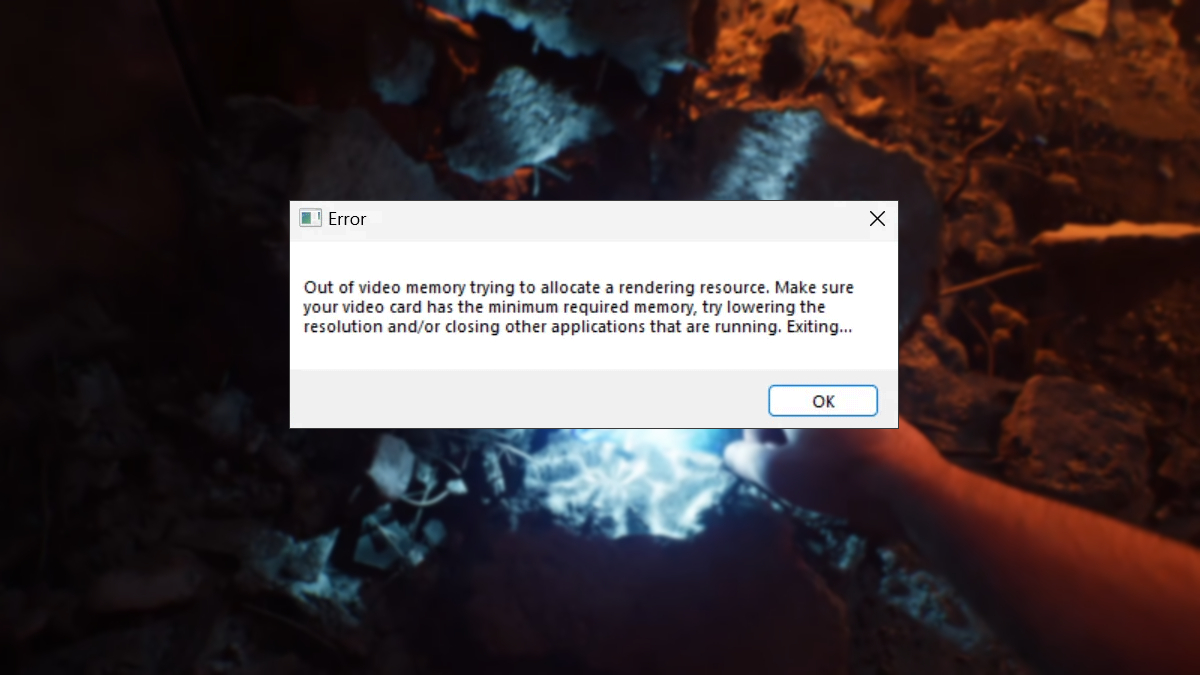
Although the Day 0 patches that the developer has shared have fixed some of the big issues that plague STALKER 2, the out-of-video memory error may still strike some poor fans. This bug will prevent you from playing by crashing the game and then giving you this terrible notification. Although it says that your video card causes this error, it is actually connected to your CPU.
Change Performance Core Ratio
The first method that you can try is changing your performance core ratio. It seems the out-of-video memory error will mainly strike Intel users, specifically those who have 13th/14th generation CPUs. The best thing that you can do to solve this problem quickly is to reduce your processor power consumption.
- Download and install Intel Extreme Tuning Utility.
- Open the Basic Tuning section.
- Set your Performance Core Ratio to 52x, 53x, 54x, or 55x.
- Click Apply to roll out the changes.
- Launch STALKER 2 to check whether the error is gone.
This should be the solution for the majority of players who encounter this problem. If it doesn’t work, you can try these other methods.
Update BIOS
If you still encounter the out-of-video memory error, you may want to consider updating your BIOS. Since the steps of updating BIOS depends on the manufacturer, I can only offer a general guide to do this:
- Go to your motherboard manufacturer’s official website.
- Download the latest BIOS version for your model.
- Copy the download file to a formatted USB drive.
- Go to UEFI Firmware Settings from the Advanced Startup screen.
- Search for the BIOS update option in the settings.
Update Graphics Card Driver
Another method you can use to solve the out-of-video memory error is to update or even reinstall your Graphics Card Driver.
- Open the Device Manager app.
- Expand the Display adapters to find your Graphics Card.
- Right-click and select the Update Driver option.
Verify STALKER 2 Game Files
Although unlikely, the out-of-video memory error could be caused by corrupted game files. In this instance, you may want to try to check the integrity of the game data.
- Launch Steam and go to your Library.
- Hover over STALKER 2 and right-click the title.
- Select Properties and go to Installed Files.
- Click the verify integrity of game files option.