Close Menu
  • Gaming
    • Platforms
      • Nintendo
      • PC
      • PlayStation
      • Xbox
  • Entertainment
    • Movies
    • TV
    • Royals
  • Celebrity
    • Hollywood
  • Human Interest
  • Astrology
  • More
    • Reviews
Facebook X (Twitter) Instagram LinkedIn YouTube
  • About Us
  • Join Our Team
  • Meet the Team
  • Privacy Policy
  • DMCA Policy
  • Contact Us
  • Terms of Use
  • Sitemap
  • Editorial Guidelines
  • Advertising Policy
The Nerd Stash
  • Gaming
  • Celebrity
  • Hollywood
  • Human Interest
The Nerd Stash
Home»Gaming»What Does the Comms Vest Do in DMZ? Answered

What Does the Comms Vest Do in DMZ? Answered

Do you want to know what the Comms Vest does in DMZ? With the season 3 update, the game introduced different plate carriers known as…

Asanga WijeratneBy Asanga WijeratneJuly 10, 20232 Mins Read
What Does the Comms Vest Do in DMZ? Answered
Image Source: Activision via The Nerd Stash
This article is over 3 years old and may contain outdated information.

Do you want to know what the Comms Vest does in DMZ? With the season 3 update, the game introduced different plate carriers known as Vests. You can craft these vests at the Buy Stations, and there are four types of Vests, Comms Vest, Stealth Vest, Medic Vest, and Tempered Vest. Each of these need different materials to craft. So, let’s look at what it does in DMZ.

The Function of Comms Vest in DMZ
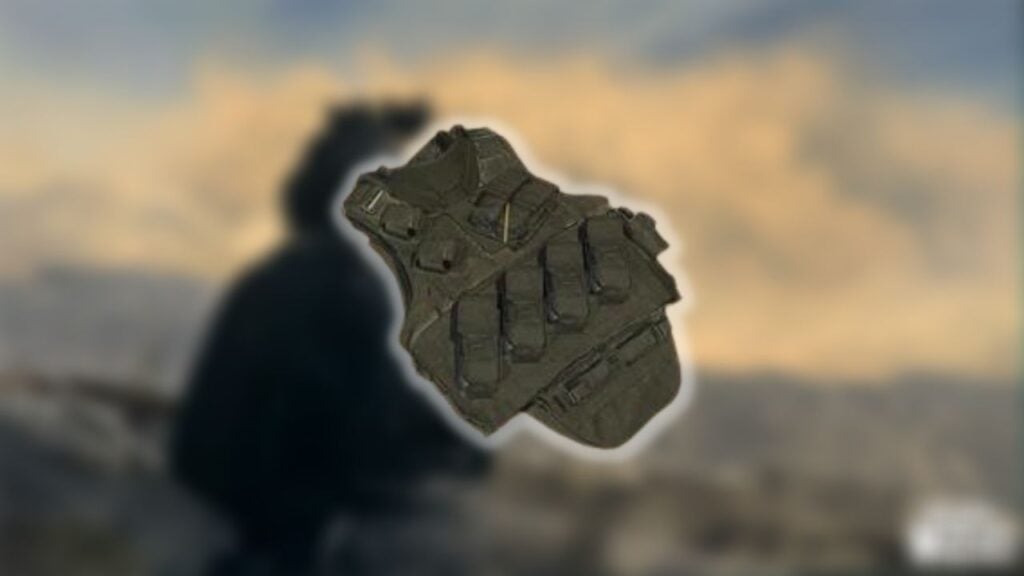
DMZ Comms Vest
Image Source: Activision

The Comms Vest increases the duration of UAVs, UAV towers, and enemy radios, functioning as an advanced UAV. It also increases the range of UAVs, making them last longer. Also, whenever any enemy is under the 100-meter radar, you will be notified whenever this Vest is equipped. This is obviously a huge boon in combat as it gives you a much better understanding of where enemies are in relation to you. You’ll then be able to make different tactical plays based on that information.

How To Get a Comms Vest in Dmz

The first way and easiest method of getting a Comms Vest in DMZ is by crafting it. You can craft it from a Buy Station for one Soothing Hand Cream, two Batteries, and two Hard Drives.

Soothing Hand Creams are generally found in ground loots, tables, and shelves. Look for Batteries in garages and construction sites, and electrical shops. Also, Hard Drives are commonly found in office buildings, banks, and police stations.

The second way of getting a Comms Vest is from the world. These can be found in strongholds, yellow chests, and sometimes inside key locations. However, this is not a guaranteed method to get it since they spawn randomly.

Related:
Where To Use the Cruise Terminal Key in DMZ (Location Guide)

So, now you know what the Comms Vest does in DMZ and how to get it. This Vest is a great way to increase the duration and range of UAVs. Just remember that crafting a Vest will require different materials like Soothing Hand Cream, Batteries, and Hard Drives. You can also find them by looting the world, but it is not a guaranteed method. The video below from LegoUnlocked gives valuable tips for acquiring one.


Related Topics
Guide Warzone DMZ
Share. Facebook Twitter LinkedIn Reddit Email
Asanga Wijeratne
  • Website

SUGGESTED READS

Gears of War E-Day All Act 5 Collectibles
Gaming

All Act 5 Collectibles in Gears of War: E-Day

9
Gaming

Star Wars: Galactic Racer Review – Takedowns Are a Path to The Dark Side

Gears of War E-Day Act 4 All Collectibles
Gaming

All Act 4 Collectibles in Gears of War: E-Day

Gears of War E-Day All Collectibles
Gaming

All Collectibles in Gears of War: E-Day and Where to Find Them

March of Giants MOBA
Gaming

March of Giants Is What the MOBA Genre Needs Right Now

Gears of War E-Day All Act 3 Collectibles
Gaming

All Act 3 Collectibles in Gears of War: E-Day

The Nerd Stash
Facebook X (Twitter) Instagram YouTube LinkedIn
  • About Us
  • Join Our Team
  • Meet the Team
  • Privacy Policy
  • DMCA Policy
  • Contact Us
  • Terms of Use
  • Sitemap
  • Editorial Guidelines
  • Advertising Policy
© 2026 The Nerd Stash. All Rights Reserved.

Type above and press Enter to search. Press Esc to cancel.