

Close Menu
  • Gaming
    • Game Guides
    • Codes
    • Game News
    • Game Previews
    • Game Reviews
    • Game Features
    • Game Lists
    • Platforms
      • Nintendo
      • PC
      • PlayStation
      • Xbox
      • Mobile
  • Entertainment
    • Movies
    • Movie Features
    • Movie Reviews
    • TV
    • Reality TV
    • Royals
  • Celebrity
    • Hollywood
  • Human Interest
  • Astrology
  • Videos
  • More
    • Anime
    • Lists
    • Podcasts
    • Reviews
Facebook X (Twitter) Instagram LinkedIn YouTube
  • About Us
  • Join Our Team
  • Meet the Team
  • Privacy Policy
  • DMCA Policy
  • Contact Us
  • Terms of Use
  • Sitemap
  • Editorial Guidelines
  • Advertising Policy
The Nerd Stash
  • Gaming
  • Celebrity
    • Hollywood
  • Human Interest
  • Videos
The Nerd Stash
Home»Game Guides»Minecraft: How to Craft a Smoker

Minecraft: How to Craft a Smoker

The Smoker in Minecraft is similar to the Furnace in that it is used to cook edible food; however, it requires a slightly different recipe to craft…

AugustBy AugustAugust 31, 20212 Mins Read
Minecraft How to Craft a Smoker
This article is over 4 years old and may contain outdated information.

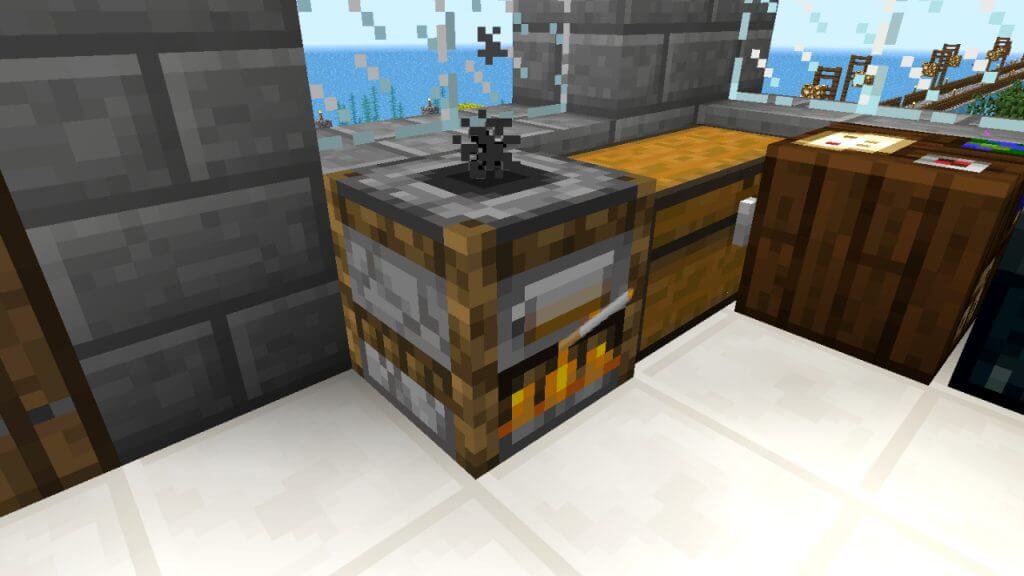
The Smoker in Minecraft is similar to the Furnace in that it is used to cook edible food; however, it requires a slightly different recipe to craft it. The Smoker can roast food, such as Raw Beef, Chicken, or Pork, twice as fast as its Furnace counterpart. Players looking to efficiently prepare mass amounts of cooked meat will find that the Smoker is the superior choice of utility blocks. A great characteristic about the Smoker is that its recipe is basically an upgrade of the Furnace, meaning players do not need to worry about having both. Read further to learn how to how to craft a Smoker in Minecraft. 

Minecraft Smoker Crafting Guide

Minecraft Craft Smoker

Crafting a Smoker in Minecraft requires a Furnace and four blocks of any kind of wood. Using the Crafting Table 3×3 menu, place the Furnace in the center and one wooden block on each side (top, bottom, left, and right) of the Furnace. This placement and combination should successfully produce a Smoker.

Alternatively, players can head into a village in Minecraft and find a Smoker within a Butcher Villager’s workshop. The Butcher can be recognized with their red headband and white apron. Conversely, players can craft a Smoker and place it beside a Villager to change their job to Butcher.

Related:

Minecraft: How to Get Turtle Shells

Furnaces are one of the most fundamental utility blocks in Minecraft that players will craft early in the game. Using a Crafting Table, place any stone-tier block in a square shape around the 3×3 crafting grid, leaving the center empty. This recipe can be quickly upgraded to a Smoker if the player has four extra blocks of wood on hand. However, keep in mind that, unlike the Furnace, the Smoker can only cook food items, which means ores, such as iron or gold, are out of the question. 

Related Topics
Guide Minecraft
Share. Facebook Twitter LinkedIn Reddit Email
August

August Webb is TNS's Lead Guide Editor who additionally helps in covering celebrity and pop culture news. She provides assistance to other freelancers and staff on trendy topics to write about. When not working, she's playing a visual novel, fanning over an indie gem, or lost in the world of VR. Residing in Daegu, South Korea, August has a Bachelor's, double-majoring in Media and Communication and Business Administration. She graduated in Yeungnam University of Gyeongsan, South Korea. August's areas of expertise include Game Strategy Guides, Video Game Features, and Celebrity News and Gossip. August has worked in online media for over four years since 2021. Starting out as a freelancer, she's written for TNS, ScreenRant of Valnet, and Gamepur of GAMURS GROUP. She has experience publishing short and long-form video game guides, game features, and game reviews. Currently serving as the Lead Guide Editor for the Guide Writing department at The Nerd Stash, she edits a variety of articles while also helping with providing topics to write about via tools like Google Trends or SemRush. She works alongside TNS's Editorial Team, discussing and executing strategies to better improve the site's traffic and experience for users.

SUGGESTED READS

AI That Plays Games for You? Sony and Other Gaming Giants Filed 49 Gen AI-Related Patents in the Last Three Months
Game News

AI That Plays Games for You? Sony and Other Gaming Giants Filed 49 Gen AI-Related Patents in the Last Three Months

Clair Obscur: Expedition 33 Becomes Second Most Awarded Game Ever With 330+ GOTY Wins, But Which One Is Still No. 1?
Features

Clair Obscur: Expedition 33 Becomes Second Most Awarded Game Ever With 330+ Industry Awards, But Which Game Still Holds the No. 1 Spot?

StarRupture How to Distribute Power
Game Guides

How to Manage and Distribute Power in StarRupture

StarRupture Unlock Recipes
Game Guides

How To Unlock New Recipes in StarRupture

StarRupture Data Points Farm
Game Guides

How To Earn Data Points in StarRupture

StarRupture Corporation Leveling Guide
Game Guides

Best Corporation to Level Up First in StarRupture

Trending
AI That Plays Games for You? Sony and Other Gaming Giants Filed 49 Gen AI-Related Patents in the Last Three Months

AI That Plays Games for You? Sony and Other Gaming Giants Filed 49 Gen AI-Related Patents in the Last Three Months

Clair Obscur: Expedition 33 Becomes Second Most Awarded Game Ever With 330+ GOTY Wins, But Which One Is Still No. 1?

Clair Obscur: Expedition 33 Becomes Second Most Awarded Game Ever With 330+ Industry Awards, But Which Game Still Holds the No. 1 Spot?

StarRupture How to Distribute Power

How to Manage and Distribute Power in StarRupture

StarRupture Unlock Recipes

How To Unlock New Recipes in StarRupture

The Nerd Stash
Facebook X (Twitter) Instagram YouTube LinkedIn
  • About Us
  • Join Our Team
  • Meet the Team
  • Privacy Policy
  • DMCA Policy
  • Contact Us
  • Terms of Use
  • Sitemap
  • Editorial Guidelines
  • Advertising Policy
© 2026 The Nerd Stash. All Rights Reserved.

Type above and press Enter to search. Press Esc to cancel.




