


Close Menu
  • Gaming
    • Game Guides
    • Codes
    • Game News
    • Game Previews
    • Game Reviews
    • Game Features
    • Game Lists
    • Platforms
      • Nintendo
      • PC
      • PlayStation
      • Xbox
      • Mobile
  • Entertainment
    • Movies
    • Movie Features
    • Movie Reviews
    • TV
    • Reality TV
    • Royals
  • Celebrity
    • Hollywood
  • Human Interest
  • Astrology
  • Videos
  • More
    • Anime
    • Lists
    • Podcasts
    • Reviews
Facebook X (Twitter) Instagram LinkedIn YouTube
  • About Us
  • Join Our Team
  • Meet the Team
  • Privacy Policy
  • DMCA Policy
  • Contact Us
  • Terms of Use
  • Sitemap
  • Editorial Guidelines
  • Advertising Policy
The Nerd Stash
  • Gaming
  • Celebrity
    • Hollywood
  • Human Interest
  • Videos
The Nerd Stash
Home»Codes»Pokemon Legends: Arceus – All Mystery Gift Codes

Pokemon Legends: Arceus – All Mystery Gift Codes

Get all the gifts for your ye olde Hisuian adventure.

Sidharta F. RasidiBy Sidharta F. RasidiMay 17, 20243 Mins Read
Pokemon Legends: Arceus - All Mystery Gift Codes
Image source: Nintendo via The Nerd Stash

Skip To...

  • Pokemon Legends Arceus: Unlocking Mystery Gift
  • Pokemon Legends Arceus: How To Redeem and List of Mystery Gift Codes
This article is over 1 years old and may contain outdated information.

The Mystery Gift system has become a staple feature in the Pokemon series since its debut in Pokemon Silver and Gold. This feature lets Trainers acquire unique time-limited special items and sometimes even rare Pokemon. When an event is underway, players can connect to the internet or enter special codes given to them to obtain them. However, to redeem any codes and use the Mystery Gift feature in Pokemon Legends: Arceus, you have to unlock it first.

Pokemon Legends Arceus: Unlocking Mystery Gift

[Updated on May 17 – added list of all Mystery Gift rewards that are still redeemable]
Pokemon Legends Arceus: Unlocking Mystery Gift
Image source: Nintendo via The Nerd Stash

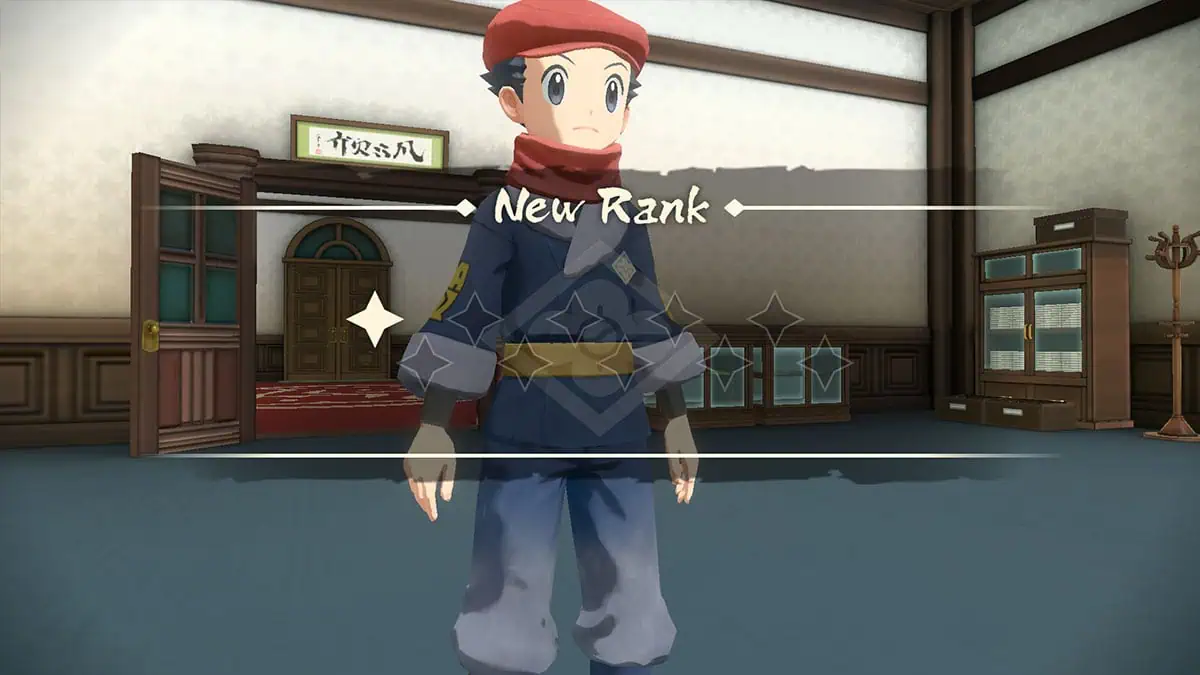
To unlock the Mystery Gift and Communications online feature, you have to achieve the First Star Rank in the Galaxy Expedition Team Survey Corps. You should be able to get more than 500 Research Points by completing the “Getting to Work on Research Task” tutorial. Once that’s done, talk to Captain Cyllene in Jubilife Village, and she will promote you.

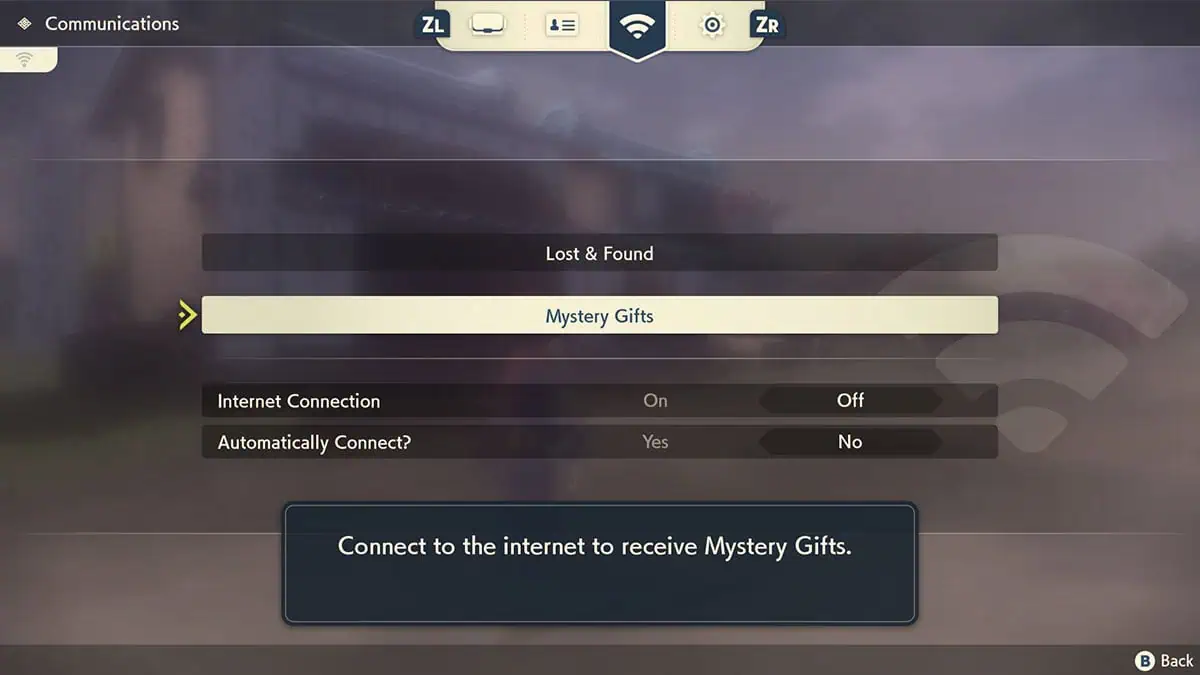
The Mystery Gift option in the Communications menu should become accessible through the D-pad menu at this point. It’s worth noting that you can only get a Mystery Gift once per save data.

Pokemon Legends Arceus: How To Redeem and List of Mystery Gift Codes
Pokemon Legends Arceus: How To Redeem and List of Mystery Gift Codes
Image source: Nintendo via The Nerd Stash

Like in Brilliant Diamond and Shining Pearl, there are two ways to redeem Mystery Gift:

  • Get via Internet: Connect to the internet via WiFi to download any currently running online events.
  • Get with Code/Password: Enter a promotional code to get items.
  • You can also check any Mystery Gift you have redeemed by selecting the Check Mystery Gifts option.
  • Aside from events, having a save file from other Pokemon games can also net you some additional cosmetics and content.

Related:

Pokemon Legends: Arceus – How to Complete the Pokedex
Mystery GiftOptionCodeNote
NuggetsGet with Code/Password–Nuggets x50. Code from official Japan exclusive strategy guide.
Shaymin Kimono Set––Have a Pokemon Sword or Shield save file.
Modern Team Galactic Outfit––Have a Pokemon Brilliant Diamond or Shining Pearl save file.
Pikachu Mask––Have a Pokemon, Let’s Go: Pikachu save file.
Eevee Mask––Have a Pokemon, Let’s Go: Eevee save file.
Shaymin Catch Request––Have a Pokemon Sword or Shield save file. The catch request will show up after you finish the main story.
Darkrai Catch Request––Have a Pokemon Brilliant Diamond or Shining Pearl save file. The catch request will show up after you finish the main story.

Pokémon Legends: Arceus is now available on the Nintendo Switch.

Related Topics
Guide Pokémon legends: arceus
Share. Facebook Twitter LinkedIn Reddit Email
Sidharta F. Rasidi
  • Website

An ordinary Indonesian who enjoys playing and talking about video games. His favorite games are Monster Hunter: World, Space Invader Extreme 2, THE iDOLM@STER SP, Road Trip Adventure, Halo series, and KOEI Tecmo's Warriors series.

SUGGESTED READS

Marathon Raid Map
Features

Marathon Will Break Extraction Shooter Conventions by Bringing Destiny-like Raids Into the Mix

Hytale Reddit Moderator Clarifies 2.8 Million Player Count: 'How the Table Turns…'
Game News

Hytale Reddit Moderator Clarifies the Mindboggling 2.8 Million Player Count Situation: ‘How the Table Turns…’

Hytale Reaches 2.8 Million Active Players on Release Day, Says Developer: 'Eat Your Heart Out'
Game News

Hytale Reaches 2.8 Million Active Players on Release Day, Says Developer: ‘Eat Your Heart Out’

All Hytale Creative Mode and Server Console Commands
Game Guides

All Hytale Creative Mode and Server Console Commands

Hytale Email Not Sending error
Game Guides

How To Fix the ‘Email Not Sending’ Error in Hytale

Hytale How To Install Mods
Game Guides

How To Install Mods in Hytale

Trending
Marathon Raid Map

Marathon Will Break Extraction Shooter Conventions by Bringing Destiny-like Raids Into the Mix

Hytale Reddit Moderator Clarifies 2.8 Million Player Count: 'How the Table Turns…'

Hytale Reddit Moderator Clarifies the Mindboggling 2.8 Million Player Count Situation: ‘How the Table Turns…’

Hytale Reaches 2.8 Million Active Players on Release Day, Says Developer: 'Eat Your Heart Out'

Hytale Reaches 2.8 Million Active Players on Release Day, Says Developer: ‘Eat Your Heart Out’

All Hytale Creative Mode and Server Console Commands

All Hytale Creative Mode and Server Console Commands

The Nerd Stash
Facebook X (Twitter) Instagram YouTube LinkedIn
  • About Us
  • Join Our Team
  • Meet the Team
  • Privacy Policy
  • DMCA Policy
  • Contact Us
  • Terms of Use
  • Sitemap
  • Editorial Guidelines
  • Advertising Policy
© 2026 The Nerd Stash. All Rights Reserved.

Type above and press Enter to search. Press Esc to cancel.




