

Close Menu
  • Gaming
    • Game Guides
    • Codes
    • Game News
    • Game Previews
    • Game Reviews
    • Game Features
    • Game Lists
    • Platforms
      • Nintendo
      • PC
      • PlayStation
      • Xbox
      • Mobile
  • Entertainment
    • Movies
    • Movie Features
    • Movie Reviews
    • TV
    • Reality TV
    • Royals
  • Celebrity
    • Hollywood
  • Human Interest
  • Astrology
  • Videos
  • More
    • Anime
    • Lists
    • Podcasts
    • Reviews
Facebook X (Twitter) Instagram LinkedIn YouTube
  • About Us
  • Join Our Team
  • Meet the Team
  • Privacy Policy
  • DMCA Policy
  • Contact Us
  • Terms of Use
  • Sitemap
  • Editorial Guidelines
  • Advertising Policy
The Nerd Stash
  • Gaming
  • Celebrity
    • Hollywood
  • Human Interest
  • Videos
The Nerd Stash
Home»Game Guides»V Rising: How to Play Multiplayer with Friends

V Rising: How to Play Multiplayer with Friends

Playing vampires with friends is always more fun

Nat CollazoMykel BrightBy Nat Collazo and Mykel BrightAugust 9, 20242 Mins Read
V Rising: How to Play Multiplayer with Friends
Image Source: Stunlock Studios via The Nerd Stash

Skip To...

  • Starting a Private Game
  • Hosting a Dedicated Server

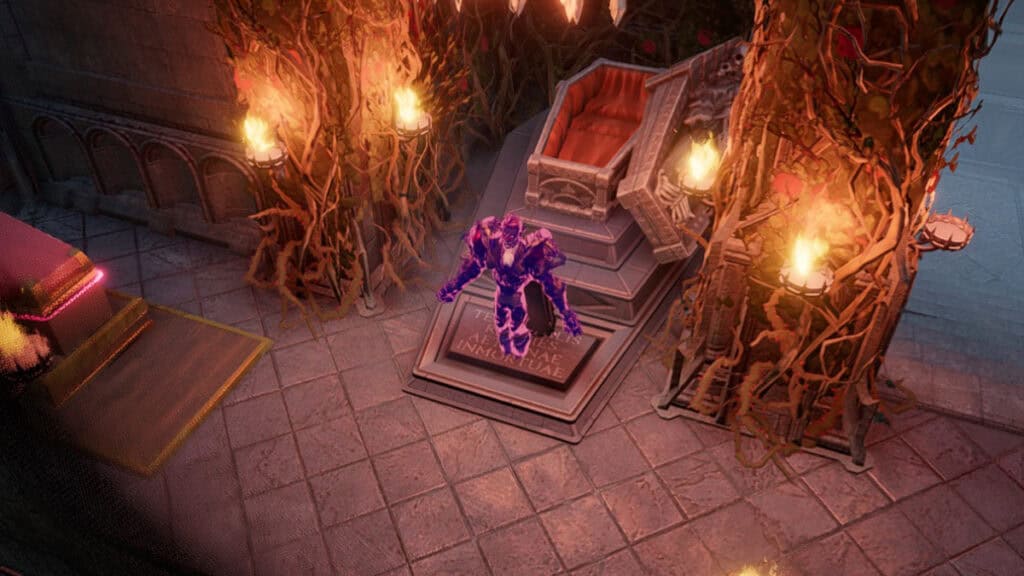
V Rising is one of the more ideal vampire games to play if you’re looking to enjoy it with friends. You can create a private game or even host an entire server if you’re looking for an even more immersive vampire experience. No matter how you view it, the game makes it easy to play multiplayer with friends. So, I will show you how to play with your friends in V Rising.

Starting a Private Game

[Updated on August 9, 2024 – added additional detail]
V Rising: How to Play Multiplayer with Friends
Image Source: Stunlock Studios via The Nerd Stash

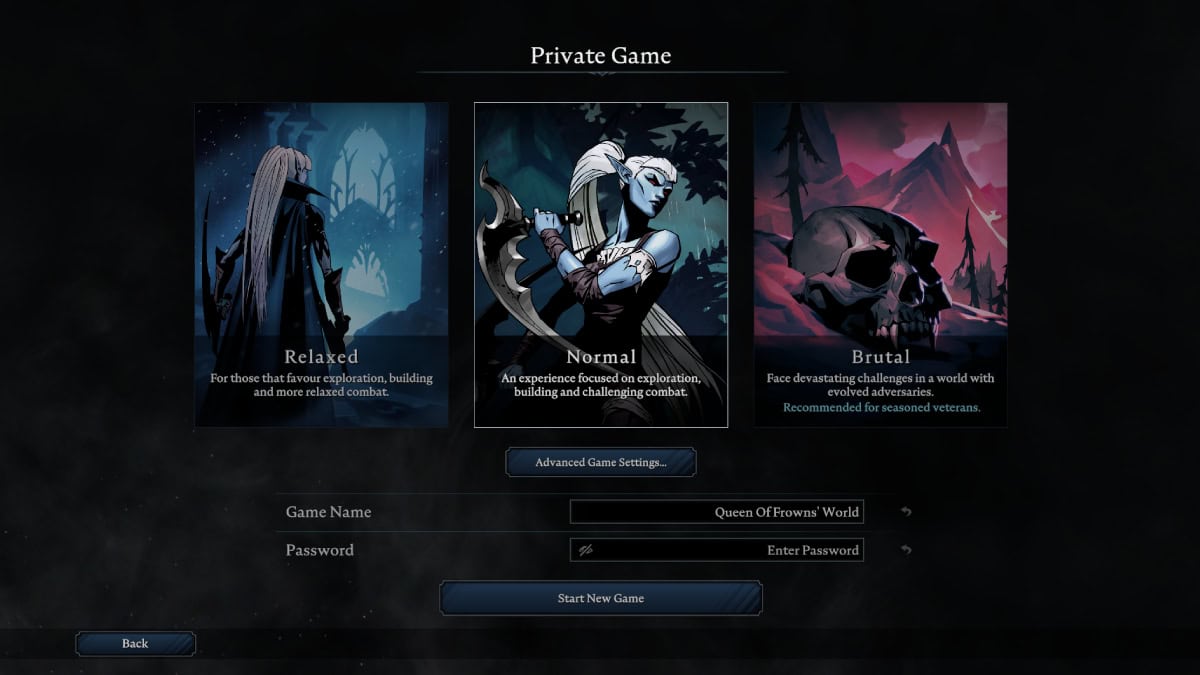
You can start a Private Game where you can choose the difficulty and create a password for others to enter. Follow these instructions to start a private game.

  1. After opening V Rising, select the Play option.
  2. In the available options, select Private Game.
  3. In the new window, you can choose the game’s difficulty and its name and password to give to other players.
  4. Select Advanced Settings to review other world settings you might want to consider.

Once everything is set up to your liking, you can give the game name and password to the players you want to play with.

Hosting a Dedicated Server

You can also host a dedicated server instead. V Rising allows you to purchase your dedicated server or rent one from their partners at GPortal. To do either of those, follow these instructions:

  1. After opening V Rising, select the Play option.
  2. In the available options, select Host Dedicated Server.
  3. If you choose to host a dedicated server, you will be taken to the GitHub website, which provides further instructions.
  4. If you choose to rent a server, you will be taken to the GPortal website featured in the link above.

Both methods are official, and the team behind V Rising has worked to create them for added enjoyment.

Related:

V Rising: How to Deal with Holy Radiation

V Rising is available to play now on PC and PlayStation.

Related Topics
Guide V Rising
Share. Facebook Twitter LinkedIn Reddit Email
Nat Collazo, Mykel Bright
  • Website
  • X (Twitter)
  • Instagram

I am a game journalist and guide writer with ten years of experience as well as the CEO/ Founder of Frowns Marketing, a marketing company that caters to indie games, tabletop games, and board games to help developers get more wishlists, backers, and players!

Nat Collazo, Mykel Bright
  • Website
  • X (Twitter)
  • Instagram

I am a game journalist and guide writer with ten years of experience as well as the CEO/ Founder of Frowns Marketing, a marketing company that caters to indie games, tabletop games, and board games to help developers get more wishlists, backers, and players!

SUGGESTED READS

Destiny 2 Renegades Equilibrium Dungeon Loot Table
Game Guides

Destiny 2: Renegades – Equilibrium Dungeon Loot Table Full Armor, Weapons, and Perks

Battlefield 6 Winter Offensive Challenges Guide
Game Guides

Battlefield 6 Season 1 – Winter Offensive Challenges Guide

Druid Starter Guide Path of Exile 2
Game Guides

Ultimate Druid Starter Guide for Path of Exile 2

Paladin Starter Guide for Diablo 4
Game Guides

Ultimate Paladin Starter Guide for Diablo 4

The First Half of 2026 is Packed With Amazing Titles Running Scared of Grand Theft Auto 6
Game Features

The First Half of 2026 is Packed With Amazing Titles Running Scared of Grand Theft Auto 6

Best Trailers Game Awards 2025
Game Features

Top Ten Best Trailers at the Game Awards 2025

Trending
Destiny 2 Renegades Equilibrium Dungeon Loot Table

Destiny 2: Renegades – Equilibrium Dungeon Loot Table Full Armor, Weapons, and Perks

Battlefield 6 Winter Offensive Challenges Guide

Battlefield 6 Season 1 – Winter Offensive Challenges Guide

Druid Starter Guide Path of Exile 2

Ultimate Druid Starter Guide for Path of Exile 2

Paladin Starter Guide for Diablo 4

Ultimate Paladin Starter Guide for Diablo 4

The Nerd Stash
Facebook X (Twitter) Instagram YouTube LinkedIn
  • About Us
  • Join Our Team
  • Meet the Team
  • Privacy Policy
  • DMCA Policy
  • Contact Us
  • Terms of Use
  • Sitemap
  • Editorial Guidelines
  • Advertising Policy
© 2025 The Nerd Stash. All Rights Reserved.

Type above and press Enter to search. Press Esc to cancel.




