
Close Menu
  • Gaming
    • Game Guides
    • Codes
    • Game News
    • Game Previews
    • Game Reviews
    • Game Features
    • Game Lists
    • Platforms
      • Nintendo
      • PC
      • PlayStation
      • Xbox
      • Mobile
  • Entertainment
    • Movies
    • Movie Features
    • Movie Reviews
    • TV
    • Reality TV
    • Royals
  • Celebrity
    • Hollywood
  • Human Interest
  • Astrology
  • Videos
  • More
    • Anime
    • Lists
    • Podcasts
    • Reviews
Facebook X (Twitter) Instagram LinkedIn YouTube
  • About Us
  • Join Our Team
  • Meet the Team
  • Privacy Policy
  • DMCA Policy
  • Contact Us
  • Terms of Use
  • Sitemap
  • Editorial Guidelines
  • Advertising Policy
The Nerd Stash
  • Gaming
  • Celebrity
    • Hollywood
  • Human Interest
  • Videos
The Nerd Stash
Home»Game Guides»How to Turn On New Graphics in Fortnite

How to Turn On New Graphics in Fortnite

Do you want to know how to turn on new graphics in Fortnite? Fortnite Chapter 4 Season 1 has just been released, and with it…

Asanga WijeratneBy Asanga WijeratneDecember 6, 20222 Mins Read
How to Turn On New Graphics in Fortnite

Skip To...

  • What is New Graphics in Fortnite?
  • How to Turn On New Graphics in Fortnite?
This article is over 3 years old and may contain outdated information.

Do you want to know how to turn on new graphics in Fortnite? Fortnite Chapter 4 Season 1 has just been released, and with it comes the option to turn on new graphics settings. Fortnite has introduced the newest graphical user interface, which allows users to have the best gaming experience. However, many players wonder how to turn on this new Graphic feature. This guide will tell you how to turn on new graphics in Fortnite.

What is New Graphics in Fortnite?

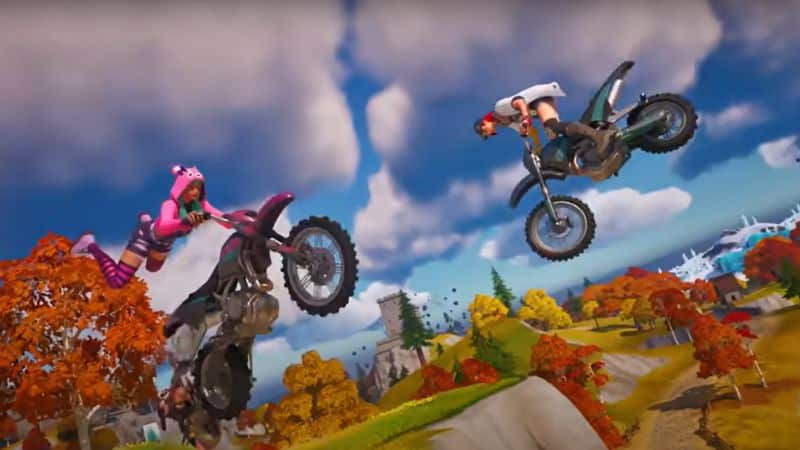
Fortnite has always been at the forefront of collaborating with the latest technologies to bring the best gaming experience to its players. One of its latest collaborations is with Unreal Engine 5, which it switched to last year. With the update to Unreal Engine 5.1, Fortnite introduced a new level of graphics for players, with enhanced level geometry and lighting. There are new graphics settings now available that players can enable to get an even better visual experience.

The new Lumen-powered graphical system provides players with a more realistic lighting experience, producing lifelike images and improved performance, especially with lighting and shadows. Also, Screenshots of the gameplay appear more natural, while the detailed textures enable players to get more natural images with enhanced color.

The Unreal Engine has used new Nanite technology to get detailed textures for Fortnite. Nanite is a virtualized micro polygon geometry that helps to reduce the amount of memory and data needed to store Fortnite game models.

How to Turn On New Graphics in Fortnite?
How to Turn On New Graphics in Fortnite

You can turn on New Lumen Graphics in Fortnite by turning off 120 FPS mode. Here are the steps on how you should do it.

  1. Open Fortnite Game
  2. Go to Settings
  3. Click on Video Tab
  4. Select Graphics from the options
  5. Turn off 120 FPS mod. Then the New Lumen Graphics system will automatically be on.

However, the 120 FPS system is currently handy for Fortnite players. So, deciding which mode you want to play in would be best.

So, there you have it—our guide on how to turn on new graphics in Fortnite. We recommend turning on these new graphics settings if you want the best gaming experience possible. With Unreal Engine 5.1, Fortnite has introduced a new level of graphical fidelity and gameplay enhancements that will improve your gaming experience. We hope you enjoy using this new feature!


Related Topics
Fortnite Guide
Share. Facebook Twitter LinkedIn Reddit Email
Asanga Wijeratne
  • Website

SUGGESTED READS

Minecraft Accused of Mocking Lonely Kids, Sparking Mental Health Backlash: 'One of the Ickiest Things I've Seen'
Features

Minecraft Accused of Mocking Lonely Kids, Sparking Mental Health Backlash: ‘One of the Ickiest Things I’ve Seen’

Destiny 2 Renegades PS5 Review
8.5
Features

Destiny 2: Renegades Review – The Shooter Strikes Back

Clair Obscur: Expedition 33 Loses GOTY, Other Award from Indie Game Awards Over Generative AI: 'Some Weird Performative BS'
Game News

GOTY Stripped Over AI?: Clair Obscur: Expedition 33 Loses Awards at Indie Game Awards, ‘Some Weird Performative BS’

Sony Patents Real-time AI Game Censorship Tech That Could Even Make GTA 6 Kid-Friendly
Game News

Sony Patents Real-Time AI Game Censorship Tech That Could Even Make GTA 6 Kid-Friendly

Zenless Zone Zero Version 2.5 Announcement
Game News

Zenless Zone Zero Version 2.5 Is Ready To Wrap Up the Year With Two New Agents and a Free Outfit

PC Gamers Can't Catch a Break as Nvidia Plans 40% GeForce GPU Production Cuts, Report: 'Who Needs a PC Anyways'
Game News

PC Gamers Can’t Catch a Break as Nvidia Reportedly Plans 40% GeForce GPU Production Cuts: ‘Who Needs a PC Anyways’

Trending
Minecraft Accused of Mocking Lonely Kids, Sparking Mental Health Backlash: 'One of the Ickiest Things I've Seen'

Minecraft Accused of Mocking Lonely Kids, Sparking Mental Health Backlash: ‘One of the Ickiest Things I’ve Seen’

Destiny 2 Renegades PS5 Review
8.5

Destiny 2: Renegades Review – The Shooter Strikes Back

Clair Obscur: Expedition 33 Loses GOTY, Other Award from Indie Game Awards Over Generative AI: 'Some Weird Performative BS'

GOTY Stripped Over AI?: Clair Obscur: Expedition 33 Loses Awards at Indie Game Awards, ‘Some Weird Performative BS’

Sony Patents Real-time AI Game Censorship Tech That Could Even Make GTA 6 Kid-Friendly

Sony Patents Real-Time AI Game Censorship Tech That Could Even Make GTA 6 Kid-Friendly

The Nerd Stash
Facebook X (Twitter) Instagram YouTube LinkedIn
  • About Us
  • Join Our Team
  • Meet the Team
  • Privacy Policy
  • DMCA Policy
  • Contact Us
  • Terms of Use
  • Sitemap
  • Editorial Guidelines
  • Advertising Policy
© 2025 The Nerd Stash. All Rights Reserved.

Type above and press Enter to search. Press Esc to cancel.




