

Close Menu
  • Gaming
    • Platforms
      • Nintendo
      • PC
      • PlayStation
      • Xbox
  • Entertainment
    • Movies
    • TV
    • Royals
  • Celebrity
    • Hollywood
  • Human Interest
  • Astrology
  • More
    • Reviews
Facebook X (Twitter) Instagram LinkedIn YouTube
  • About Us
  • Join Our Team
  • Meet the Team
  • Privacy Policy
  • DMCA Policy
  • Contact Us
  • Terms of Use
  • Sitemap
  • Editorial Guidelines
  • Advertising Policy
The Nerd Stash
  • Gaming
  • Celebrity
  • Hollywood
  • Human Interest
The Nerd Stash
Home»Gaming»BitLife: How to Be Born in Florida

BitLife: How to Be Born in Florida

The Sunshine State beckons you

Nat CollazoAlina NovichenkoBy Nat Collazo and Alina NovichenkoSeptember 9, 20242 Mins Read
BitLife How to Be Born in Florida
Image Source: Candywriter LLC via The Nerd Stash
This article is over 1 years old and may contain outdated information.

Who genuinely wants to be born in Florida? As someone who was, it is a genuine question that I ask anyone who even slightly thinks about moving to the red state. However, there are some bonuses to doing so, especially in BitLife. So, let’s review how to be born in the Sunshine State in BitLife.

Being Born in Florida in BitLife

(Updated on September 9, 2024 – new images and additional information and detail added)
BitLife How to Be Born in Florida
Image Source: Candywriter LLC via The Nerd Stash

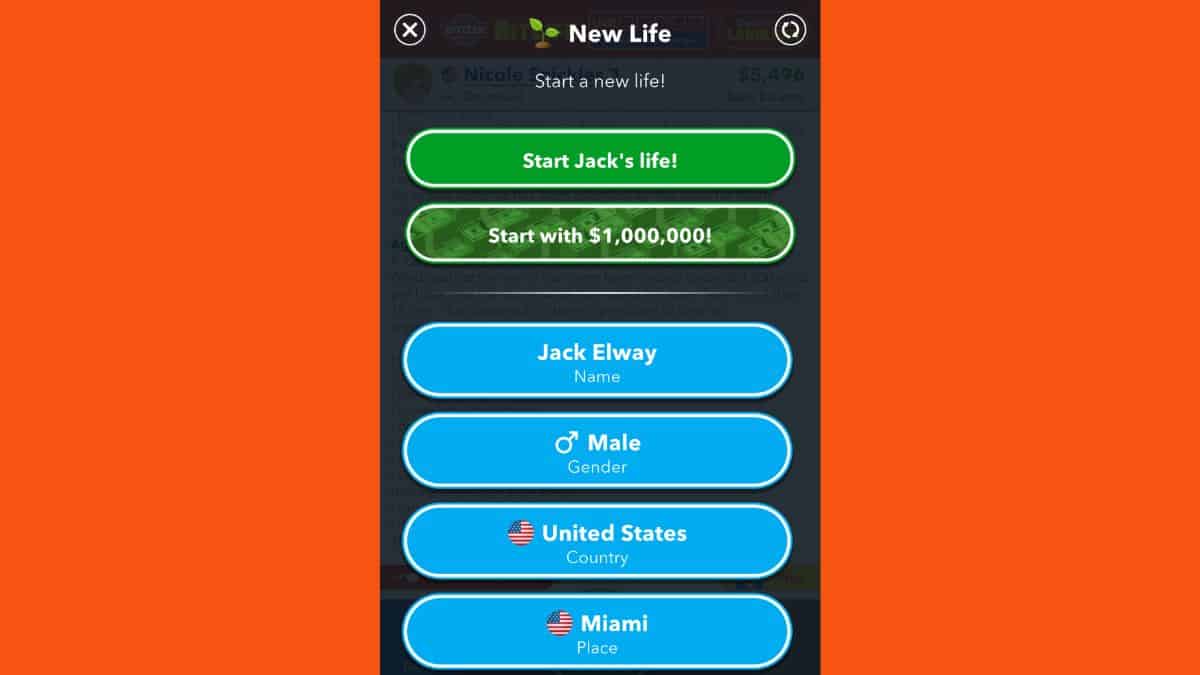
Being born in Florida is quite literally a choice you can make before ever creating your character. It’s advised that you have God Mode to make this change easier. To be born in Florida, follow these instructions:

  1. Before creating your character, ensure that you are set to be born in the United States.
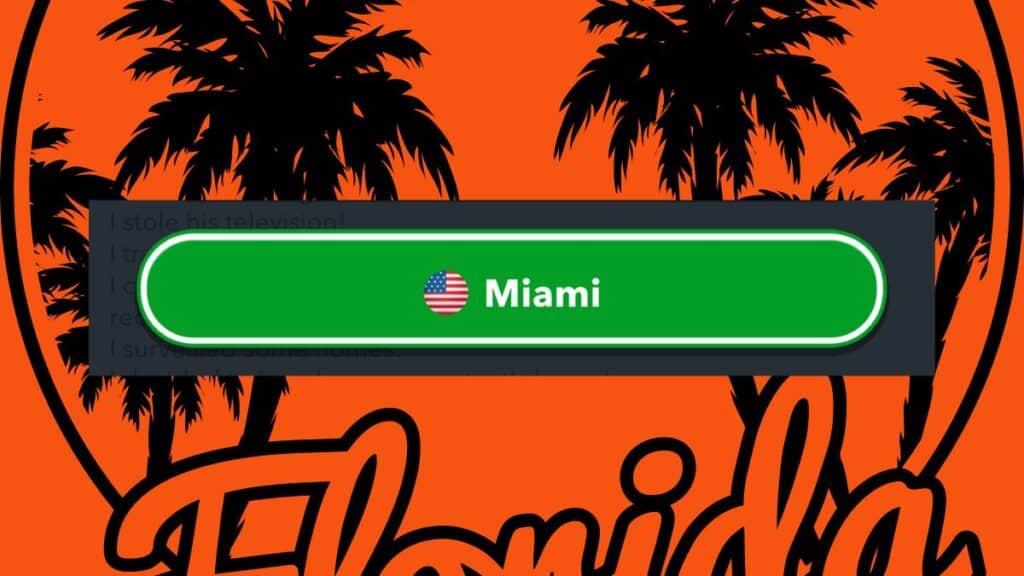
  2. Because you cannot choose the state of Florida in BitLife, choose the City of Miami as the place you’d like to be born in.
  3. After setting up the rest of your character, press the green Start Character’s life button.

At that point, just stay in the state if you’d like to ensure that your children are also born there.

How to Get God Mode

Without God Mode, you leave where you’re born up to chance. There are various countries and cities that a player can be born in, so it isn’t ideal to do it this way. To obtain God Mode, follow these instructions:

  1. Head to the Main Menu, outside of any of the characters you might be playing as.
  2. Scroll down to the BitLife Marketplace and enter.
  3. Here, search for the BitLife Essentials and locate the God Mode option.

Typically, this mode costs $9.99 USD, though there are usually promotions being held to make it a little cheaper for new users.

Related:

BitLife: How to Become a Water Slide Tester

BitLife is available to be played on mobile devices.

Related Topics
BitLife Guide
Share. Facebook Twitter LinkedIn Reddit Email
Nat Collazo, Alina Novichenko
  • Website
  • X (Twitter)
  • Instagram

Nat is a journalist with over ten years of online publishing experience. They are a massive fan of hanging out with both their wife and cat which would ideally be all the time. Nat received an undergraduate degree in English Literature from Florida International University, then returned to complete a graduate degree in Mass Communications before moving across the country to settle in New England.

Nat Collazo, Alina Novichenko
  • Website
  • X (Twitter)
  • Instagram

Nat is a journalist with over ten years of online publishing experience. They are a massive fan of hanging out with both their wife and cat which would ideally be all the time. Nat received an undergraduate degree in English Literature from Florida International University, then returned to complete a graduate degree in Mass Communications before moving across the country to settle in New England.

SUGGESTED READS

Sony Just Put Another Nail in Physical Games' Coffin by Repurposing Its Disc Factory: 'A Direct Impact on Production'
Gaming

Sony Just Put Another Nail in Physical Games’ Coffin by Repurposing Its Disc Factory: ‘A Direct Impact on Production’

Star Fox Nintendo Switch 2 Review
9
Gaming

Star Fox Review – The Crew Is Back

PlayStation Physical Discs Gone
Gaming

The End of an Era: PlayStation to End Physical Disc Production in 2028

$99 Price Tag Isn't Scaring Gamers as GTA 6 Preorders Top PlayStation Store Charts Worldwide
Gaming

$99 Price Tag Isn’t Scaring Gamers as GTA 6 Preorders Top PlayStation Store Charts Worldwide

GTA 6 Launch Issues
Gaming

The Launch Of GTA 6 Might Be In Danger as Rockstar Games Could Go On Strike

The Crew Motorfest Season 10 Interview With Julien Hummer
Gaming

The Crew Motorfest Interview With Julien Hummer: The 10-Season Milestone, Long-Format Events, and More

The Nerd Stash
Facebook X (Twitter) Instagram YouTube LinkedIn
  • About Us
  • Join Our Team
  • Meet the Team
  • Privacy Policy
  • DMCA Policy
  • Contact Us
  • Terms of Use
  • Sitemap
  • Editorial Guidelines
  • Advertising Policy
© 2026 The Nerd Stash. All Rights Reserved.

Type above and press Enter to search. Press Esc to cancel.




