
Close Menu
  • Gaming
    • Game Guides
    • Codes
    • Game News
    • Game Previews
    • Game Reviews
    • Game Features
    • Game Lists
    • Platforms
      • Nintendo
      • PC
      • PlayStation
      • Xbox
      • Mobile
  • Entertainment
    • Movies
    • Movie Features
    • Movie Reviews
    • TV
    • Reality TV
    • Royals
  • Celebrity
    • Hollywood
  • Human Interest
  • Astrology
  • Videos
  • More
    • Anime
    • Lists
    • Podcasts
    • Reviews
Facebook X (Twitter) Instagram LinkedIn YouTube
  • About Us
  • Join Our Team
  • Meet the Team
  • Privacy Policy
  • DMCA Policy
  • Contact Us
  • Terms of Use
  • Sitemap
  • Editorial Guidelines
  • Advertising Policy
The Nerd Stash
  • Gaming
  • Celebrity
    • Hollywood
  • Human Interest
  • Videos
The Nerd Stash
Home»Game Guides»Modern Warfare 2: How to Fix Ranked Competitor Skin Bug

Modern Warfare 2: How to Fix Ranked Competitor Skin Bug

Do you want to know how to fix the Ranked Competitor Skin Bug in Modern Warfare 2? Modern Warfare 2 has been out for over…

Asanga WijeratneBy Asanga WijeratneFebruary 24, 20233 Mins Read
Modern Warfare 2 Ranked Competitor Skin Bug
Image via Call of Duty

Skip To...

  • What is the Ranked Competitor Skin Bug in Modern Warfare 2?
  • How to Fix the Ranked Competitor Skin Bug in Modern Warfare 2?
This article is over 2 years old and may contain outdated information.

Do you want to know how to fix the Ranked Competitor Skin Bug in Modern Warfare 2? Modern Warfare 2 has been out for over a decade. It still has some issues causing players to experience problems. One of these issues is the Ranked Competitor Skin Bug. It can cause some skins to lock when trying to play in ranked matches. This guide will tell you how to fix the Ranked Competitor Skin Bug in Modern Warfare 2.

What is the Ranked Competitor Skin Bug in Modern Warfare 2?

Ranked Competitor Skin Bugs is an issue in Modern Warfare 2 that prevents players from engaging in ranked mode if they use certain skins. The bug causes contention among users as the skins that have been restricted are popular because of their unique designs and nameplates, leaving them highly sought after by players. While ranked mode unlocks the rewards it offers for accomplishing objectives, the Ranked Competitor Skin Bug is a block to playing with these skins.

Related:

Modern Warfare 2 February 20th Update Patch Notes

How to Fix the Ranked Competitor Skin Bug in Modern Warfare 2?
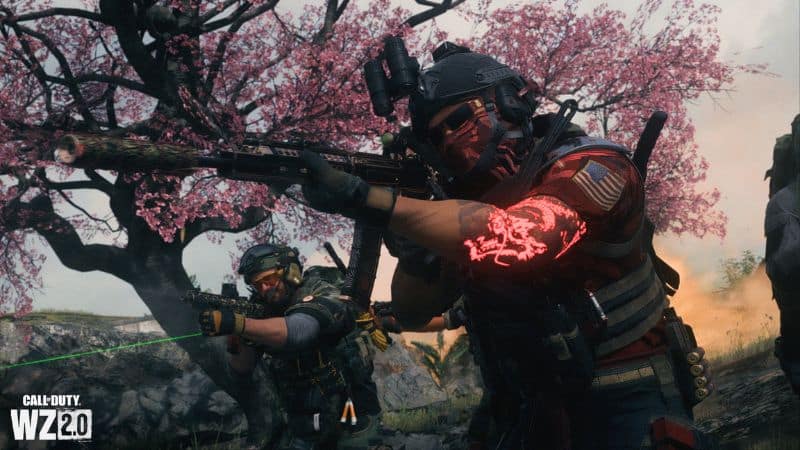
Modern Warfare 2 Ranked Competitor Skin Bug
Image via Call of Duty

You can fix the Ranked Competitor Skin Bug in Modern Warfare 2 by playing another game with the ranked mode. This is the only solution given by some users so far. Also, there is no update on the Activision support Twitter page about the bug, so that it may be an issue with the game itself. However, also you can do some of the common fixes as follows.

  1. Make sure that your game is updated with the latest patches. This will help fix any bugs or glitches in the game and help with the Ranked Competitor Skin Bug.
  2. If you have any mods or cheats installed, disable them before starting a game. Mods and cheats can lead to issues with the game, including the Ranked Competitor Skin Bug.
  3. Try verifying your game files to ensure the game is reinstalling any missing or corrupted files. This can help with any issues you’re having with the game.
  4. Finally, if all else fails, you can try uninstalling and reinstalling the game. This will ensure that any corrupted files or settings are wiped, and you can start fresh.

These should help fix the Ranked Competitor Skin Bug. If none of these solutions help, you may have to wait until Activision releases a patch for the game or contact their support team.

Hopefully, this guide has helped explain how to fix the Ranked Competitor Skin Bug. Good luck, and happy gaming!

Also, Call of Duty: Modern Warfare 2 is available on PlayStation 4, PlayStation 5, Xbox One, Xbox Series X|S, and PC.

Related Topics
Guide Modern Warfare 2
Share. Facebook Twitter LinkedIn Reddit Email
Asanga Wijeratne
  • Website

SUGGESTED READS

Nintendo Demanded Mario Always Be ‘Ahead’ of Sonic in Crossovers, Says Ex-SEGA Producer
Game News

Nintendo Demanded Mario Always Be ‘Ahead’ of Sonic in Crossovers, Says Ex-SEGA Producer: ‘Or There Will be No Deal’

Dynasty Warriors Origins Visions of Four Heroes Review
9
Game Features

Dynasty Warriors: Origins – Visions of Four Heroes Review – Old Foes, New Allies

Marvel Rivals Season 6 Hands-On Preview
Game Features

Marvel Rivals Season 6 Hands-On Preview: The Merc With a Mouth Has Arrived

Amazon's Tomb Raider Reveals Sophie Turner's Accurate Lara Croft Looks, But Fans Still Have One Major Concern
Game News

Amazon’s Tomb Raider Reveals Sophie Turner’s Classic-Inspired Lara Croft Looks, But Fans Still Have One Major Concern

Monster Hunter Wilds DLC FPS
Game News

More DLC Equals More FPS: Monster Hunter Wilds Player Discovers an Unintentional Flaw In the Game’s Performance

Marathon Raid Map
Features

Marathon Will Break Extraction Shooter Conventions by Bringing Destiny-like Raids Into the Mix

Trending
Nintendo Demanded Mario Always Be ‘Ahead’ of Sonic in Crossovers, Says Ex-SEGA Producer

Nintendo Demanded Mario Always Be ‘Ahead’ of Sonic in Crossovers, Says Ex-SEGA Producer: ‘Or There Will be No Deal’

Dynasty Warriors Origins Visions of Four Heroes Review
9

Dynasty Warriors: Origins – Visions of Four Heroes Review – Old Foes, New Allies

Marvel Rivals Season 6 Hands-On Preview

Marvel Rivals Season 6 Hands-On Preview: The Merc With a Mouth Has Arrived

Amazon's Tomb Raider Reveals Sophie Turner's Accurate Lara Croft Looks, But Fans Still Have One Major Concern

Amazon’s Tomb Raider Reveals Sophie Turner’s Classic-Inspired Lara Croft Looks, But Fans Still Have One Major Concern

The Nerd Stash
Facebook X (Twitter) Instagram YouTube LinkedIn
  • About Us
  • Join Our Team
  • Meet the Team
  • Privacy Policy
  • DMCA Policy
  • Contact Us
  • Terms of Use
  • Sitemap
  • Editorial Guidelines
  • Advertising Policy
© 2026 The Nerd Stash. All Rights Reserved.

Type above and press Enter to search. Press Esc to cancel.





