
Close Menu
  • Gaming
    • Game Guides
    • Codes
    • Game News
    • Game Previews
    • Game Reviews
    • Game Features
    • Game Lists
    • Platforms
      • Nintendo
      • PC
      • PlayStation
      • Xbox
      • Mobile
  • Entertainment
    • Movies
    • Movie Features
    • Movie Reviews
    • TV
    • Reality TV
    • Royals
  • Celebrity
    • Hollywood
  • Human Interest
  • Astrology
  • Videos
  • More
    • Anime
    • Lists
    • Podcasts
    • Reviews
Facebook X (Twitter) Instagram LinkedIn YouTube
  • About Us
  • Join Our Team
  • Meet the Team
  • Privacy Policy
  • DMCA Policy
  • Contact Us
  • Terms of Use
  • Sitemap
  • Editorial Guidelines
  • Advertising Policy
The Nerd Stash
  • Gaming
  • Celebrity
    • Hollywood
  • Human Interest
  • Videos
The Nerd Stash
Home»Game Guides»How To Top Up in Honkai Star Rail

How To Top Up in Honkai Star Rail

Topping up in Honkai Star Rail is certainly a way to progress in the game more quickly. Grab your wallets, steady your nerves, and dive into…

Cande MaldonadoBy Cande MaldonadoMay 7, 20232 Mins Read
Honkai Star Rail
Image Source: HoYoverse
This article is over 2 years old and may contain outdated information.

Topping up in Honkai Star Rail is certainly a way to progress in the game more quickly. Grab your wallets, steady your nerves, and dive into the world of Honkai Star Rail top-ups. In the world of gacha games, nothing screams “I need that shiny new character” quite like spending real money. And Honkai Star Rail is no exception — their Top-Up shop is a treasure trove of Oneiric Shards, the game’s precious paid-for currency. This guide will guide you through the process of topping up on Honkai Star Rail.

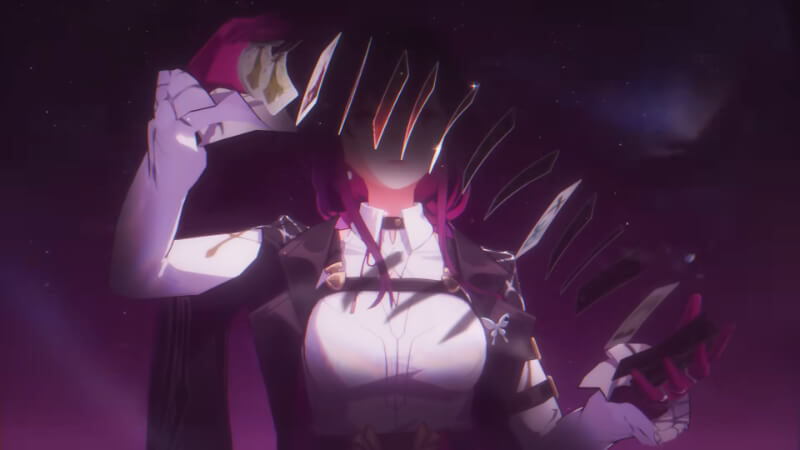
Honkai Star Rail: How To Top Up
Honkai Star Rail: How To Top Up
Image Source: HoYoverse

First, we want to remind you to spend your money wisely and monitor your game time. Hoyoverse even reminds you of this in their shop, albeit in the tiniest font.

To access the shop, hit the ESC key or the phone icon in the upper-left-hand corner of your screen when logged in as your character. Once you’ve done this, you’ll be presented with a menu filled with many icons. But don’t worry; Hoyoverse has your back. You’ll find a giant button for the travel log and another for the shop.

Once in the shop, you’ll see various options, some requiring in-game currency and others requiring real-life currency. Look for the Oneiric Pouch tab, where you’ll find all the paid currency options. Each paid currency option comes with its bonuses upon the first purchase.

Now that you know how to top up in Honkai Star Rail, you can give yourself the boost you need to take on those challenging levels. With the following options, you can choose the amount of currency paid that best suits your needs and budget. 

  • Express Supply Pass: USD 4.99
  • x60 Oneiric Shards + 60 Bonus: USD 0.99
  • x300 Oneiric Shards + 300 Bonus: USD 4.99
  • x980 Oneiric Shards + 980 Bonus: USD 14.99
  • 1980 Oneiric Shards + 1980 Bonus: USD 29.99
  • x3280 Oneiric Shards + 3280 Bonus: USD 49.99
  • x6480 Oneiric Shards + 6480 Bonus: USD 99.99
Related Topics
Guide Honkai: Star Rail
Share. Facebook Twitter LinkedIn Reddit Email
Cande Maldonado
  • Website

Pot-smasher, NPC-annoyer, side quest-completionist. Oh, there's that writing gig, too.

SUGGESTED READS

Minecraft Accused of Mocking Lonely Kids, Sparking Mental Health Backlash: 'One of the Ickiest Things I've Seen'
Features

Minecraft Accused of Mocking Lonely Kids, Sparking Mental Health Backlash: ‘One of the Ickiest Things I’ve Seen’

Destiny 2 Renegades PS5 Review
8.5
Features

Destiny 2: Renegades Review – The Shooter Strikes Back

Clair Obscur: Expedition 33 Loses GOTY, Other Award from Indie Game Awards Over Generative AI: 'Some Weird Performative BS'
Game News

GOTY Stripped Over AI?: Clair Obscur: Expedition 33 Loses Awards at Indie Game Awards, ‘Some Weird Performative BS’

Sony Patents Real-time AI Game Censorship Tech That Could Even Make GTA 6 Kid-Friendly
Game News

Sony Patents Real-Time AI Game Censorship Tech That Could Even Make GTA 6 Kid-Friendly

Zenless Zone Zero Version 2.5 Announcement
Game News

Zenless Zone Zero Version 2.5 Is Ready To Wrap Up the Year With Two New Agents and a Free Outfit

PC Gamers Can't Catch a Break as Nvidia Plans 40% GeForce GPU Production Cuts, Report: 'Who Needs a PC Anyways'
Game News

PC Gamers Can’t Catch a Break as Nvidia Reportedly Plans 40% GeForce GPU Production Cuts: ‘Who Needs a PC Anyways’

Trending
Minecraft Accused of Mocking Lonely Kids, Sparking Mental Health Backlash: 'One of the Ickiest Things I've Seen'

Minecraft Accused of Mocking Lonely Kids, Sparking Mental Health Backlash: ‘One of the Ickiest Things I’ve Seen’

Destiny 2 Renegades PS5 Review
8.5

Destiny 2: Renegades Review – The Shooter Strikes Back

Clair Obscur: Expedition 33 Loses GOTY, Other Award from Indie Game Awards Over Generative AI: 'Some Weird Performative BS'

GOTY Stripped Over AI?: Clair Obscur: Expedition 33 Loses Awards at Indie Game Awards, ‘Some Weird Performative BS’

Sony Patents Real-time AI Game Censorship Tech That Could Even Make GTA 6 Kid-Friendly

Sony Patents Real-Time AI Game Censorship Tech That Could Even Make GTA 6 Kid-Friendly

The Nerd Stash
Facebook X (Twitter) Instagram YouTube LinkedIn
  • About Us
  • Join Our Team
  • Meet the Team
  • Privacy Policy
  • DMCA Policy
  • Contact Us
  • Terms of Use
  • Sitemap
  • Editorial Guidelines
  • Advertising Policy
© 2025 The Nerd Stash. All Rights Reserved.

Type above and press Enter to search. Press Esc to cancel.





