Close Menu
  • Gaming
    • Game Guides
    • Codes
    • Game News
    • Game Previews
    • Game Reviews
    • Game Features
    • Game Lists
    • Platforms
      • Nintendo
      • PC
      • PlayStation
      • Xbox
      • Mobile
  • Entertainment
    • Movies
    • Movie Features
    • Movie Reviews
    • TV
    • Reality TV
    • Royals
  • Celebrity
    • Hollywood
  • Human Interest
  • Astrology
  • Videos
  • More
    • Anime
    • Lists
    • Podcasts
    • Reviews
Facebook X (Twitter) Instagram LinkedIn YouTube
  • About Us
  • Join Our Team
  • Meet the Team
  • Privacy Policy
  • DMCA Policy
  • Contact Us
  • Terms of Use
  • Sitemap
  • Editorial Guidelines
  • Advertising Policy
The Nerd Stash
  • Gaming
  • Celebrity
    • Hollywood
  • Human Interest
  • Videos
The Nerd Stash
Home»Features»How To Align the Communications Array in Destiny 2

How To Align the Communications Array in Destiny 2

Season of the Deep has arrived in Destiny 2, and with it comes the return of the sunsetted moon of Saturn, Titan, which hasn’t been…

Joseph ThomaselliBy Joseph ThomaselliMay 23, 20233 Mins Read
Destiny 2 Destination
Image Source: Bungie.net
This article is over 2 years old and may contain outdated information.

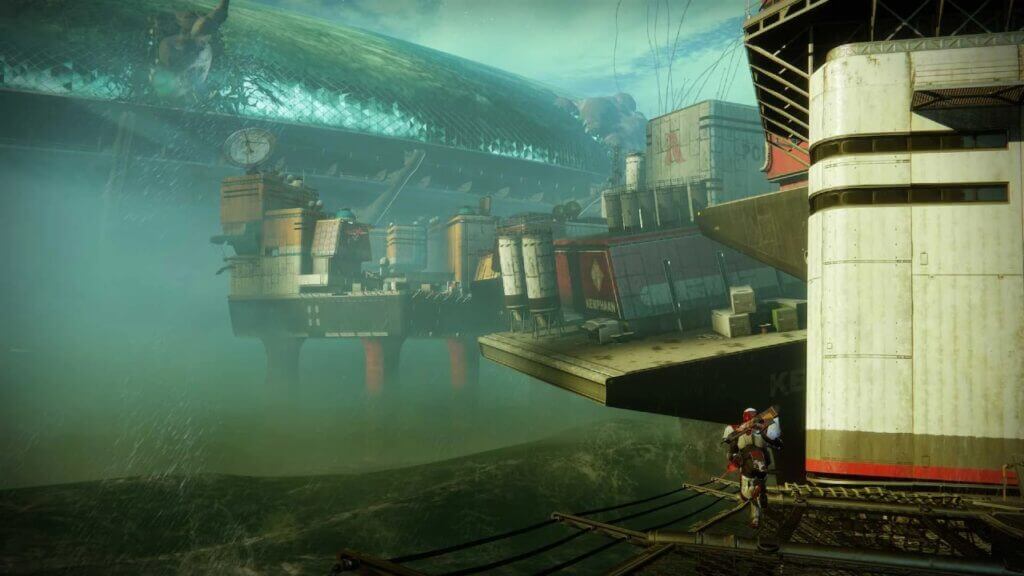
Season of the Deep has arrived in Destiny 2, and with it comes the return of the sunsetted moon of Saturn, Titan, which hasn’t been a playable destination for the past four years. As soon as Guardians load up the game, they are greeted with an opening mission to venture to the moon to try and rescue Deputy Commander Sloane, who was presumed dead when Titan was lost to The Witness. However, a specific aspect of the mission is stumping some players, which is aligning the communications array. So today, it’s time to discuss how to align the communication array in Destiny 2.

How To Align The Communications Array In Destiny 2
Destiny 2 Align Communication Arrays
Image Source: TheNerdStash

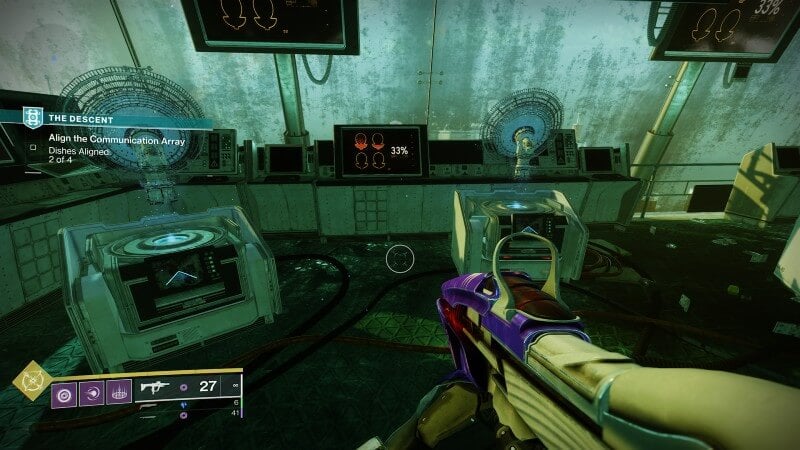
When it’s time to align the communication arrays, the player will have four terminals in front of them. Underneath the hologram of the array, there will either be a blue or red arrow on the mini-screen pointing in a specific direction (either left, right, up, or down). If the terminal shows a blue arrow, the array is aligned, and the player doesn’t need to toggle with it.

However, if it’s showing a red arrow, then the player must intervene and change the direction of the arrow to align it perfectly. Please look at the image above, as two blue arrows are shown on the terminals. This means the Guardian is done with these two and doesn’t need to interact with them further.
Destiny 2 Align Communication Arrays
Image Source: TheNerdStash

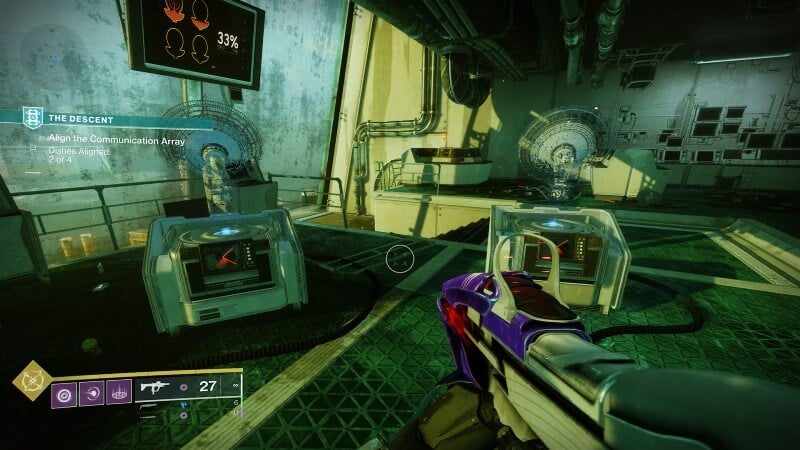
Now look at the image above, and notice the terminals with the red arrows on them. This means the player must walk up to them and hold the button it displays to change the direction of the arrow (For example, an Xbox player would use the X button to change the direction of the array). The player may have to do it several times before the arrow finally glows blue. They should proceed to do this for the remaining terminals with a red arrow until they all show a glowing blue arrow.

(Remember that the arrows and terminals won’t be in the same order as the images above.)

When all of the terminals show a glowing blue arrow, the player will be met with some dialogue from Zavala and The Drifter regarding the next steps in the mission. With the arrays aligned, Zavala states that Commander Sloan is apparently underwater, and he will then give the Guardian new directions on where to go next.

Related Topics
Destiny 2 Guide
Share. Facebook Twitter LinkedIn Reddit Email
Joseph Thomaselli
  • Website

SUGGESTED READS

Minecraft Accused of Mocking Lonely Kids, Sparking Mental Health Backlash: 'One of the Ickiest Things I've Seen'
Features

Minecraft Accused of Mocking Lonely Kids, Sparking Mental Health Backlash: ‘One of the Ickiest Things I’ve Seen’

Destiny 2 Renegades PS5 Review
8.5
Features

Destiny 2: Renegades Review – The Shooter Strikes Back

Clair Obscur: Expedition 33 Loses GOTY, Other Award from Indie Game Awards Over Generative AI: 'Some Weird Performative BS'
Game News

GOTY Stripped Over AI?: Clair Obscur: Expedition 33 Loses Awards at Indie Game Awards, ‘Some Weird Performative BS’

The NeverEnding Story Dragon
Features

This ’80s Classic Movie Is Way Darker Than You Remember

Sony Patents Real-time AI Game Censorship Tech That Could Even Make GTA 6 Kid-Friendly
Game News

Sony Patents Real-Time AI Game Censorship Tech That Could Even Make GTA 6 Kid-Friendly

Zenless Zone Zero Version 2.5 Announcement
Game News

Zenless Zone Zero Version 2.5 Is Ready To Wrap Up the Year With Two New Agents and a Free Outfit

Trending
Minecraft Accused of Mocking Lonely Kids, Sparking Mental Health Backlash: 'One of the Ickiest Things I've Seen'

Minecraft Accused of Mocking Lonely Kids, Sparking Mental Health Backlash: ‘One of the Ickiest Things I’ve Seen’

Destiny 2 Renegades PS5 Review
8.5

Destiny 2: Renegades Review – The Shooter Strikes Back

Clair Obscur: Expedition 33 Loses GOTY, Other Award from Indie Game Awards Over Generative AI: 'Some Weird Performative BS'

GOTY Stripped Over AI?: Clair Obscur: Expedition 33 Loses Awards at Indie Game Awards, ‘Some Weird Performative BS’

The NeverEnding Story Dragon

This ’80s Classic Movie Is Way Darker Than You Remember

The Nerd Stash
Facebook X (Twitter) Instagram YouTube LinkedIn
  • About Us
  • Join Our Team
  • Meet the Team
  • Privacy Policy
  • DMCA Policy
  • Contact Us
  • Terms of Use
  • Sitemap
  • Editorial Guidelines
  • Advertising Policy
© 2025 The Nerd Stash. All Rights Reserved.

Type above and press Enter to search. Press Esc to cancel.