Close Menu
  • Gaming
    • Platforms
      • Nintendo
      • PC
      • PlayStation
      • Xbox
  • Entertainment
    • Movies
    • TV
    • Royals
  • Celebrity
    • Hollywood
  • Human Interest
  • Astrology
  • More
    • Reviews
Facebook X (Twitter) Instagram LinkedIn YouTube
  • About Us
  • Join Our Team
  • Meet the Team
  • Privacy Policy
  • DMCA Policy
  • Contact Us
  • Terms of Use
  • Sitemap
  • Editorial Guidelines
  • Advertising Policy
The Nerd Stash
  • Gaming
  • Celebrity
  • Hollywood
  • Human Interest
The Nerd Stash
Home»Gaming»How to Equip Skills in Baldur’s Gate 3

How to Equip Skills in Baldur’s Gate 3

Baldur’s Gate 3 is an RPG that does wonders to introduce players to the genre and the world of Dungeons and Dragons due to its…

Julio La PineBy Julio La PineAugust 4, 20232 Mins Read
Baldur's Gate 3 How to Equip and Use Skills
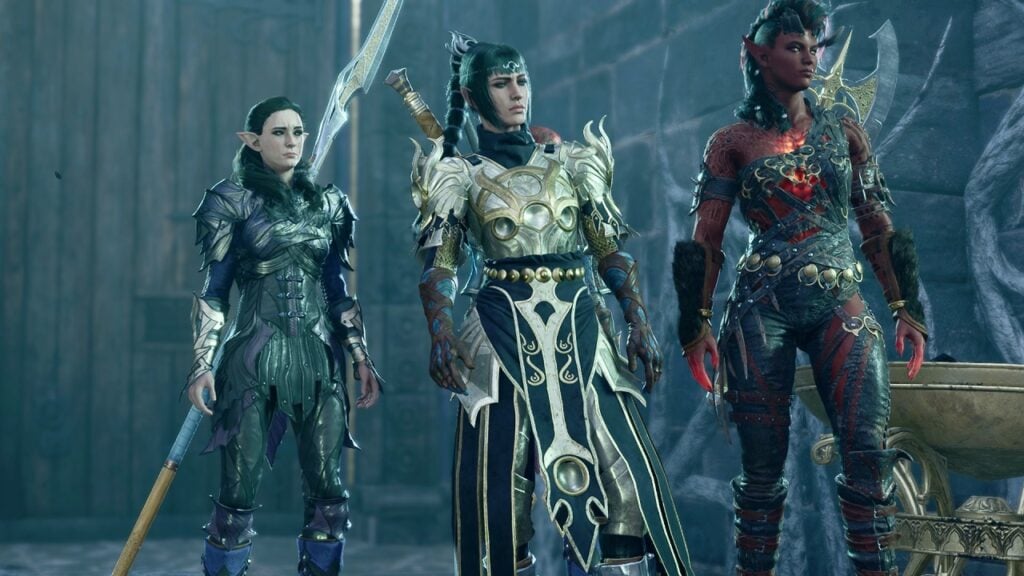
Image Source: Larian Studios via The Nerd Stash
This article is over 3 years old and may contain outdated information.

Baldur’s Gate 3 is an RPG that does wonders to introduce players to the genre and the world of Dungeons and Dragons due to its mechanics. However, some things aren’t as intuitive as one might think. One of the things that players struggle with is skills and how to add them to the hotbar. If you remove a few by mistake, it can be stressful to know how to put them back on. If this happened to you, don’t fret because here we’ll tell you how to equip skills in Baldur’s Gate 3.

Baldur’s Gate 3: How To Equip Skills in the Hotbar
Baldur's Gate 3 Skill Book
Image Source: Larian Studios via The Nerd Stash

Baldur’s Gate 3 doesn’t tell you how to equip skills in the hotbar, and it can be a bit annoying for some. While the game shows you most of the mechanics, equipping skills can be a hassle at times, especially for those who don’t know how to do it. Thankfully, we’ll tell you here what you must do to move and equip skills in the game.

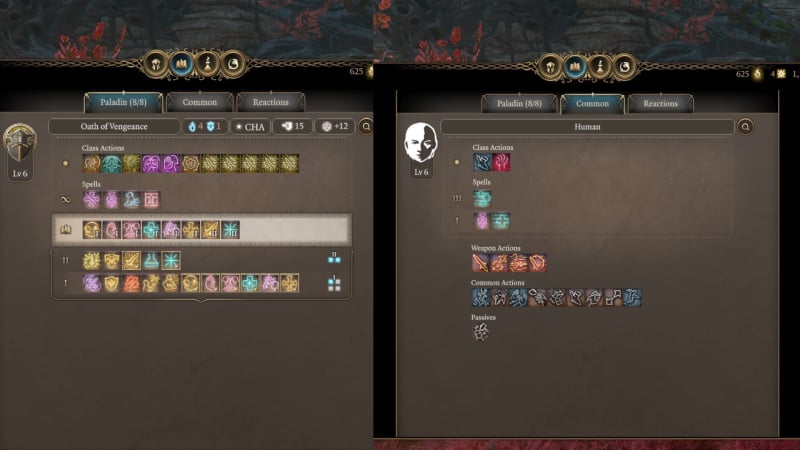
  • Press the “K” key to open your Spellbook. 
    • Here, you’ll find all your class-specific spells and skills and your weapon skills, which change depending on what you have equipped.
  • Select the class tab or the common tab, depending on the skill you want.
  • Drag the skill or spell to your hotbar.

Related:

How to Skip Cutscenes & Dialogue in Baldur’s Gate 3

That is everything you must do to equip skills in Baldur’s Gate 3. As mentioned, the game doesn’t say this explicitly, and moving or equipping new skills can be hard. Most of the skills you get from items or by leveling up are added automatically to your hotbar. You can filter everything by clicking on the tabs below your hotbar and switching from common skills to class-specific ones and even items. Mastering this will let you organize everything faster and defeat your foes with the abilities you want to use.

Baldur’s Gate 3 is available now on PC, PS5, and Xbox Series X|S.

Related Topics
Baldur's Gate 3 Guide
Share. Facebook Twitter LinkedIn Reddit Email
Julio La Pine
  • Website

News/Guide Writer for The Nerd Stash. When not working, you'll find him playing Final Fantasy 14, any good JRPG, and modding Project Zomboid.

SUGGESTED READS

DC white house MAGA game
Gaming

Trump’s MAGA Video Games Feature Immigrant Hunts and Tetris Walls in Bold New Vision for DC: ‘It’s Like the White House is Being Run by Evil 12 Year Olds’

Can Blood of Dawnwalker Run on Steam Deck? Best Settings & Performance Guide
Gaming

Can Blood of Dawnwalker Run on Steam Deck? Best Settings & Performance Guide

The Blood of Dawnwalker Scouting Towers
Gaming

The Blood of Dawnwalker: How to Clear Scouting Towers and Reveal Map Locations

How to Fast Travel and Activate Shrines in Blood of Dawnwalker
Gaming

How to Fast Travel and Activate Shrines in Blood of Dawnwalker

State of Play September 2026 Announcements
Gaming

PlayStation State of Play (September 2026): All Major Announcements

CS2 float values
Gaming

How to Read Float Before Buying a Skin

The Nerd Stash
Facebook X (Twitter) Instagram YouTube LinkedIn
  • About Us
  • Join Our Team
  • Meet the Team
  • Privacy Policy
  • DMCA Policy
  • Contact Us
  • Terms of Use
  • Sitemap
  • Editorial Guidelines
  • Advertising Policy
© 2026 The Nerd Stash. All Rights Reserved.

Type above and press Enter to search. Press Esc to cancel.